 Roll Flow
Meet Roll Flow
See the app screens — manager, student and instructor — and an overview of the web portal.
The app screens
The whole academy in the app — for whoever runs it, trains and teaches. Tap a screen to open the gallery.


For the manager
The whole academy in the pocket of whoever runs it.
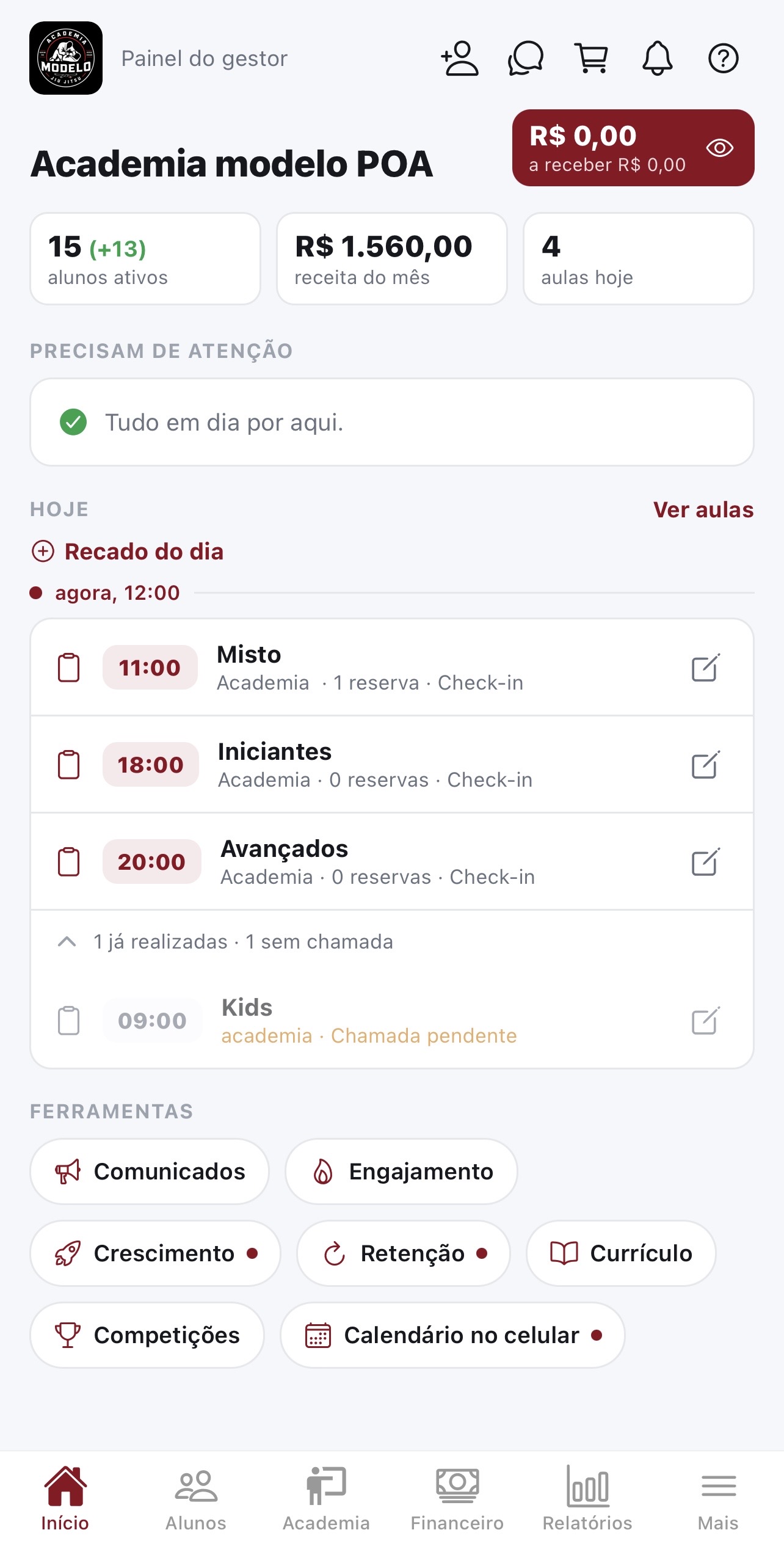
Manager dashboard
The whole academy at a glance: active students, income and notices in one place.
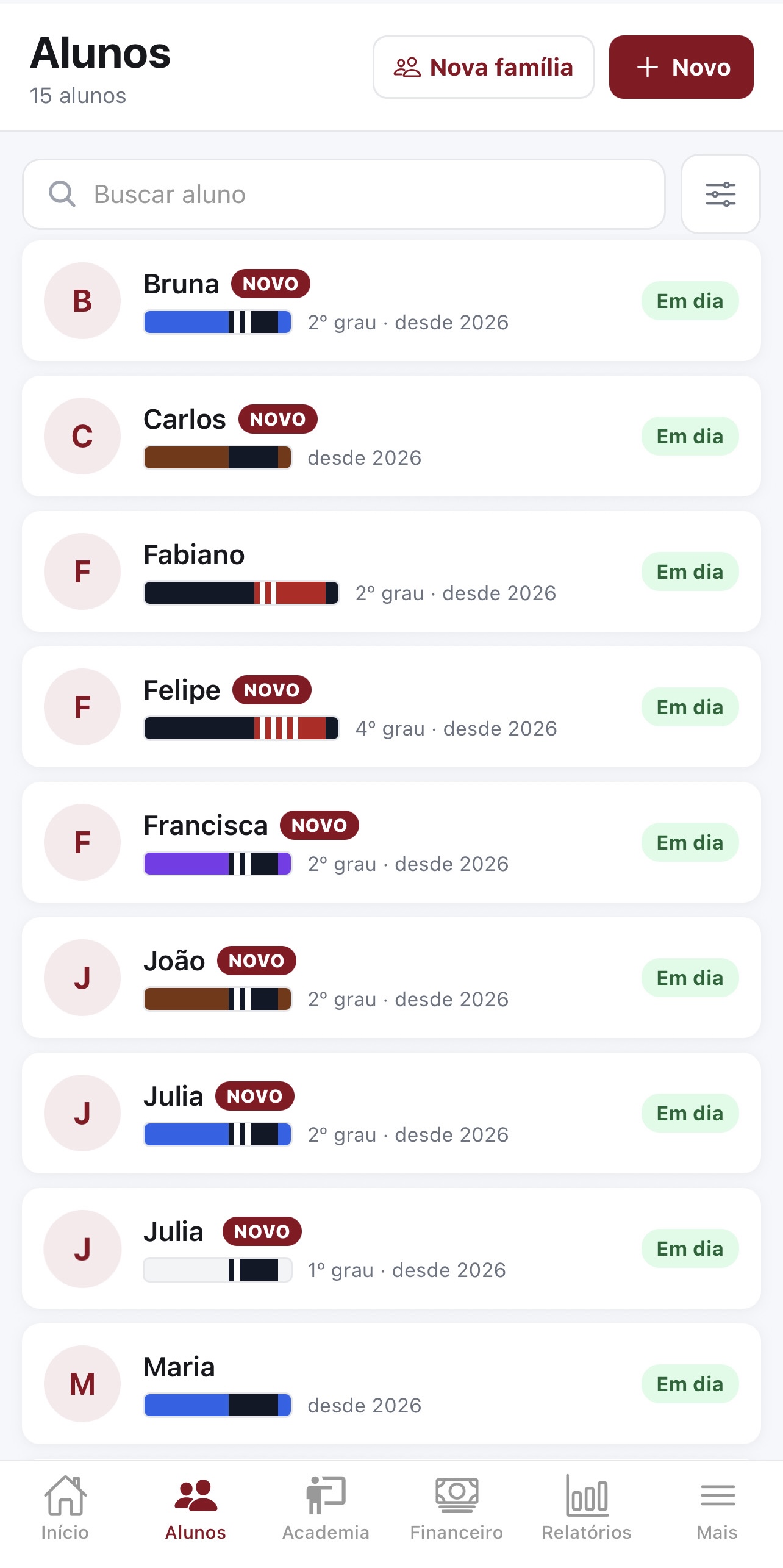
Students and classes
Register students and instructors, build recurring classes and track attendance.
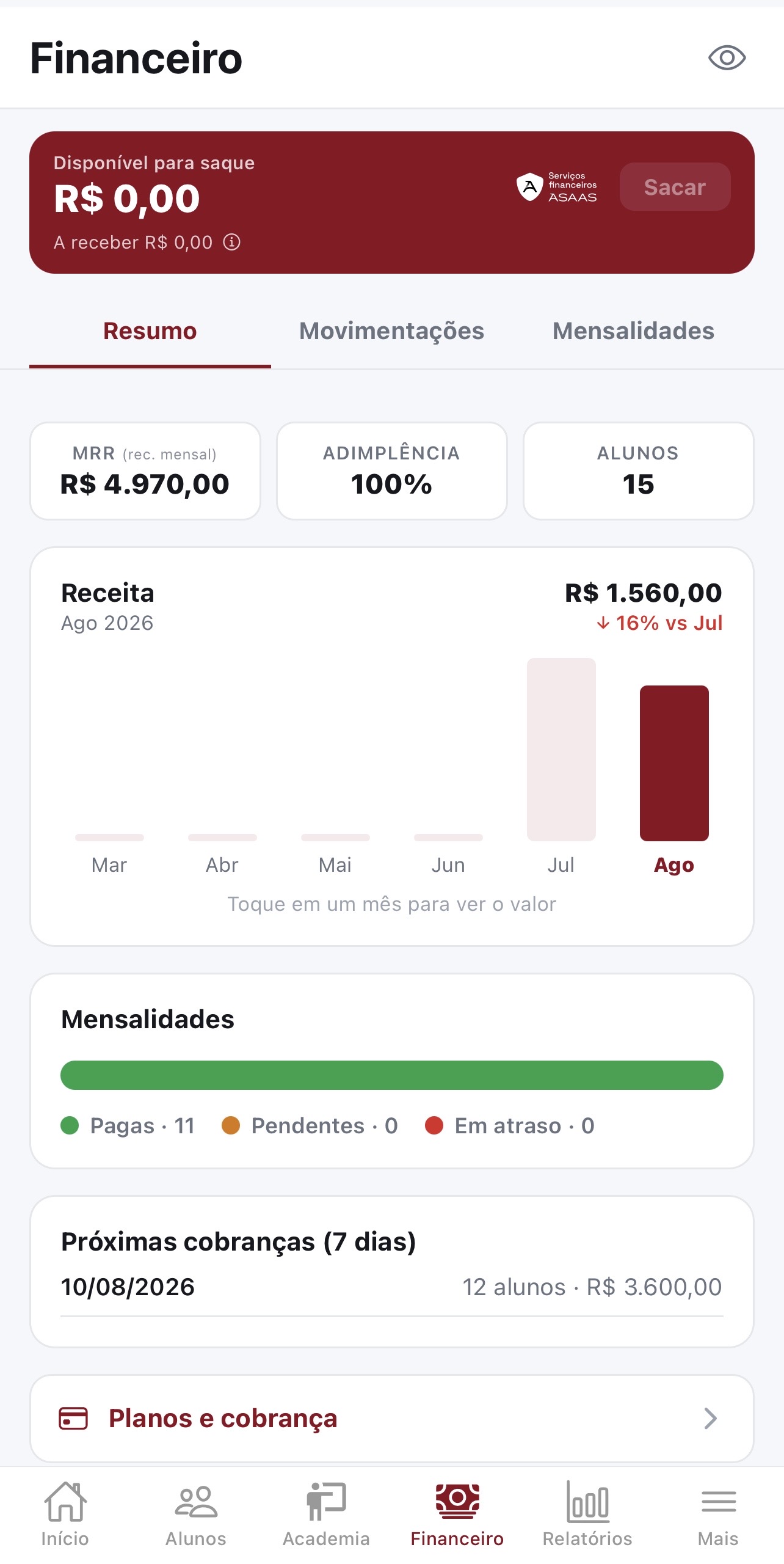
Finance and tuition
Tuition plans, invoices and in-app payment — with balance and transactions.
For the student
Training, attendance, belt and tuition in the student's hand.
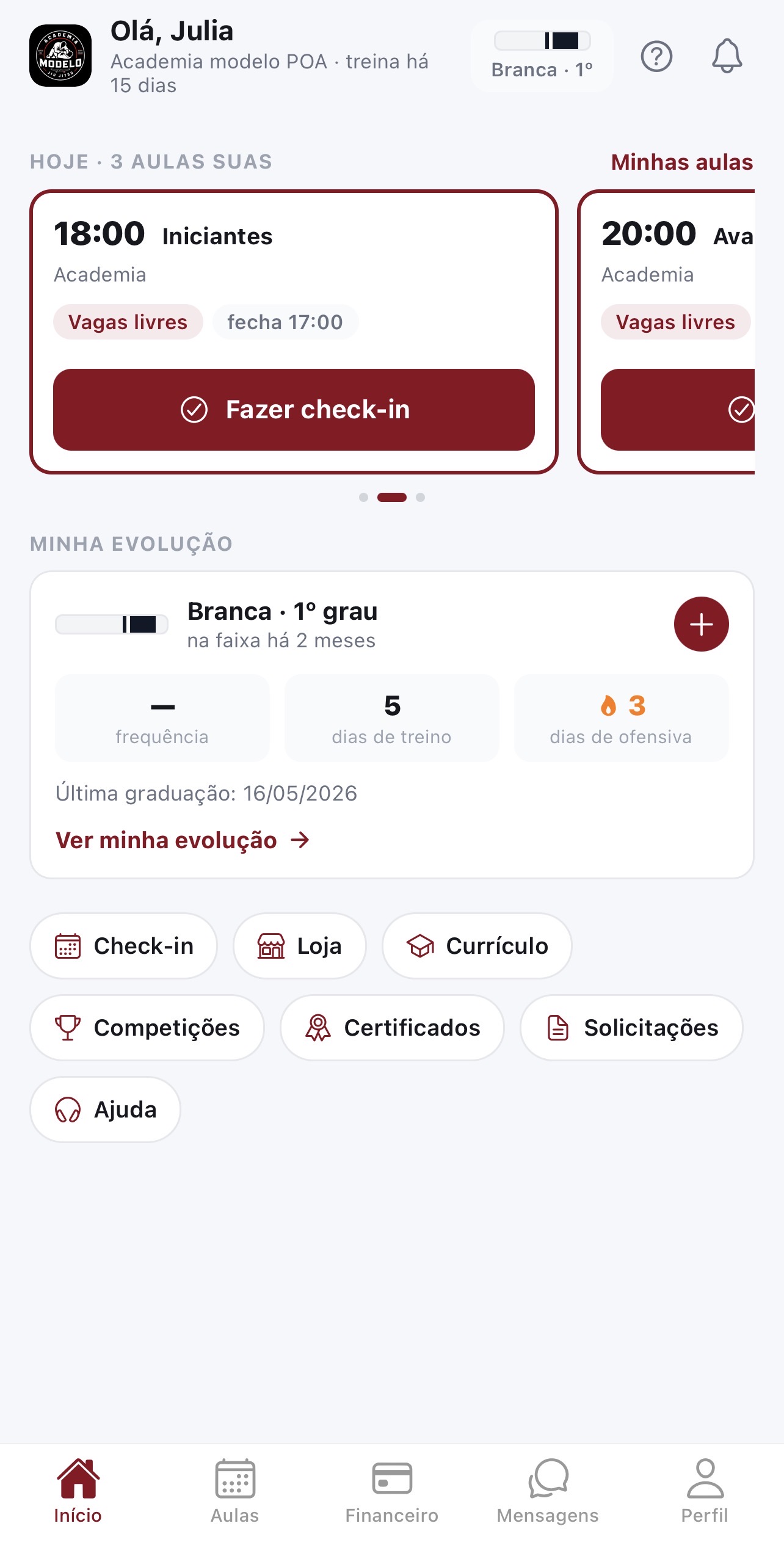
Student area
Notices, class calendar and class sign-up with manager approval.
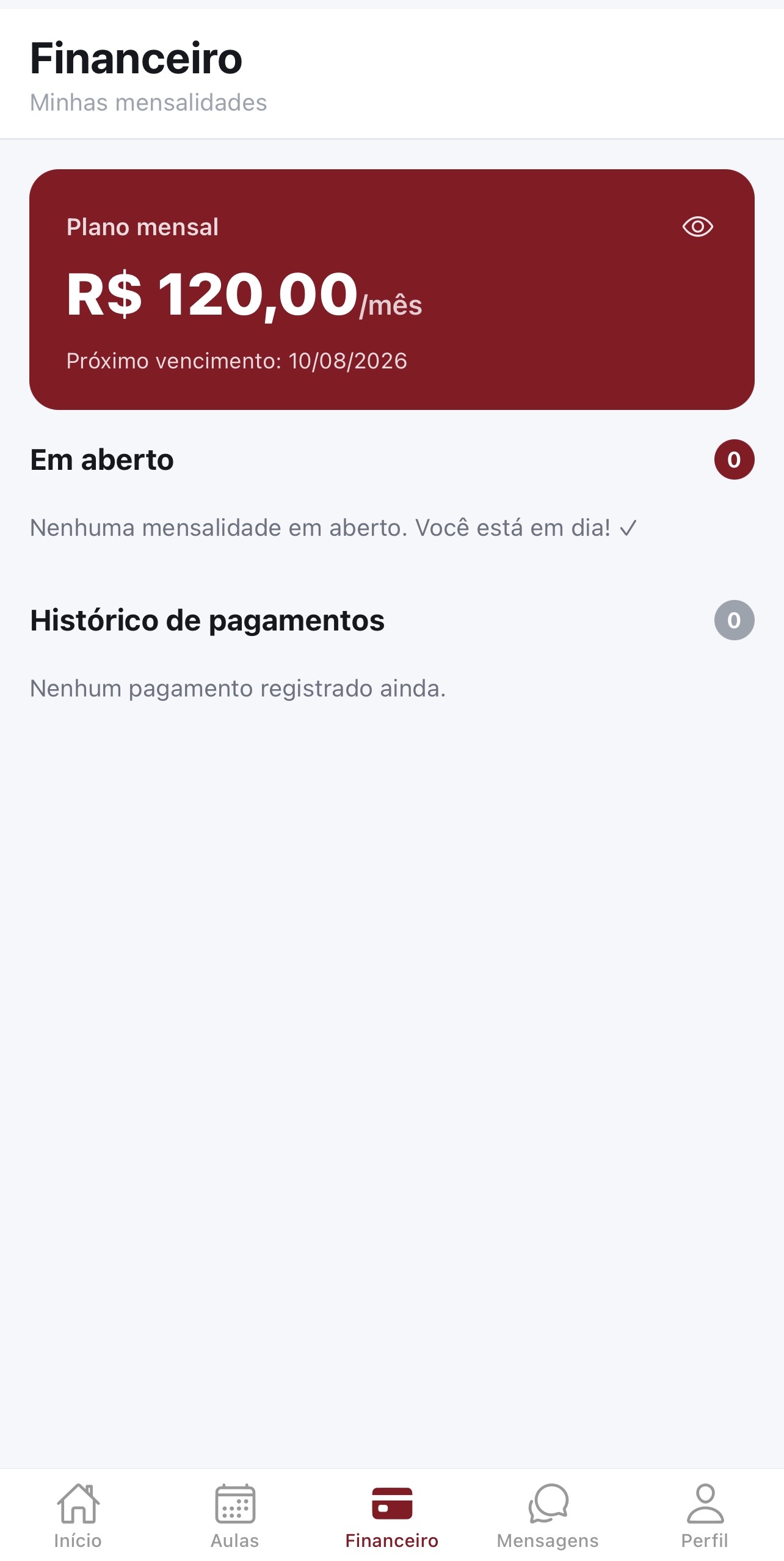
Student tuition
Students follow and pay their tuition straight from the portal.
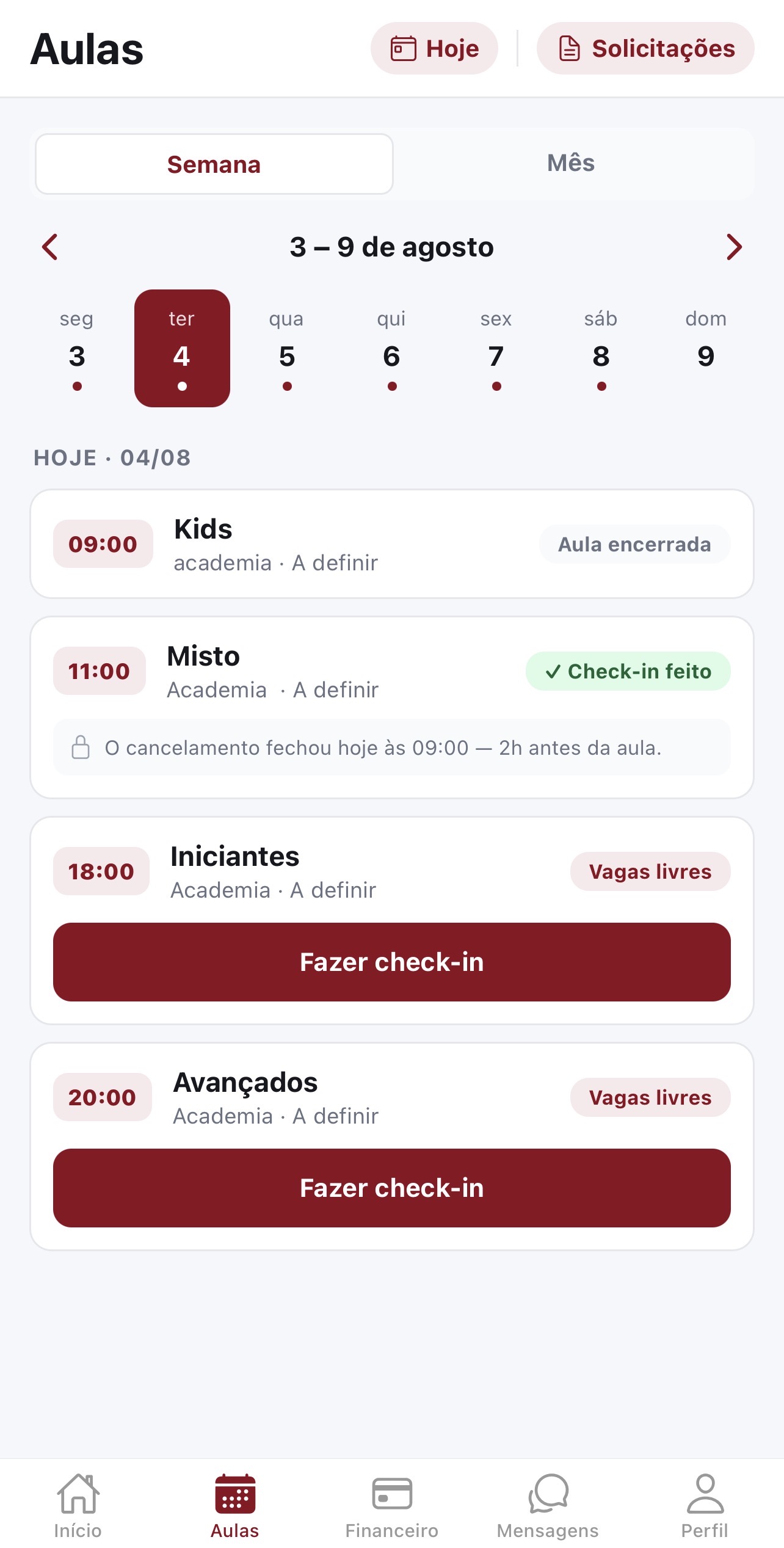
Student app
Check-in, notices and promotions in your pocket, with the academy's branding.
For the instructor
Roll call, attendance and promotions straight from the mat.
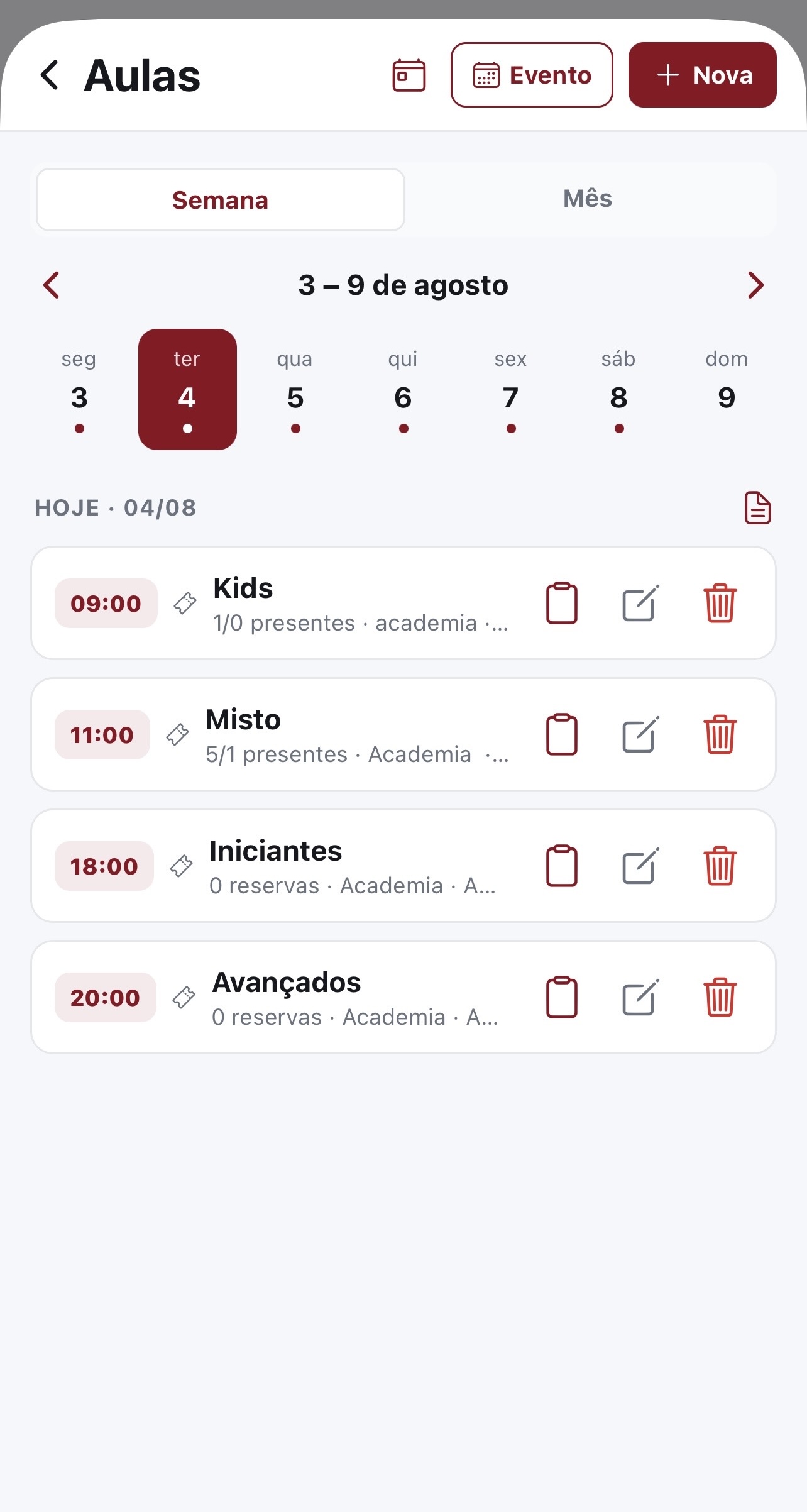
Attendance and check-in
The instructor takes attendance and students check in with a selfie.
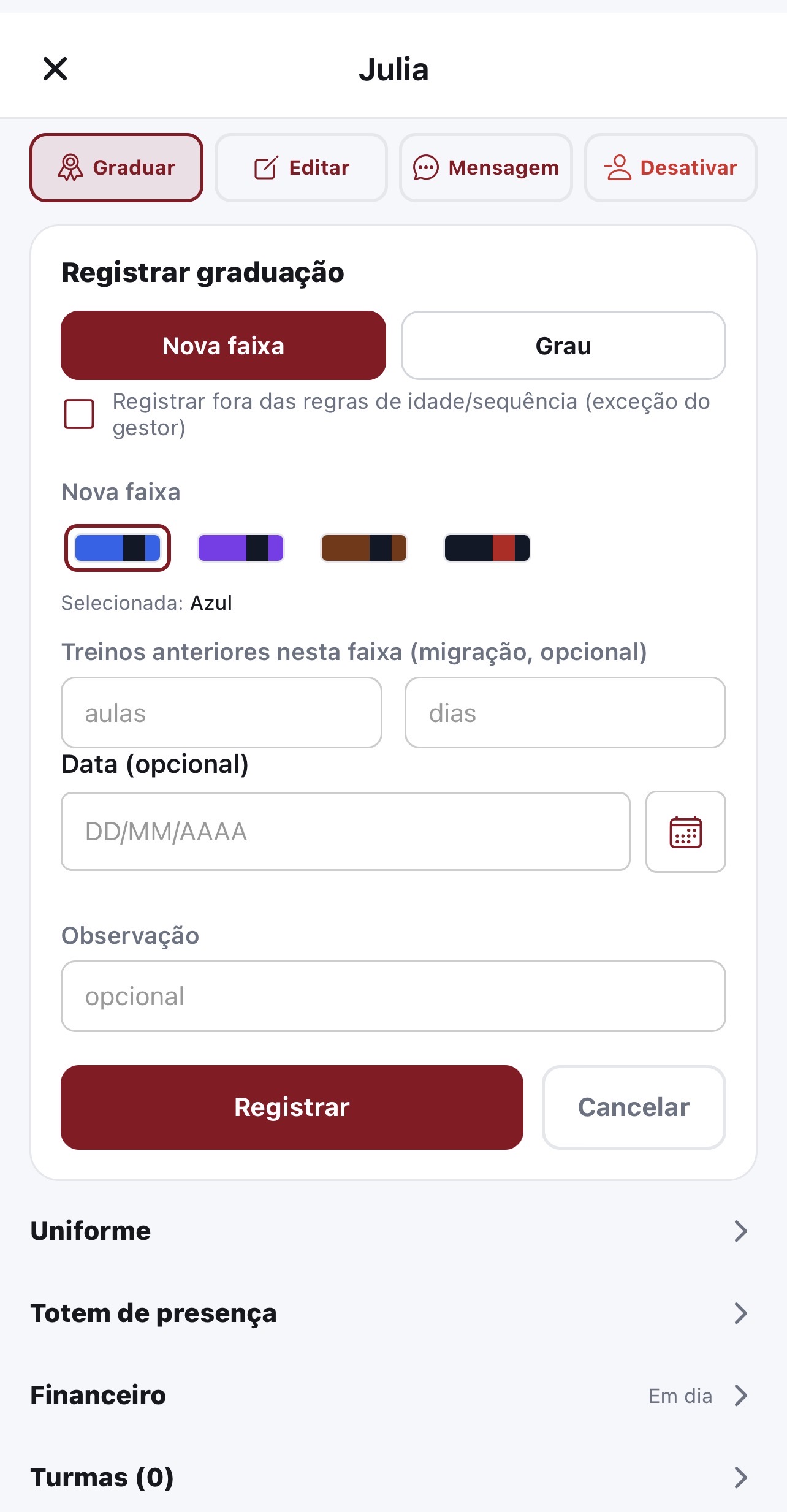
Promotions
Record each student's belt and stripe progress from the instructor app.
The web portal, at a glance
Whatever needs a big screen — bulk import, reports, contracts and settings — lives in the portal, on the same data as the app.
- Growth (CRM)
- Student retention
- Currículo de técnicas
- Competitions
- Digital contracts
- Co-manager
- Certificates
- Public academy page
- Videos and content
- Capacity and waiting list
- Import and family plans
- Check-in kiosk
- My certificates
- Student competitions
- Curriculum and assessment
- Promotions and belts
- Announcements and messages
- Engagement and ranking
- Events and one-off classes
- Account settings
- Family and guardian
- Team and permissions
- Cash movements and expenses
Everything Roll Flow does, by profile
Features organized by who uses them and by area.
For the manager
Everything to run the academy, in the app and in the browser.
Students and instructors
Register, invite and organize students and instructors, with role-based access.
Team and permissions
Invite managers, front desk and instructors, and set per area who can only view and who can edit.
Classes and attendance
Set up recurring classes, take roll call and approve sign-ups and check-ins.
Belt promotions
Record belt and stripes with IBJJF age rules and a history per student.
Financial management
Tuition plans, invoices, discounts, waivers and early payment — with cash movements, expenses, receivables and balance withdrawal.
Payment by Pix, bank slip and card
Students pay in the app or in the portal, with installments and automatic charging on the saved card.
Billing that runs on its own
Tuition goes out on the right day, with a reminder ladder and configurable late fees and interest.
Invoicing (NFS-e)
Issued in Brazil's national standard with the academy's digital certificate. Add-on, available on request.
Communication
Announcements with read receipts, direct messages and push by category, with quiet hours.
Store and paid events
Sell products with stock and charge for events, seminars and drop-in classes.
Reports and engagement
Follow the academy's numbers and the students' attendance leaderboard.
Calendar on the phone
The academy's schedule subscribed in Google Calendar and in the iPhone Calendar.
Guided help and support
Guides that walk you through the screen, feature search, and a ticket straight to our team.
Identity and security
Your brand in the portal and the app, data isolated per academy and an audit trail of sensitive actions.
Portuguese, English and Spanish
Everyone picks their account language — the portal, the app and e-mails follow it.
For the student
Self-service in the app and on the website.
Training and attendance
See the schedule, book your spot and get your attendance marked from the class photo.
My attendance
Follow your attendance, absences and your progress at the academy.
Leaderboard and gamification
Keep your streak alive and climb the attendance leaderboard.
Belts and promotions
Follow your belt and stripes and declare the promotion you already hold.
Payments
Pay tuition, events and drop-in classes by Pix, bank slip or card, with installments and automatic payment.
My family
A guardian? Follow each dependent's tuition, attendance and progress in one place.
Buying gear
Buy from the academy store and follow your orders.
Notices and messages
Get the academy's notices and talk to them directly whenever you need.
Classes in your calendar
Subscribe to the academy's schedule and see your classes in your phone's calendar.
One account, several academies
Train at more than one academy? Switch between them on the same login.
Language and theme
Portuguese, English or Spanish, light or dark — your choice applies in the portal and the app.
Security
Biometric login (Face ID / Touch ID) and your data protected.
Your data is yours
Delete your account from the app itself, in two steps, and your data goes with it.
For the instructor
The classroom in the palm of your hand — and what needs a big screen, in the portal.
My classes
See the classes you teach and the students in each one.
Roll call and attendance
Take the day's roll call and follow the students' check-ins.
Training photo and recognition
One photo of the class marks attendance for everyone in it; you review and adjust before saving.
Assessment and promotions
Assess and record students' belt and stripe promotions.
Curriculum and assessment
Follow the requirements of each belt and mark what each student already masters, in the portal.
My classes' attendance
Average, trend and who is drifting away — with no financial data at all.
Messages with students
Talk directly to each student through the app.
Instructor/student mode
Train and teach? Switch between profiles on the same account.