What's new

What's new in Roll Flow

Everything that changed in the app and the web portal, for managers, instructors and students.

November 2026

ManagerStudentWebApp

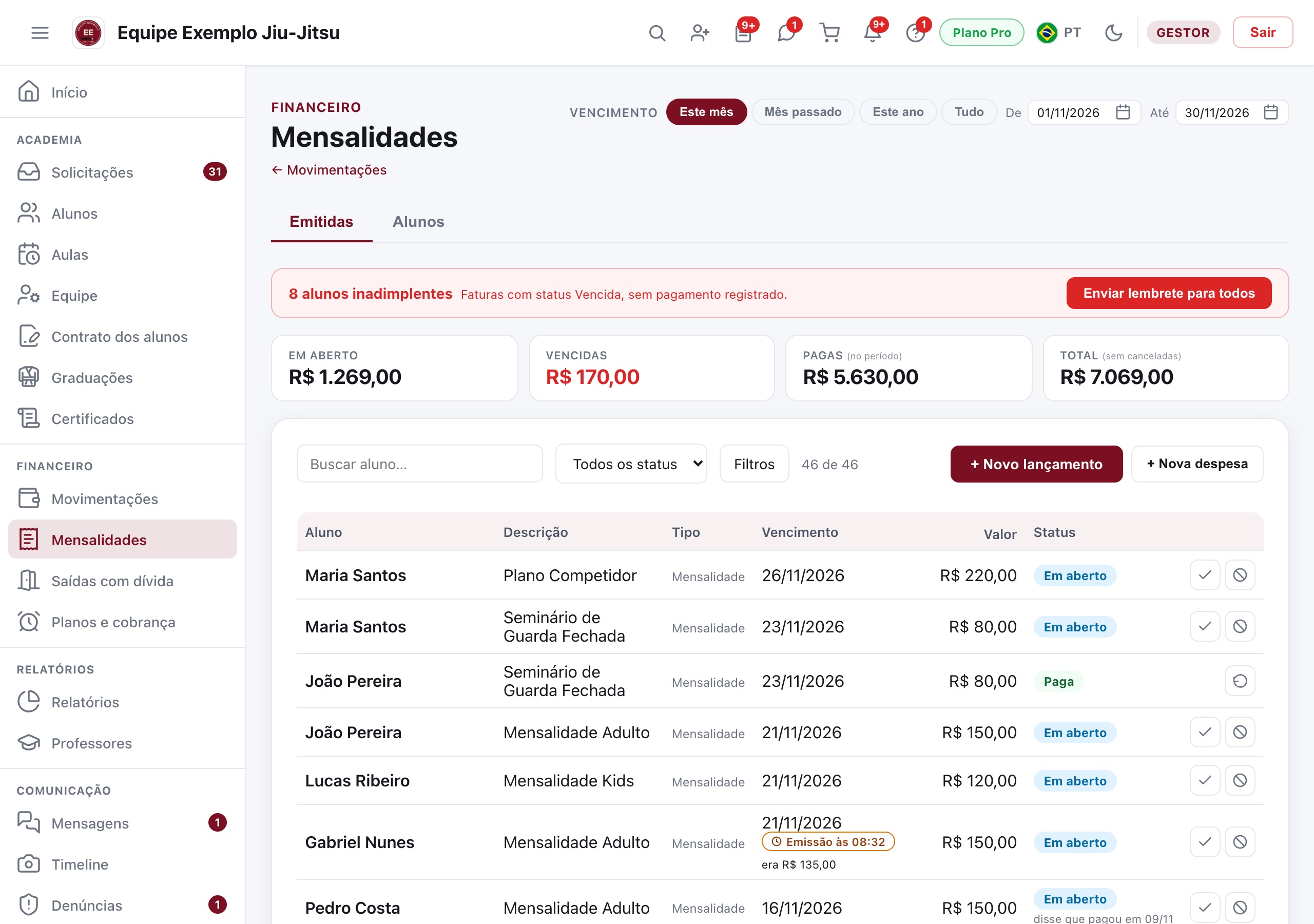
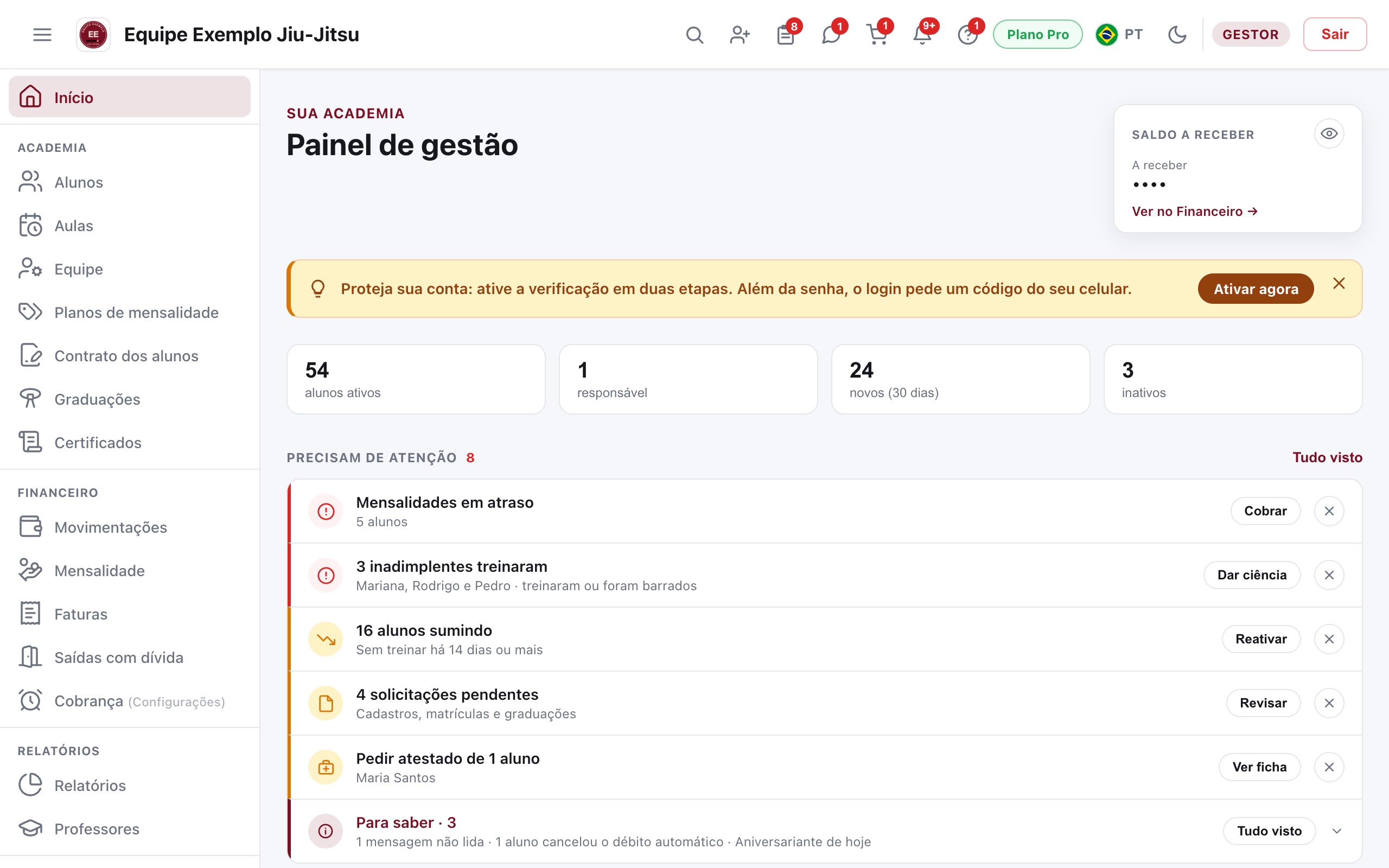
Overdue from the day after the adjustment

A monthly fee created by a manager's adjustment (plan change, dates, discount, family) with a due date already past stays Up to date on the day of the adjustment and turns Overdue the next day, without the 5-day wait.

Already works on its own nothing to turn on.
ManagerInstructorStudentWebApp 1.7.3

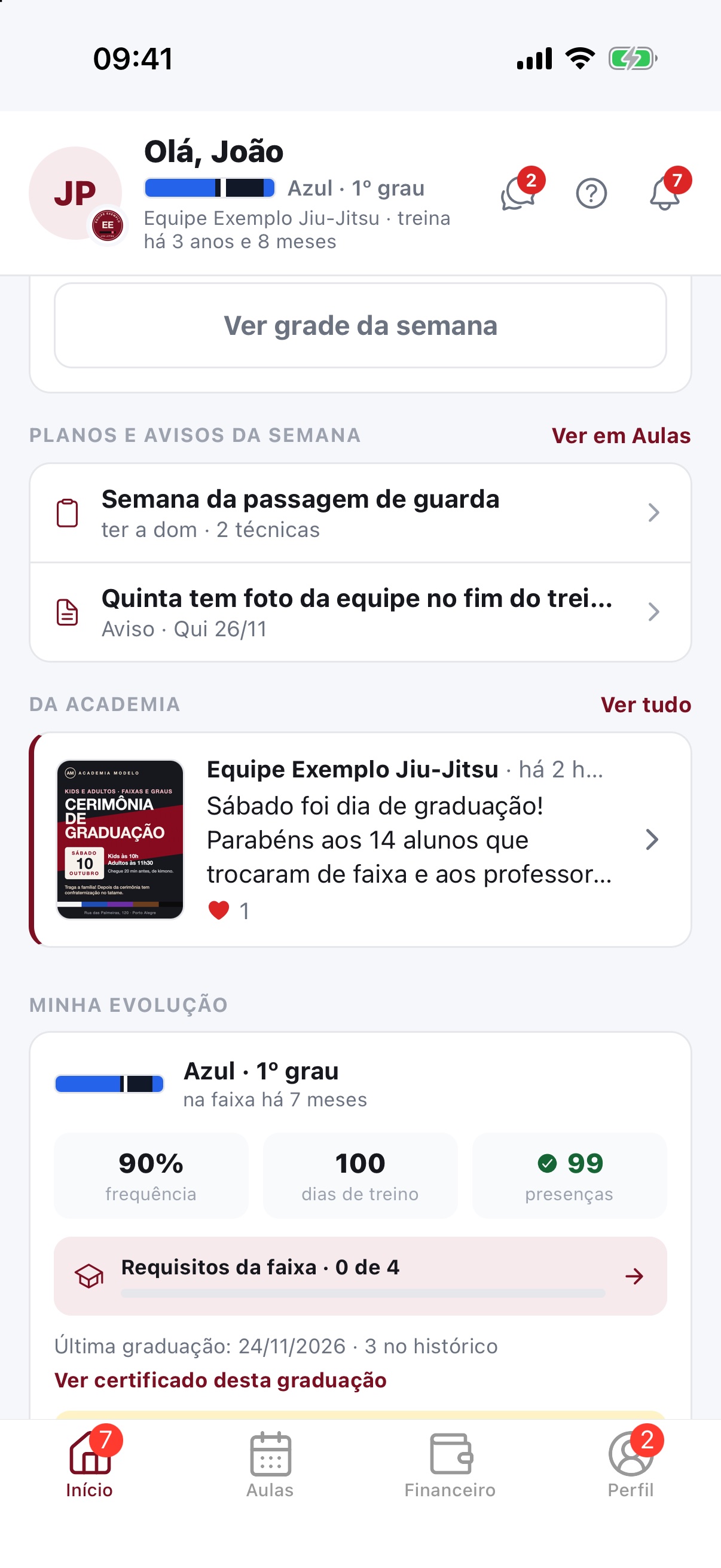
Lesson plan

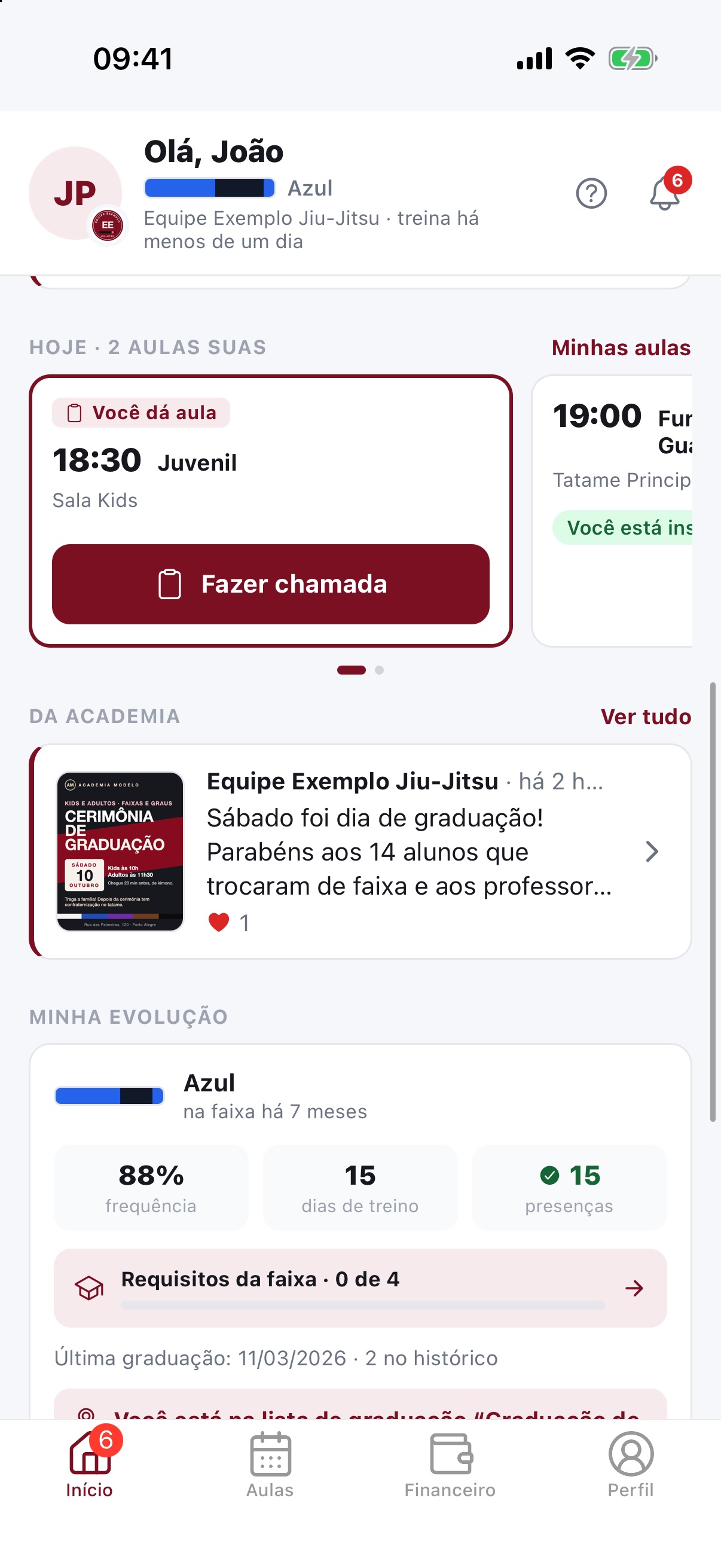
In the schedule, a theme, techniques from the Curriculum and free text for a day, a week or a period, seen only by you, by the staff or also by the students of the chosen classes. Students see it on Home, and a technique opens its video.

Where to find it Home › Week; in the app, Schedule

Screen for the update: Lesson plan
ManagerInstructorWebApp 1.7.3

Today's birthdays

On the app's Home, today's birthdays are always in view, and a tap opens the profile. On the web, the badge on the week shows the names and the congratulate button.

Where to find it Home › Week; in the app, Home › Today's birthdays

Screen for the update: Today's birthdays
ManagerWeb

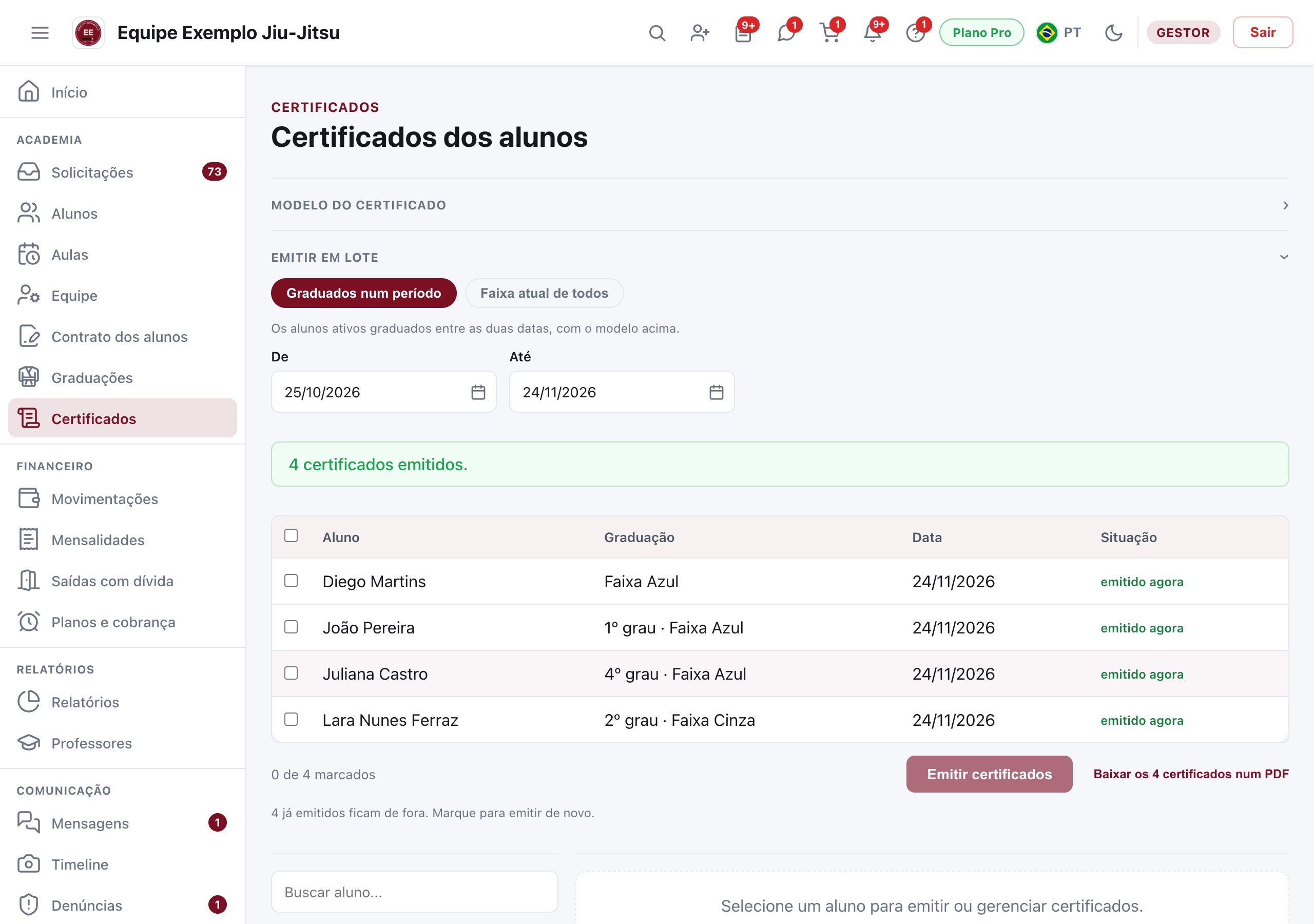
Certificates in bulk

In Certificates, Issue in bulk creates the certificates of everyone who graduated in a period, or of everyone's current belt, and puts them all in one PDF to print.

Where to find it Certificates › Issue in bulk

Screen for the update: Certificates in bulk
ManagerWeb

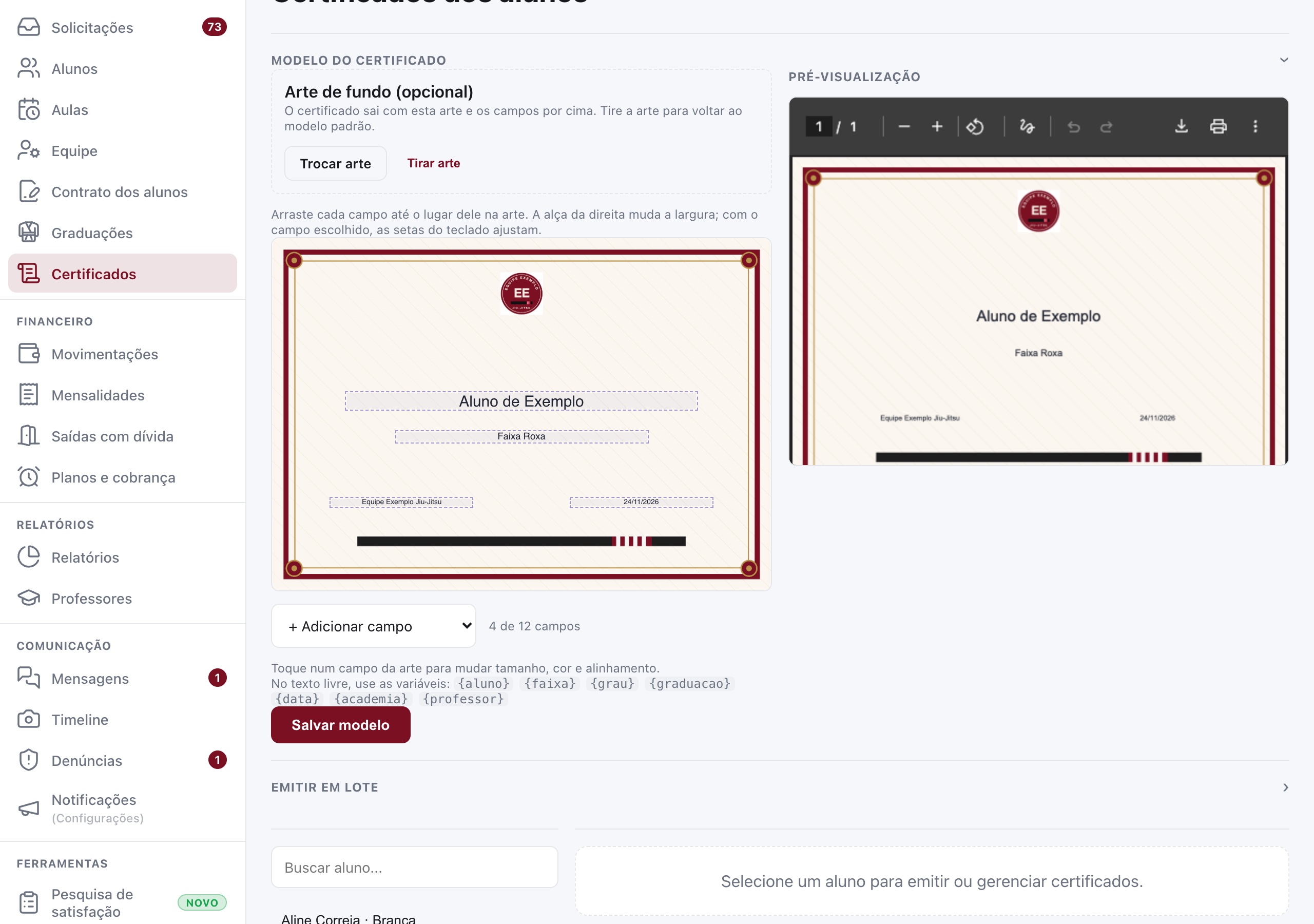
Certificate with the academy's artwork

The certificate template accepts background artwork (PDF, PNG or JPG), and you drag the name, belt and date into place.

Where to find it Certificates › Certificate template

Screen for the update: Certificate with the academy's artwork
ManagerWebApp 1.7.3

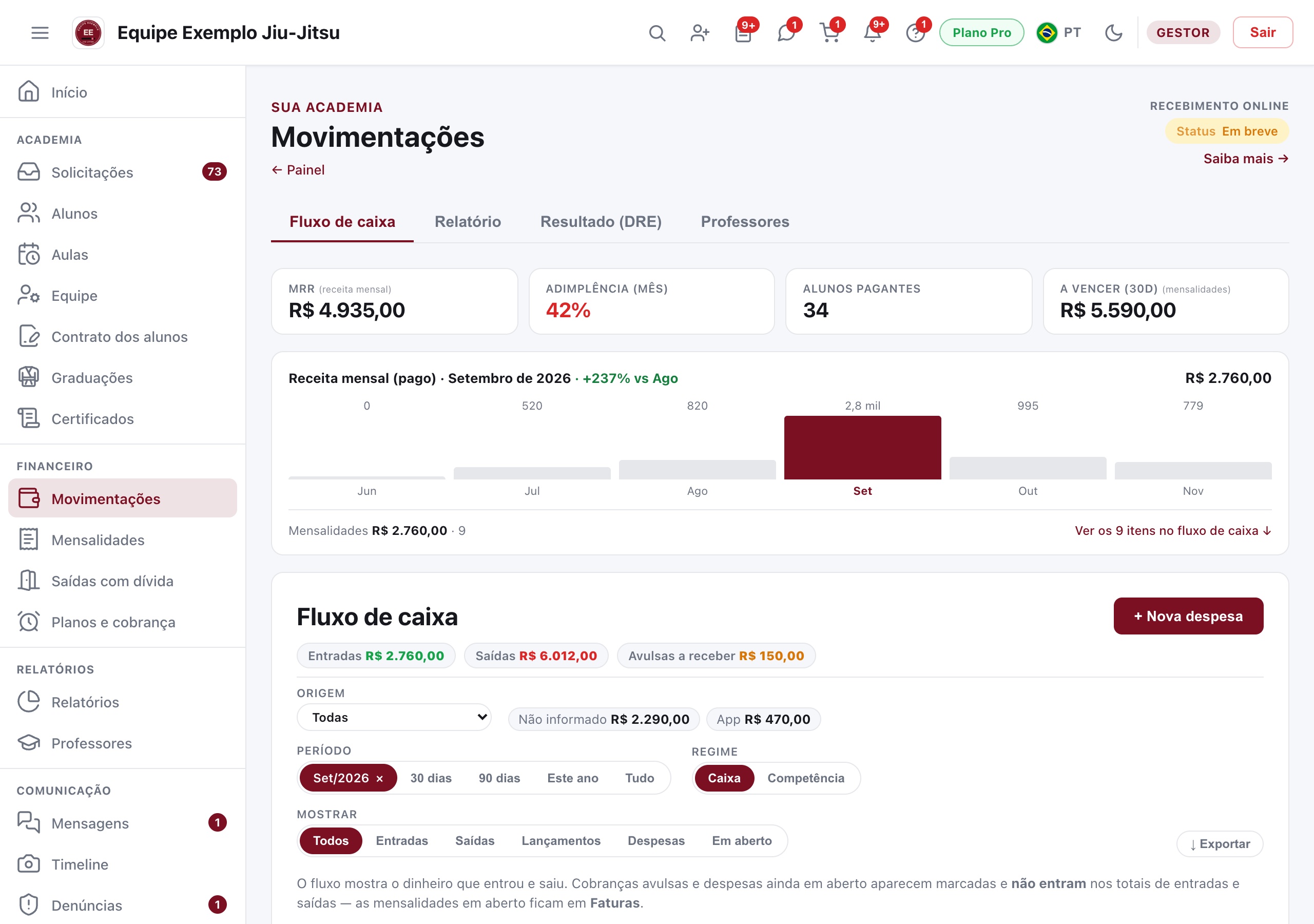
Monthly revenue, month by month

In Finance, each bar shows the month's amount, and a tap opens the summary by type (tuition, interest and late fees, one-off charges) and filters the cash flow.

Where to find it Finance › Cash flow; in the app, Finance

Screen for the update: Monthly revenue, month by month
ManagerInstructorStudentWebApp 1.7.3

Student's weight

Weight sits in the Uniform and weight block of the profile, with history. Students enter it at sign-up or in their personal data, and guardians enter their dependants'.

Where to find it Students › student profile › Uniform and weight

ManagerWebApp 1.7.3

Staff note on the profile

A staff note about the student, at the top of the profile.

Where to find it Students › student profile › Edit › Note

ManagerStudentWebApp 1.7.3

Foreign document instead of CPF

At academies without in-app payments, a foreign student enters the document type, number and country, which the profile shows and the contract uses.

Where to find it Students › student profile › Edit

ManagerWebApp 1.7.3

Students who haven't confirmed their email

Requests › Inconsistencies lists who hasn't confirmed their email, with Resend confirmation.

Where to find it Requests › Inconsistencies

ManagerStudentWebApp 1.7.3

Student at two academies in the network

In New student, Already trains in the network? enrols someone who is already a student at another academy in the network. The student sees the classes of both and Finance with one tab per academy.

Where to find it Students › New student › Already trains in the network?

ManagerInstructorWebApp 1.7.2

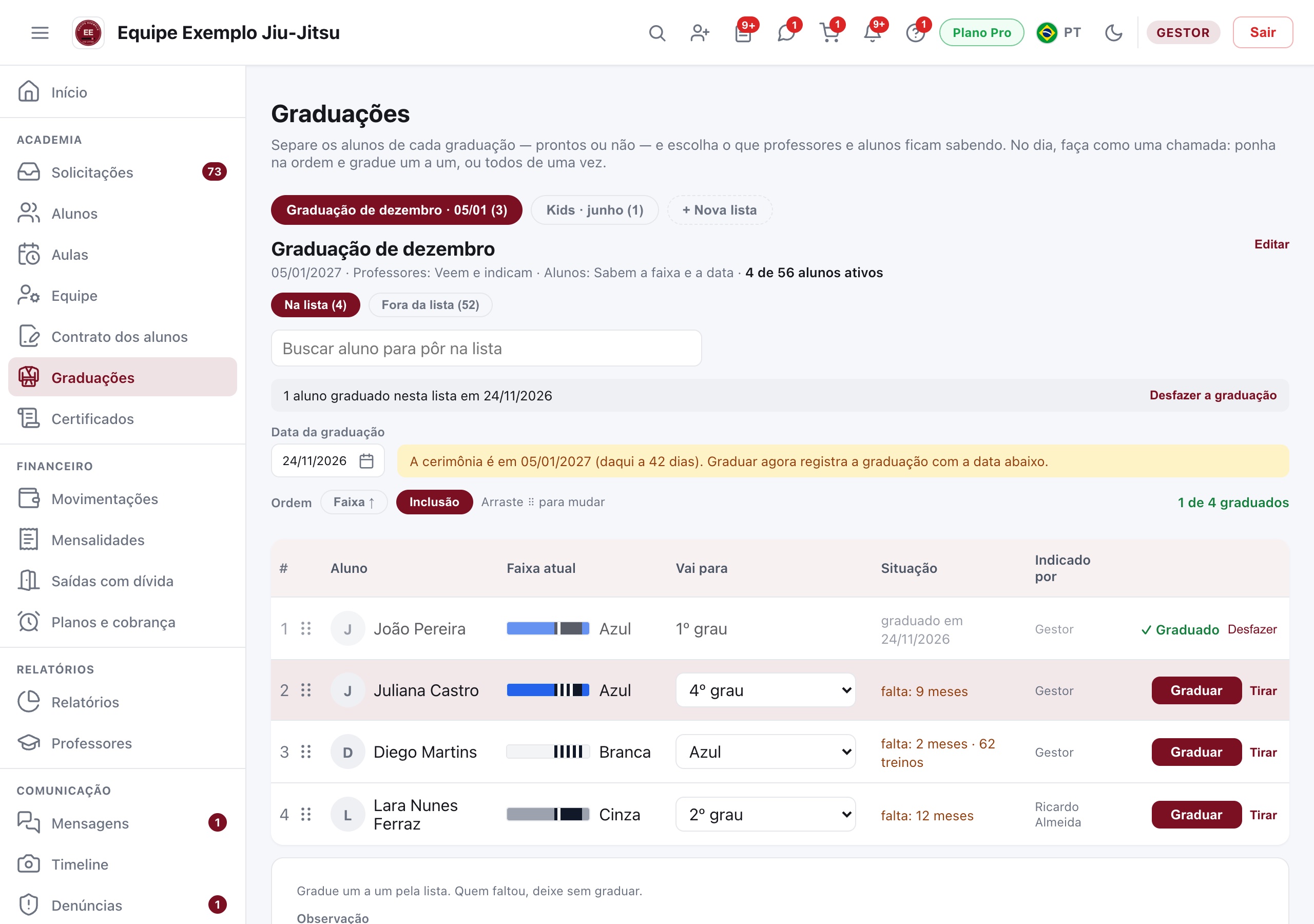
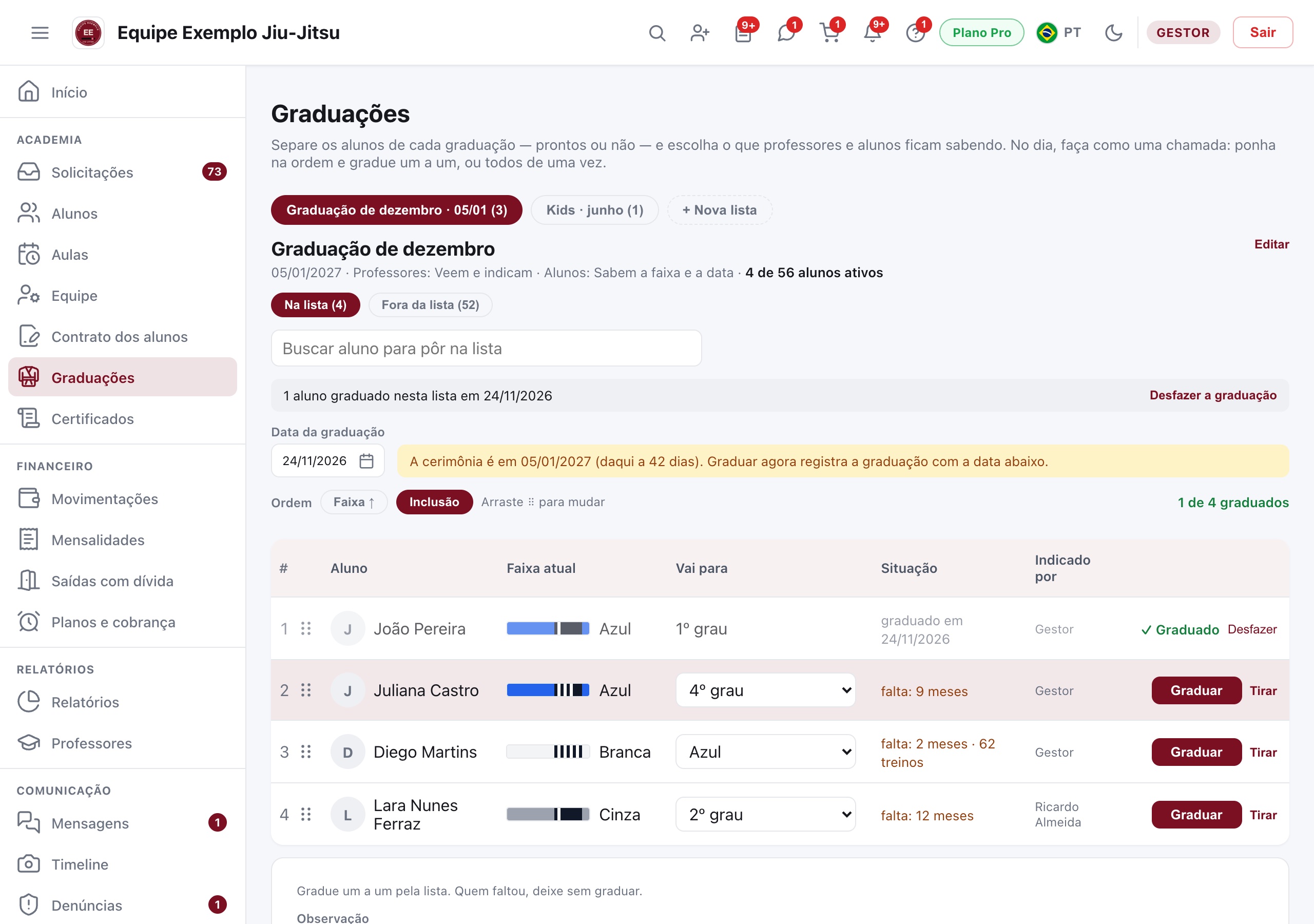
The graduation list becomes the ceremony roll call

The list order is saved (Belt ↑ puts the kids first), each row has Graduate and, if you slip, Undo. The Off the list tab shows who can still be added.

Where to find it Gradings › open the list

Screen for the update: The graduation list becomes the ceremony roll call
ManagerStudentWebApp 1.7.2

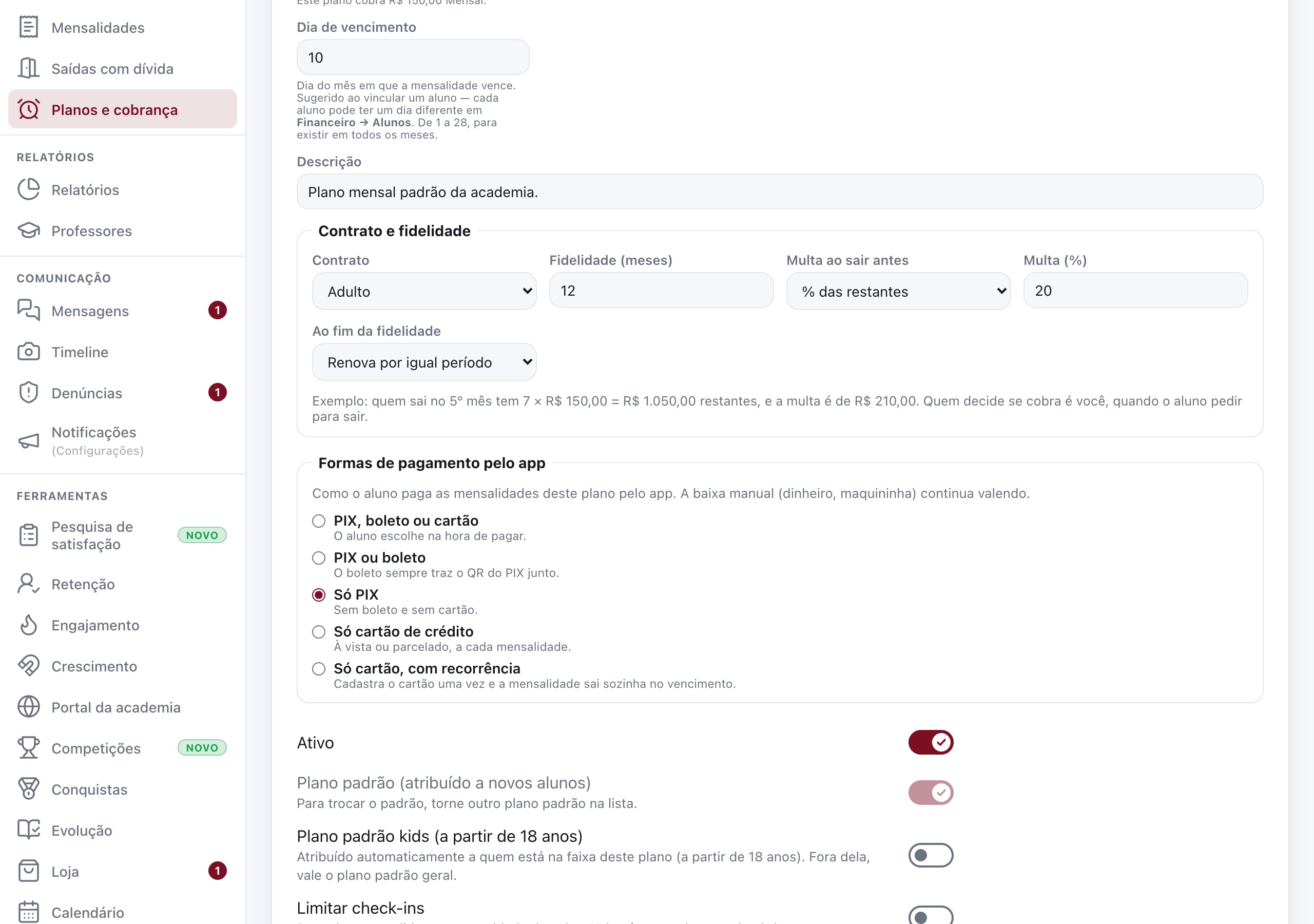
Payment methods per plan

With in-app payments active, each plan chooses how the student pays: PIX, boleto or card; PIX or boleto; PIX only; card only; or recurring card. Marking as paid manually still works.

Where to find it Finance › Plans and billing › edit the plan › Payment methods in the app

Screen for the update: Payment methods per plan
ManagerInstructorStudentWebApp 1.7.2

Academies of other martial arts

Muay Thai, Judo, Karate, MMA, Boxing, Kickboxing or Wrestling: what is about belts leaves the menu instead of showing up locked.

Already works on its own nothing to turn on.
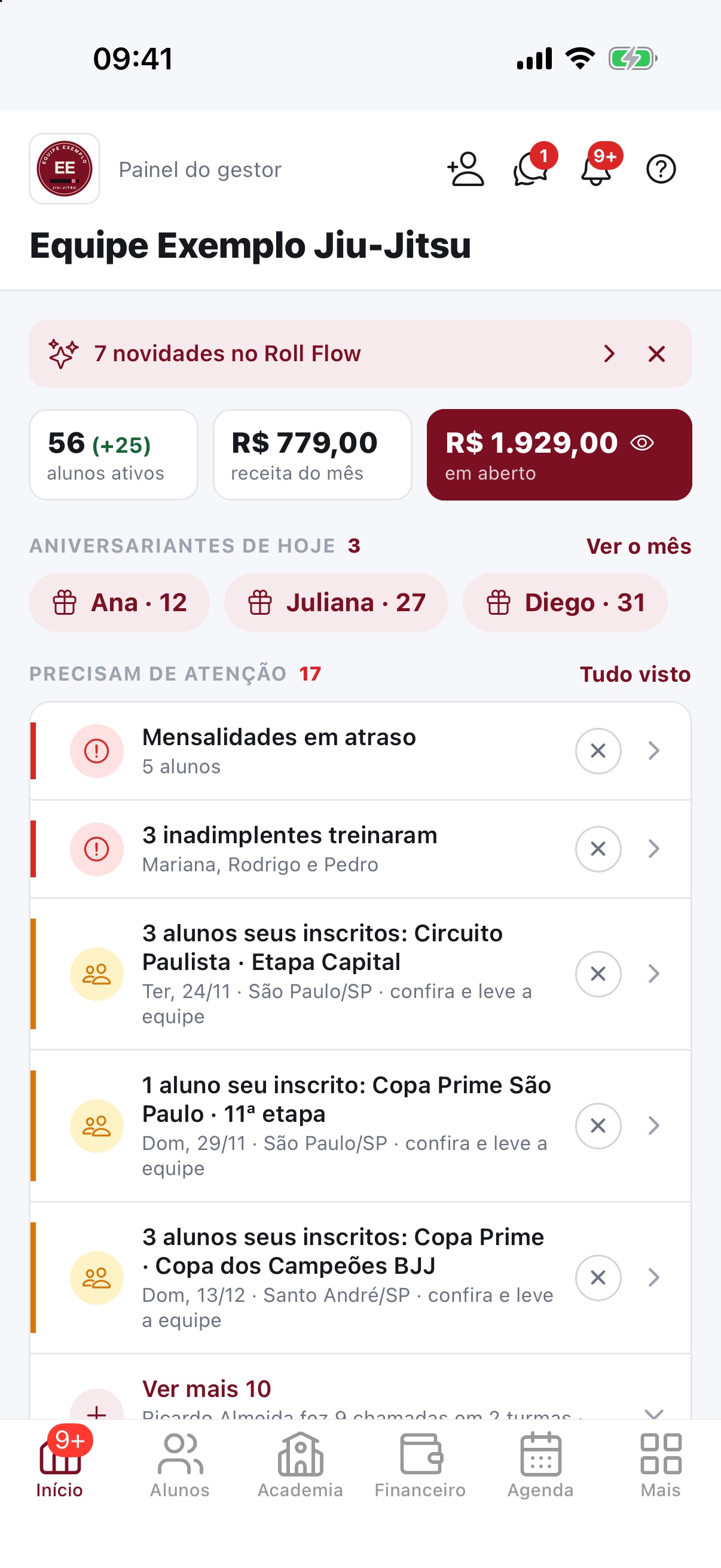
ManagerWebApp 1.7.2

Split across all the class instructors

In the split, a class counts for all of its instructors, and whoever left the staff keeps their name on the classes they taught.

Where to find it Reports › Instructors; in the app, More › Split by instructor

ManagerWeb

Who joined and who left, month by month

In Reports › Students › Joins × exits, clicking a month shows the names, and a name opens the profile.

Where to find it Reports › Students › Joins × exits

ManagerWebApp 1.7.1

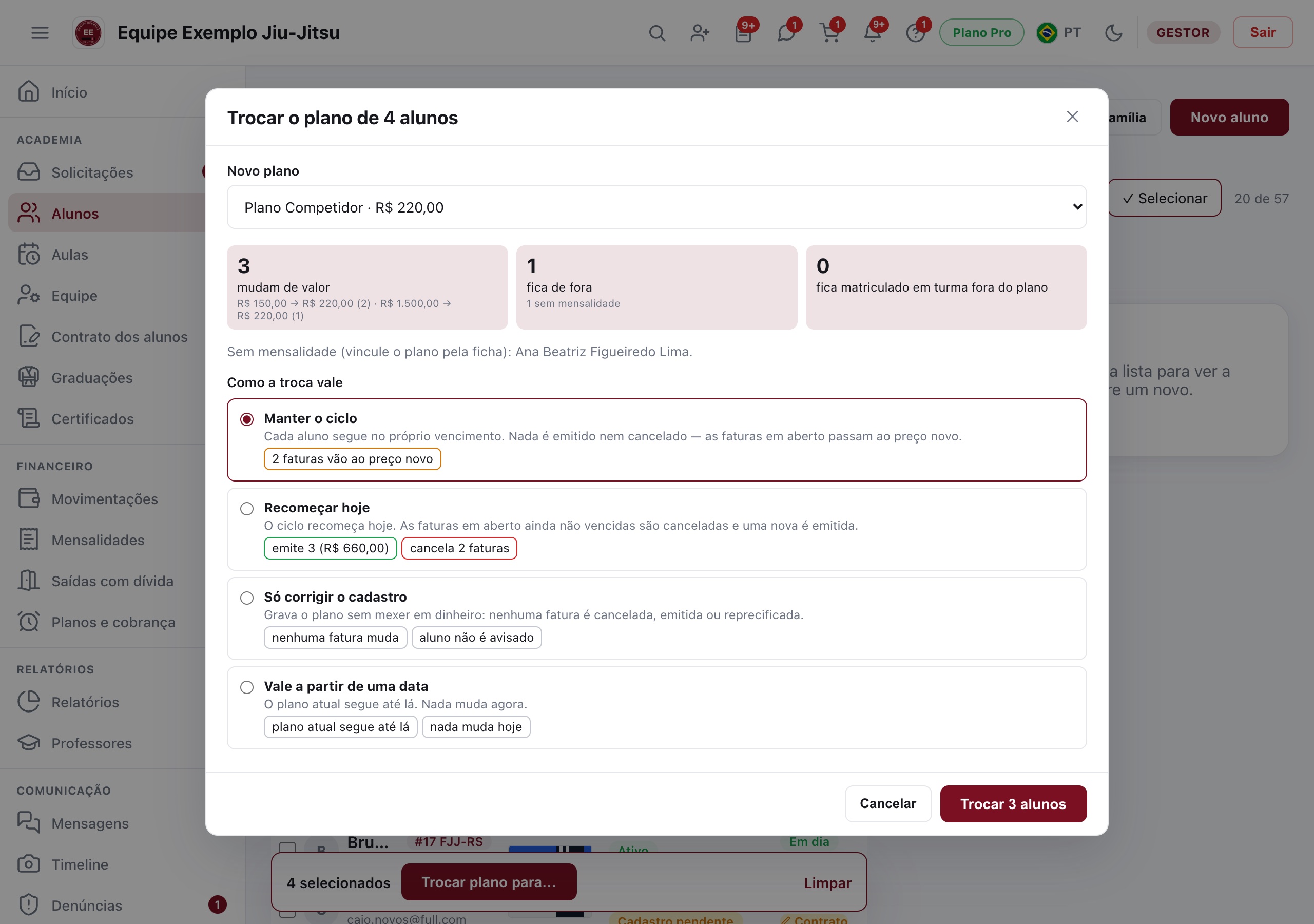
Bulk plan change

In the Students list, Select changes the plan of up to 100 students at once, with a preview of what changes: amounts, who is left out and what happens to the invoices.

Where to find it Students › Select › Change plan to…

Screen for the update: Bulk plan change
ManagerWebApp 1.7.1

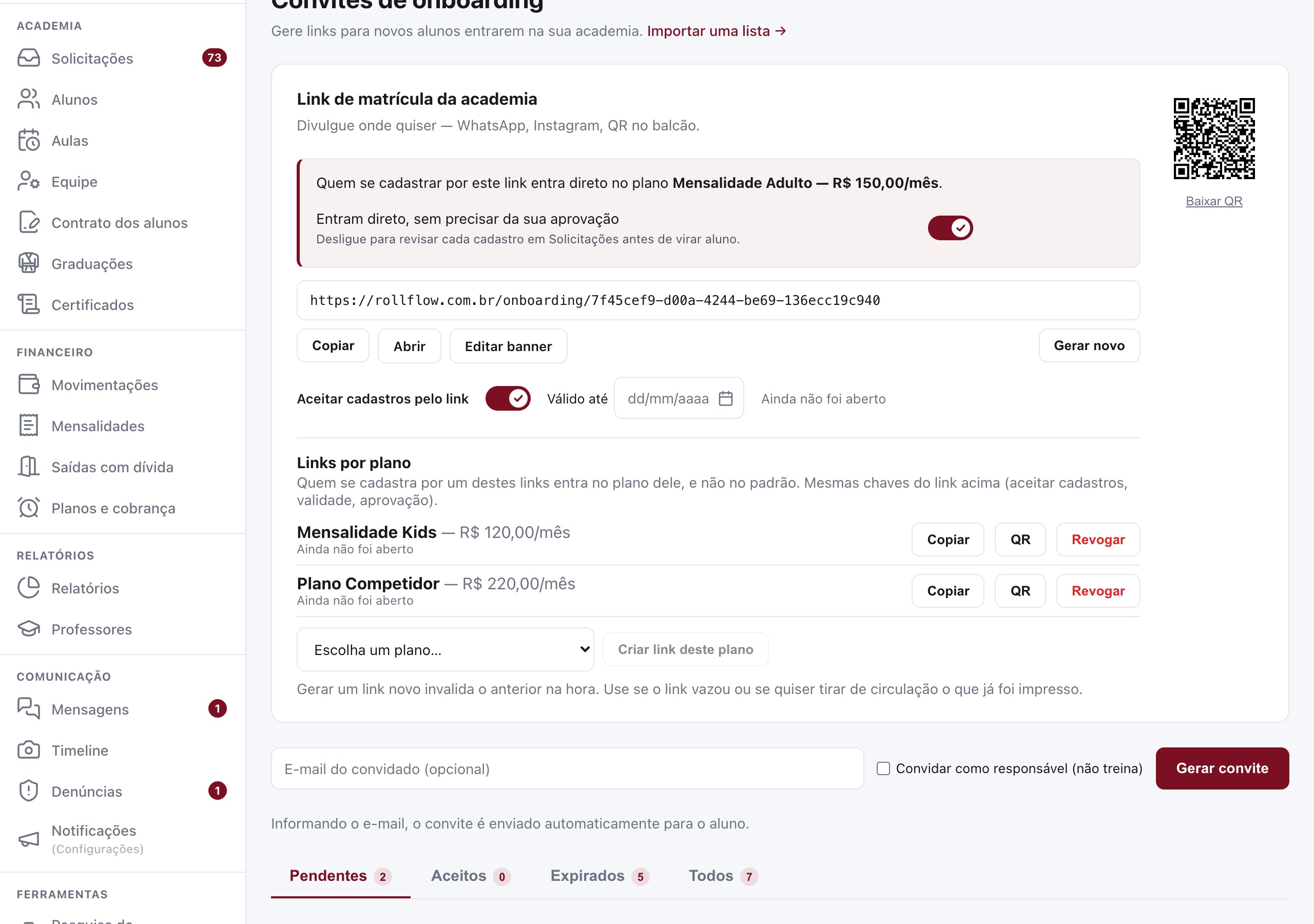
Enrolment link per plan

In Invites, Links per plan creates an enrolment link for each plan (e.g. Women's). Whoever signs up through it is already on that plan, or reaches approval with it selected.

Where to find it Invites › Academy enrolment link › Links per plan

Screen for the update: Enrolment link per plan
ManagerInstructorWebApp 1.7.1

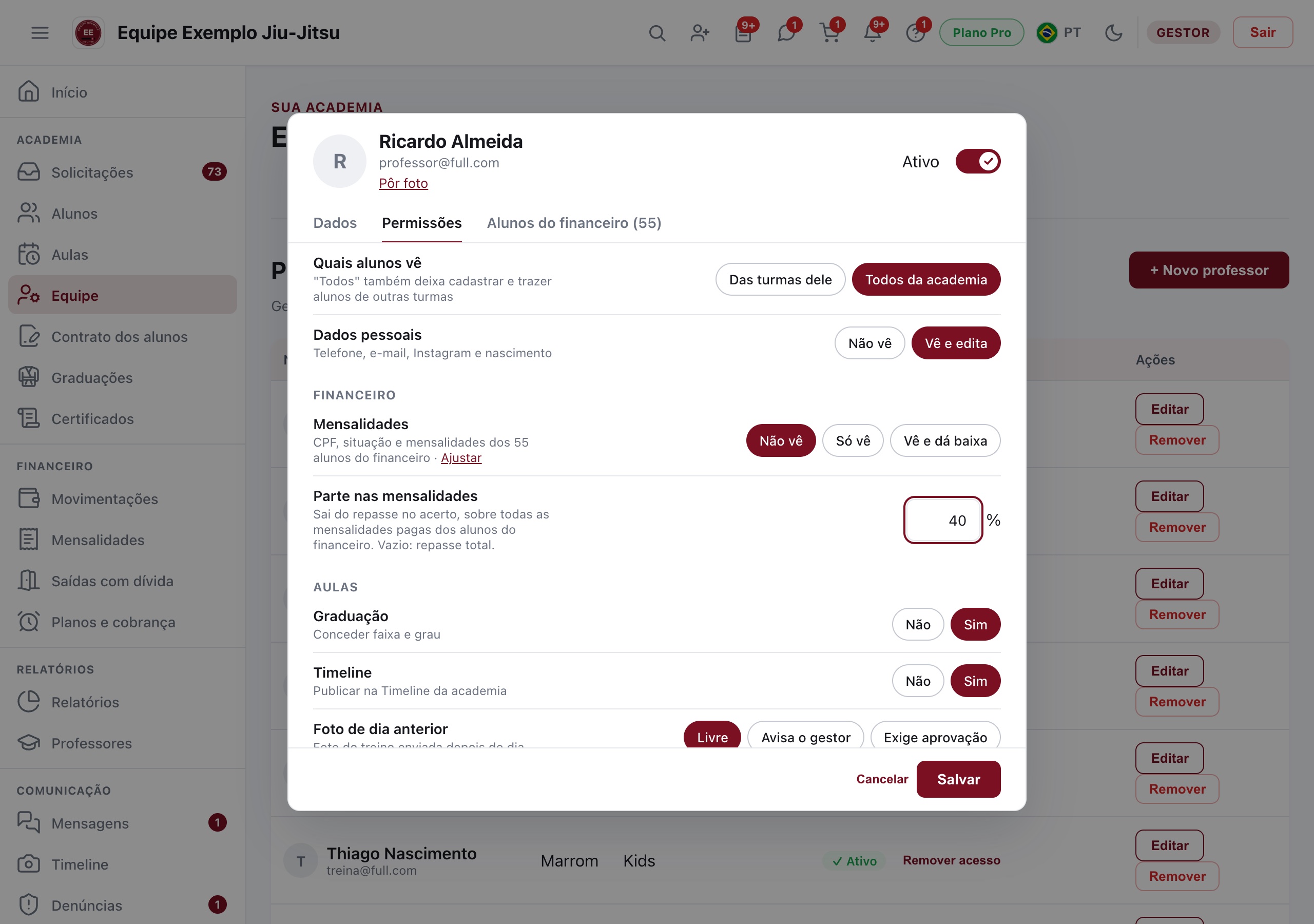
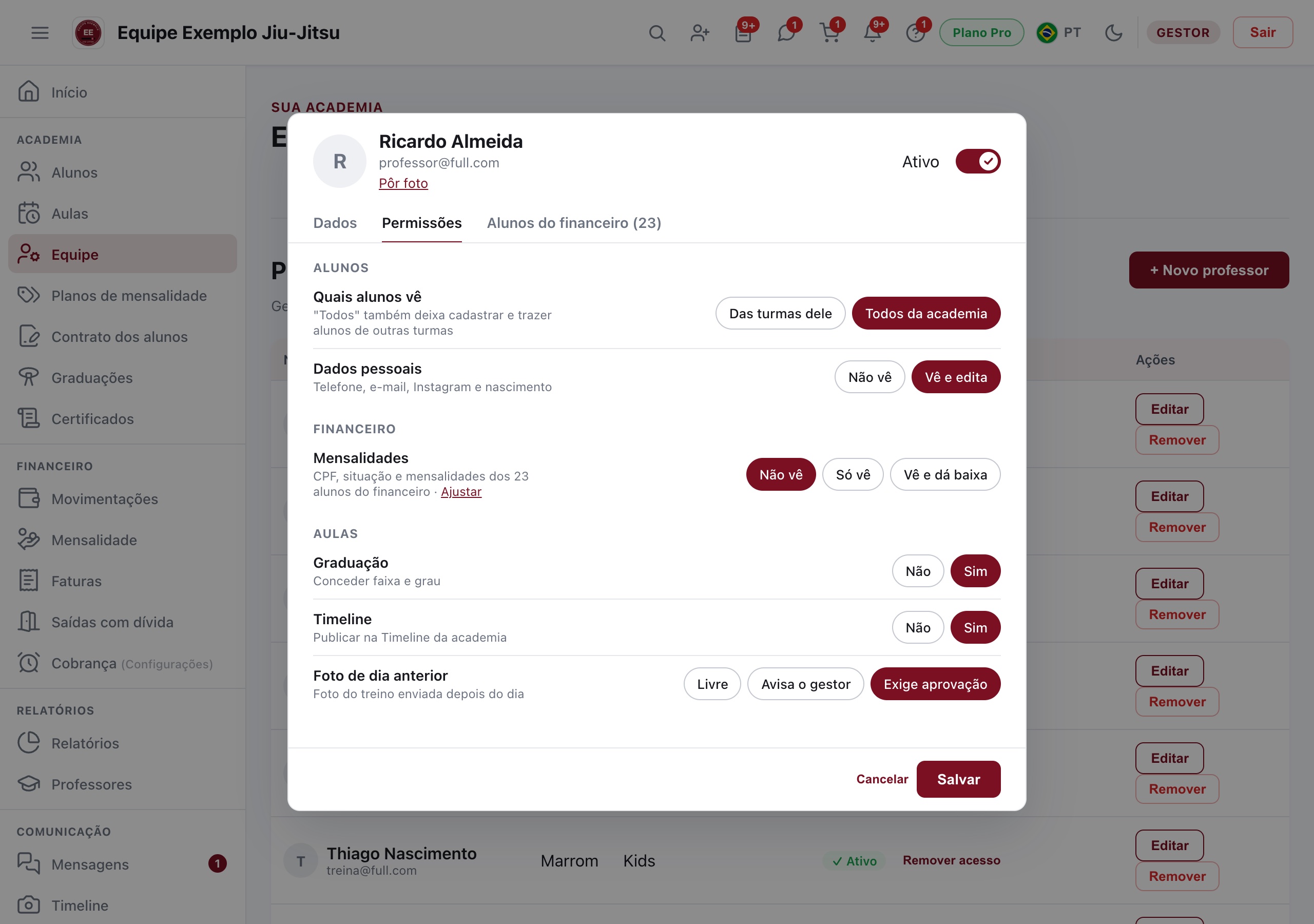
Instructor's share of tuition

In the instructor's permissions, Share of tuition stores the agreed percentage. The settlement shows the net amount to pass on and records the share as an expense, and the instructor sees their share in their own finances.

Where to find it Staff › instructor › Permissions › Share of tuition

Screen for the update: Instructor's share of tuition
ManagerInstructorStudentWebApp 1.7.0

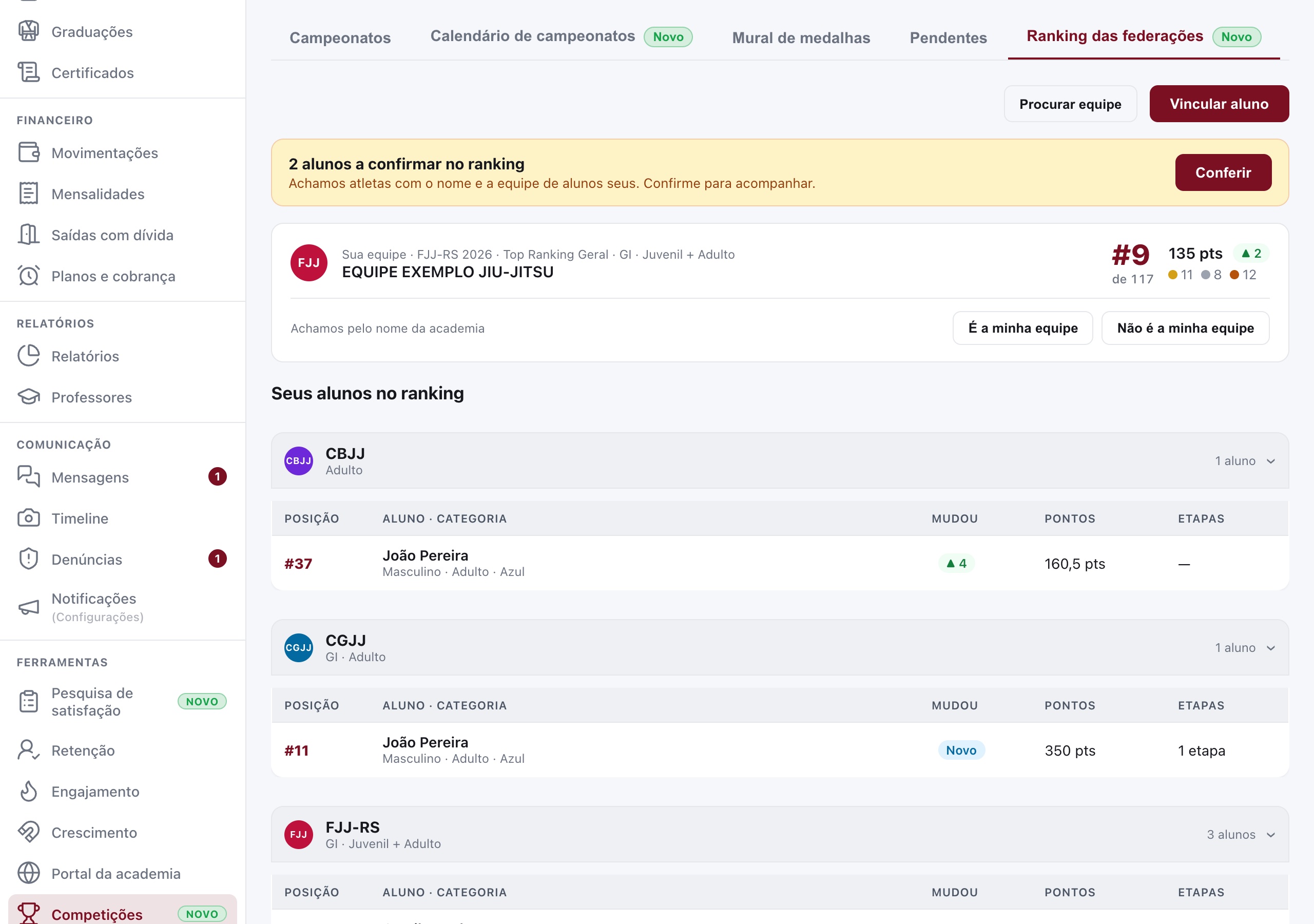
Federation rankings

In Competitions, the Federation rankings tab shows where the team and the students stand, and the student profile now has Search the ranking, CBJJ included. The student confirms "It's me" and sees their position on Home, with a push when it changes.

Where to find it Competitions › Federation rankings; and on the student profile, Search the ranking

Screen for the update: Federation rankings
ManagerStudentWebApp 1.7.0

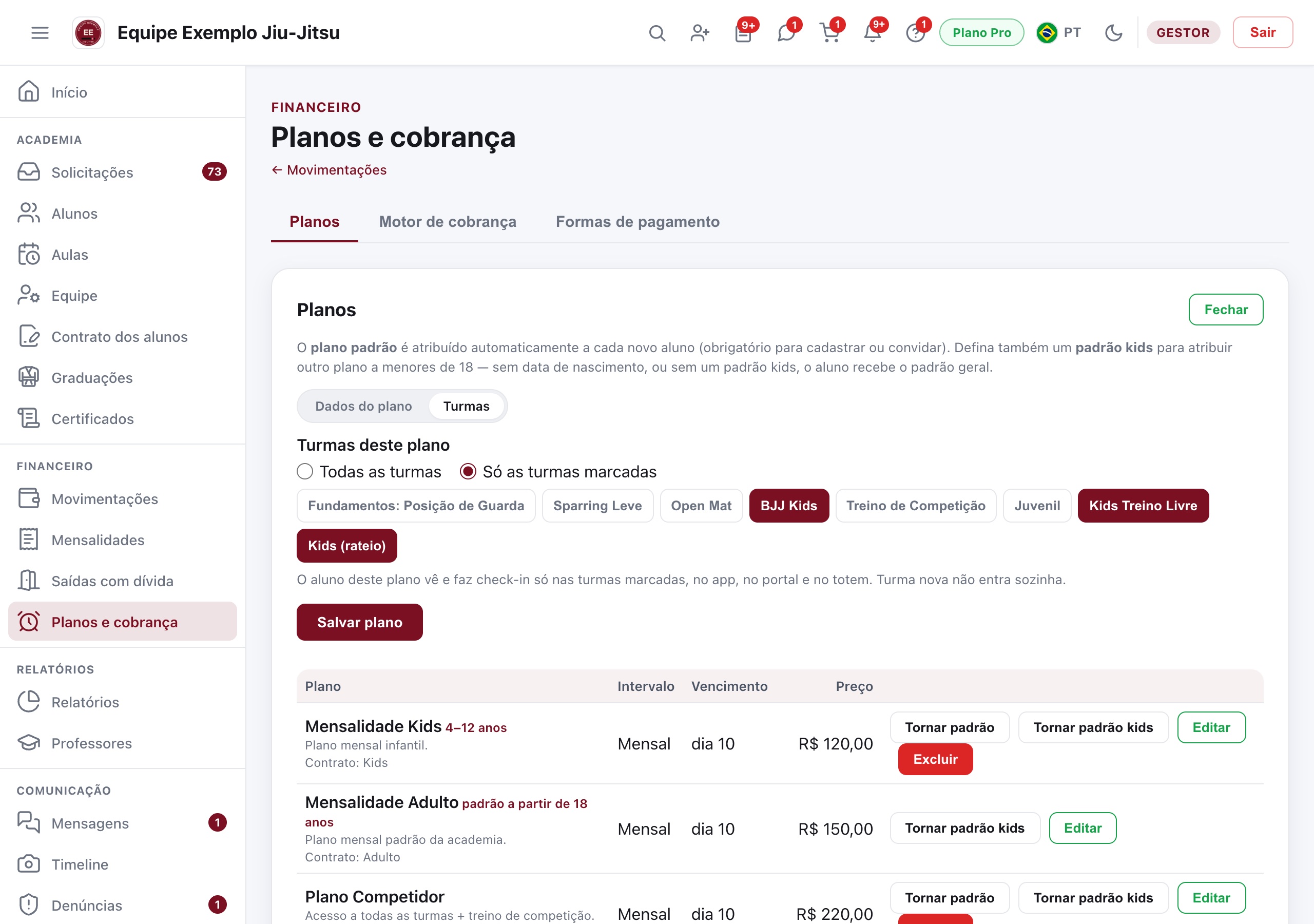
Classes by plan

Plans now have a Classes tab: all of them or only the selected ones. Students see and check in only to their plan's classes, and the sign-up approval shows which classes they will see.

Where to find it Finance › Plans and billing › edit the plan › Classes

Screen for the update: Classes by plan
ManagerStudentWebApp 1.7.0

Predicted fight time

In Competitions › Pending, you confirm the predicted time of each fight, and the student gets a push and a calendar invite.

Where to find it Competitions › Pending › Predicted fight times

ManagerInstructorWebApp 1.7.0

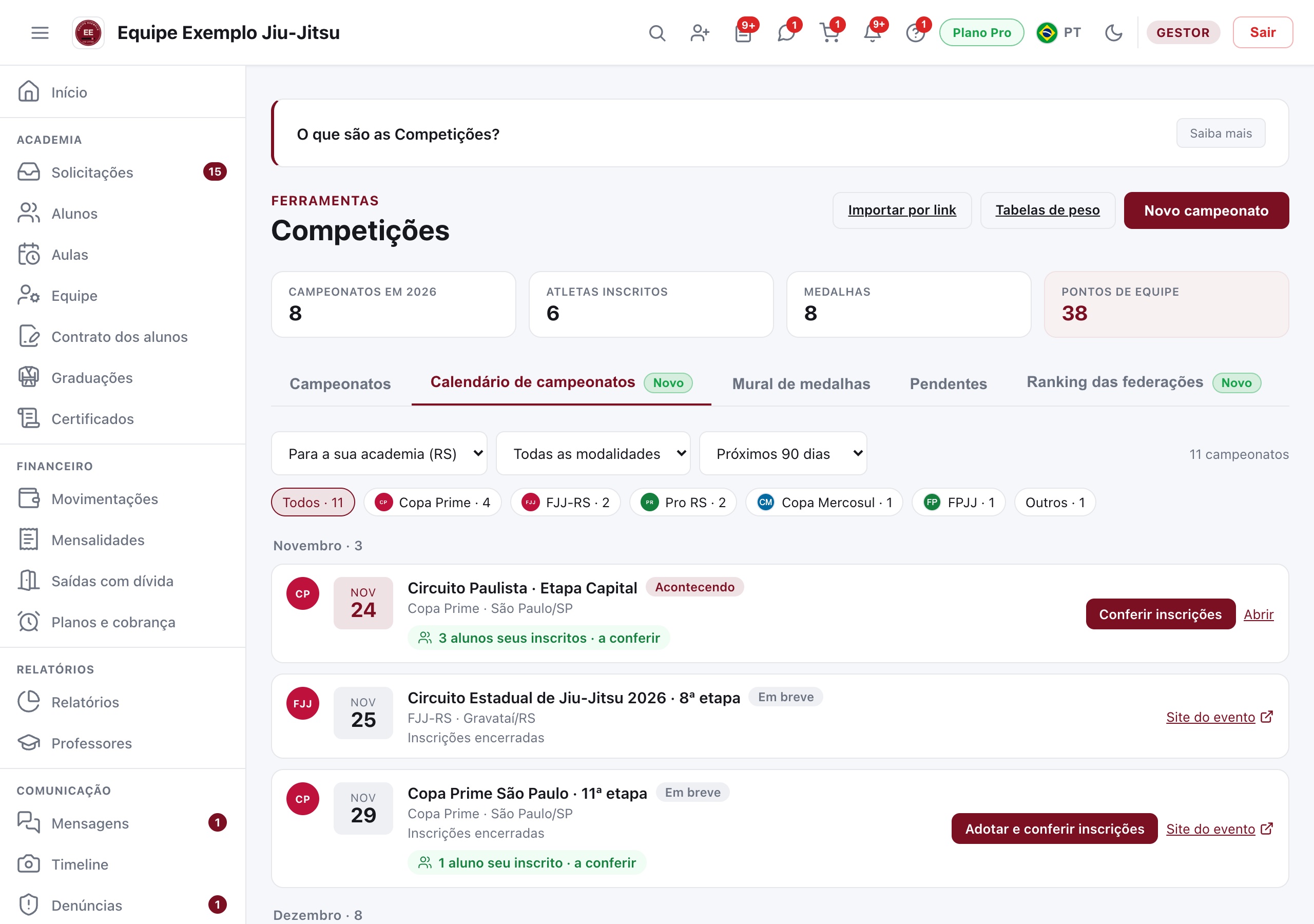
Tournament calendar

In Competitions, the tournaments in your region month by month, filtered by organizer, state, modality and period. "We're bringing the team" creates the academy's competition, and "We're not going" takes it off the list.

Where to find it Competitions › Tournament calendar

Screen for the update: Tournament calendar
StudentApp 1.7.0

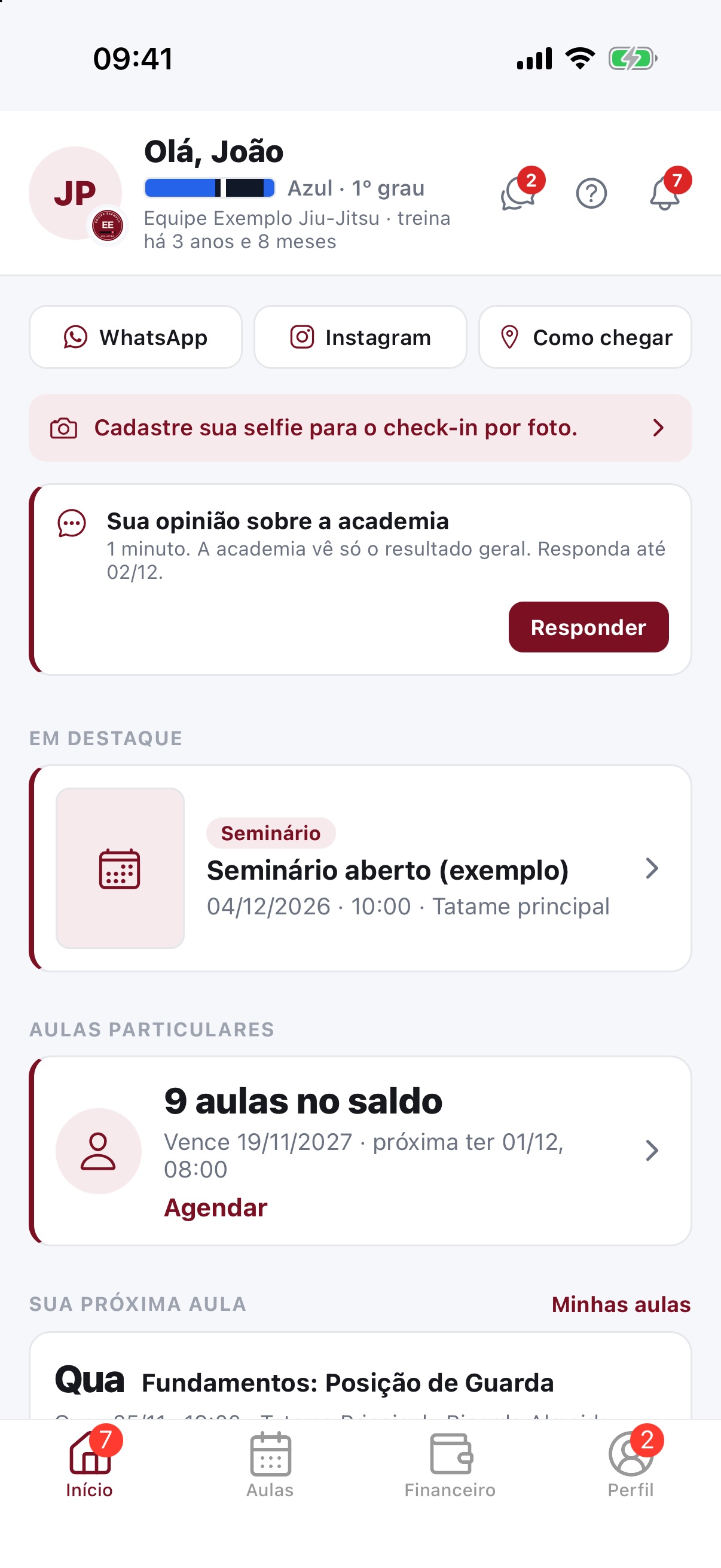
Talk to the Academy from Home

The chat icon at the top of Home shows how many new messages the academy sent and opens the conversation in one tap.

Where to find it Home › chat icon at the top

Screen for the update: Talk to the Academy from Home
ManagerWebApp 1.7.0

Edit graduation

Tapping a graduation on the student profile opens Edit graduation: date, belt, stripe and note.

Where to find it Students › student profile › Graduation

Screen for the update: Edit graduation
ManagerStudentWebApp 1.6.5

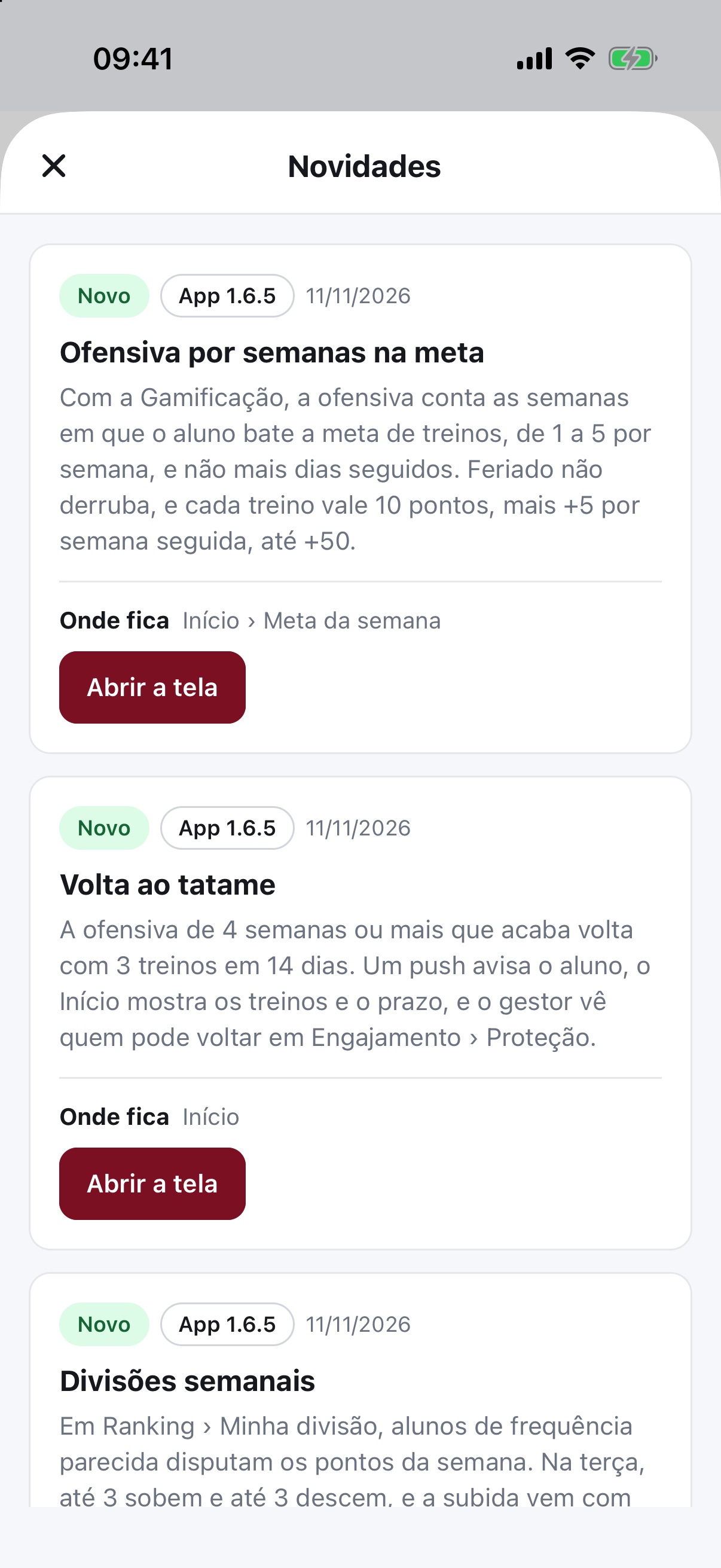
Weekly goal streak

With Gamification, the streak counts the weeks in which the student hits the training goal, from 1 to 5 a week, instead of days in a row. Holidays don't break it, and each session is worth 10 points, plus +5 per week in a row, up to +50.

Where to find it Engagement › Rules

Screen for the update: Weekly goal streak
ManagerStudentWebApp 1.6.5

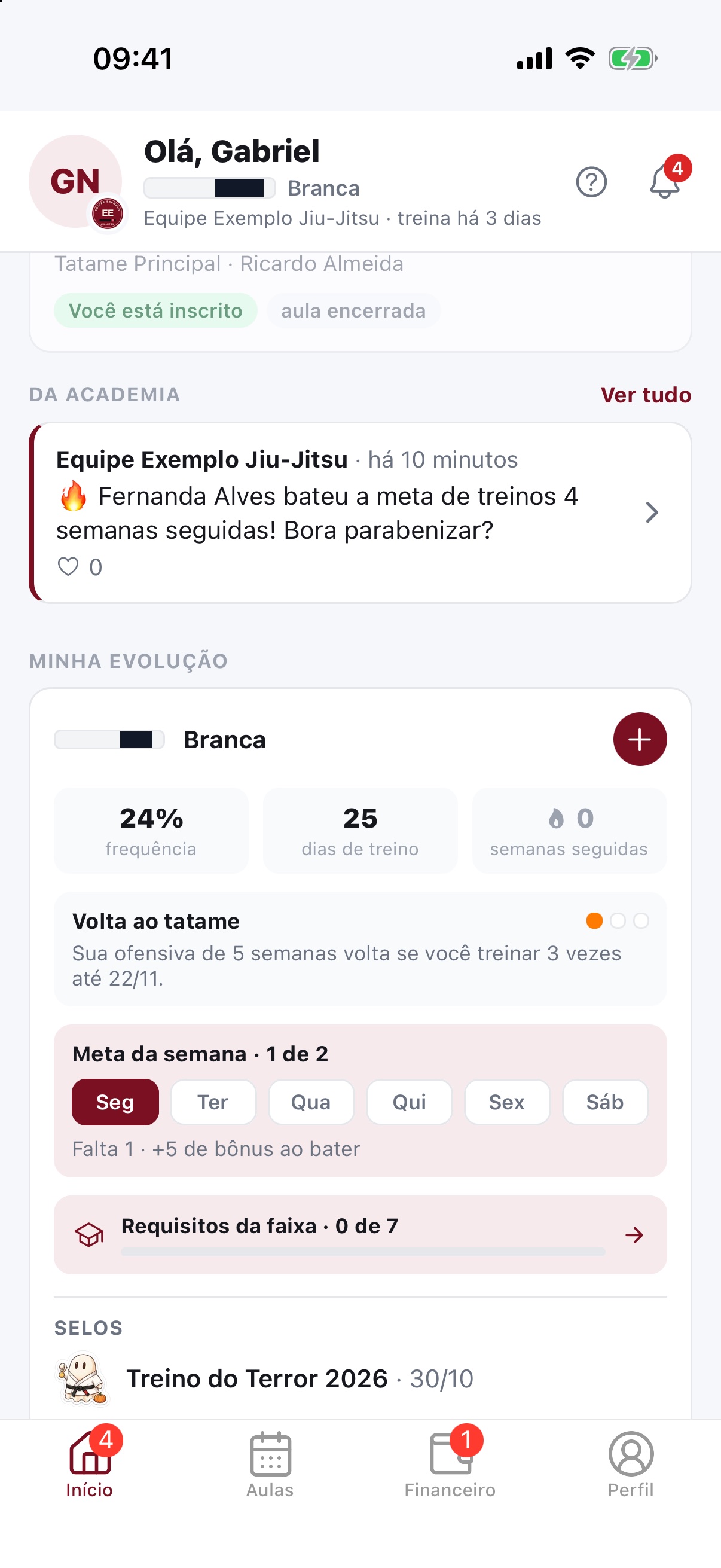
Back on the mat

A streak of 4 weeks or more that ends comes back with 3 sessions in 14 days. A push tells the student, Home shows the sessions and the deadline, and the manager sees who can come back in Engagement › Protection.

Where to find it Engagement › Protection

Screen for the update: Back on the mat
ManagerStudentWebApp 1.6.5

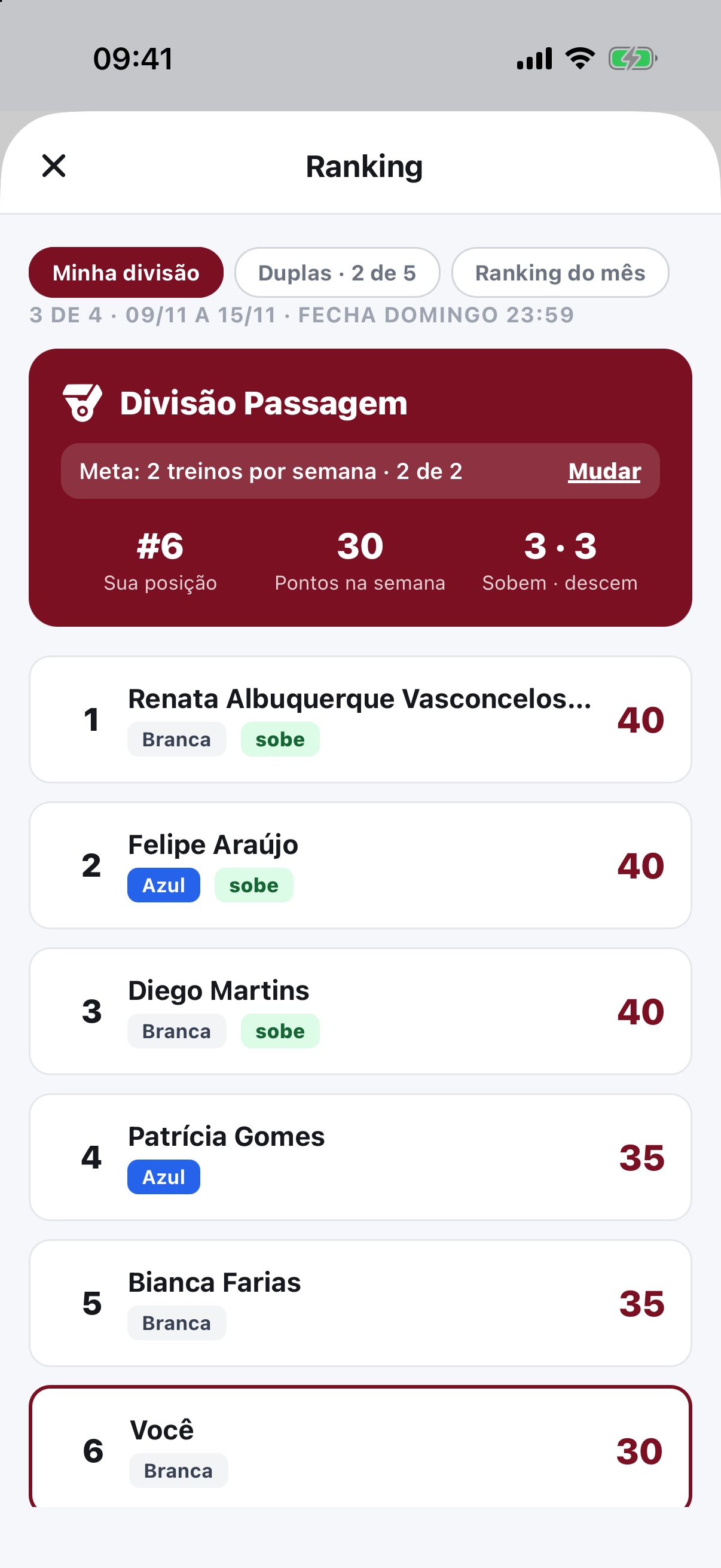
Weekly divisions

In Ranking › My division, students who train about as often compete for the week's points. On Tuesday, up to 3 move up and up to 3 move down, and moving up comes with a push. For ages 13 and up.

Where to find it Engagement › Rules › Weekly divisions

Screen for the update: Weekly divisions
ManagerStudentWebApp 1.6.5

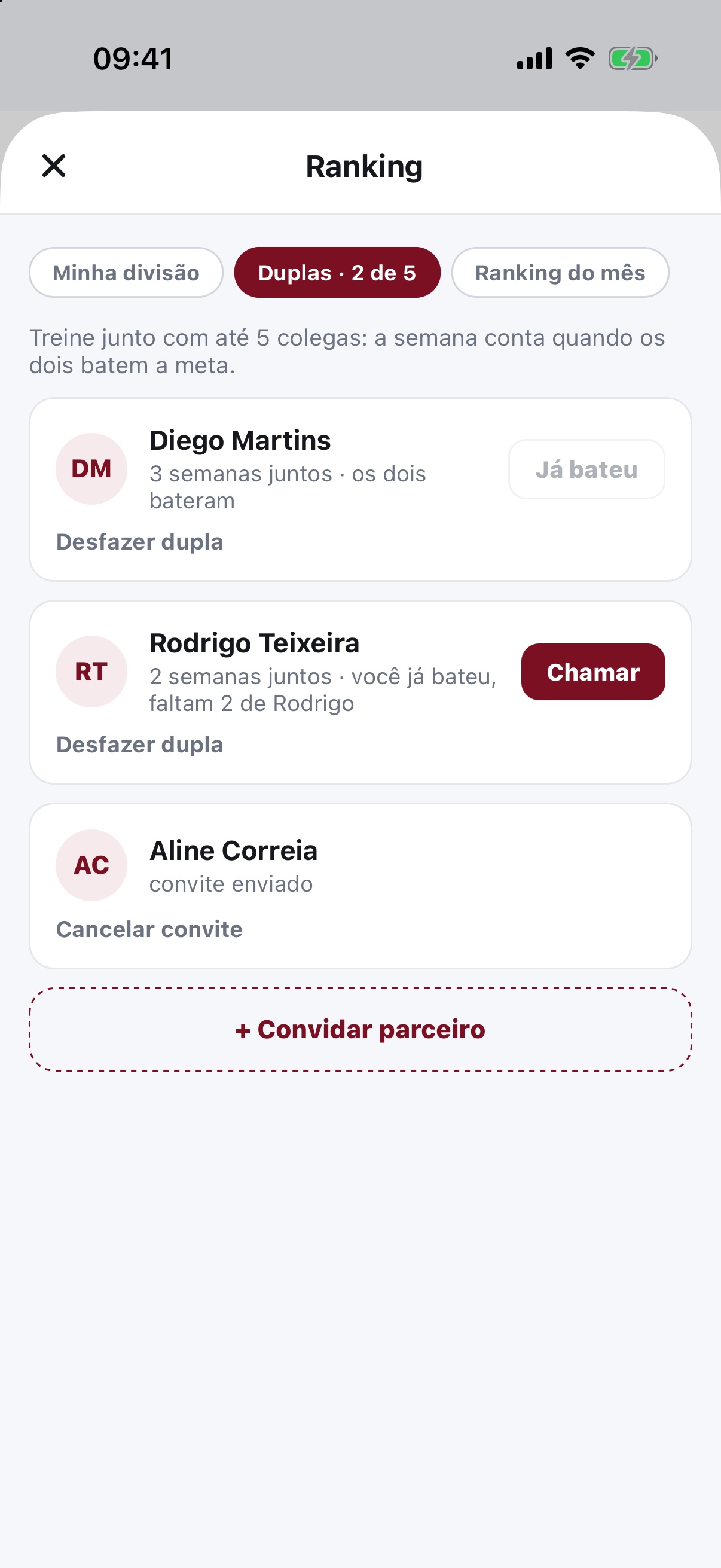
Training partners

In Ranking › Partners, invite up to 5 partners aged 13 or older. The pair's week counts when both hit the goal, and Nudge reminds your partner once a day.

Where to find it Engagement › Rules › Training partners

Screen for the update: Training partners
ManagerWebApp 1.6.5

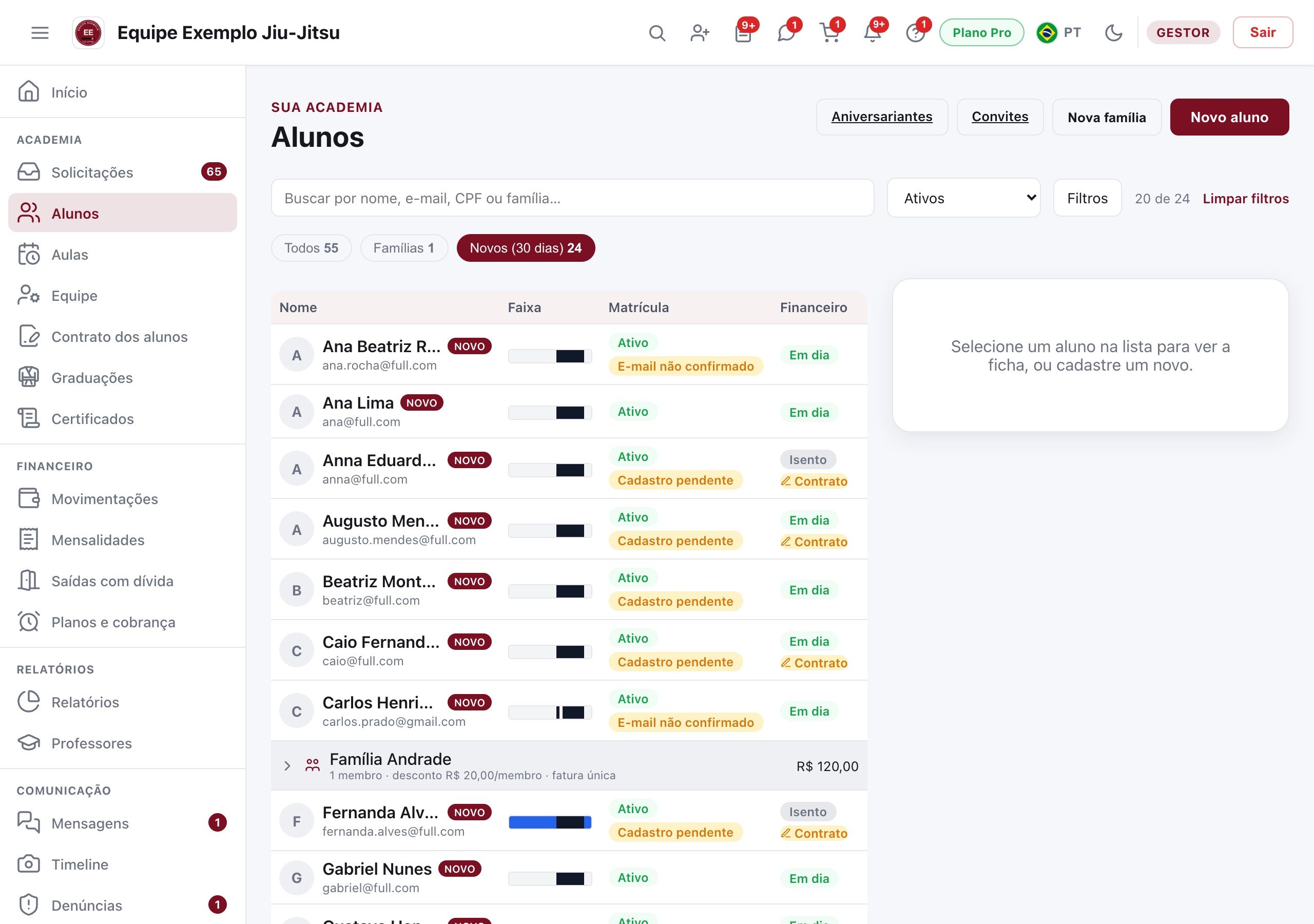
New students

In Students, the New (30 days) chip sets apart those who joined recently. Reports › New shows, in 7- to 90-day windows, their class, sessions since joining, last session and app access.

Where to find it Students › New (30 days); Reports › New

Screen for the update: New students
ManagerInstructorStudentApp 1.6.5

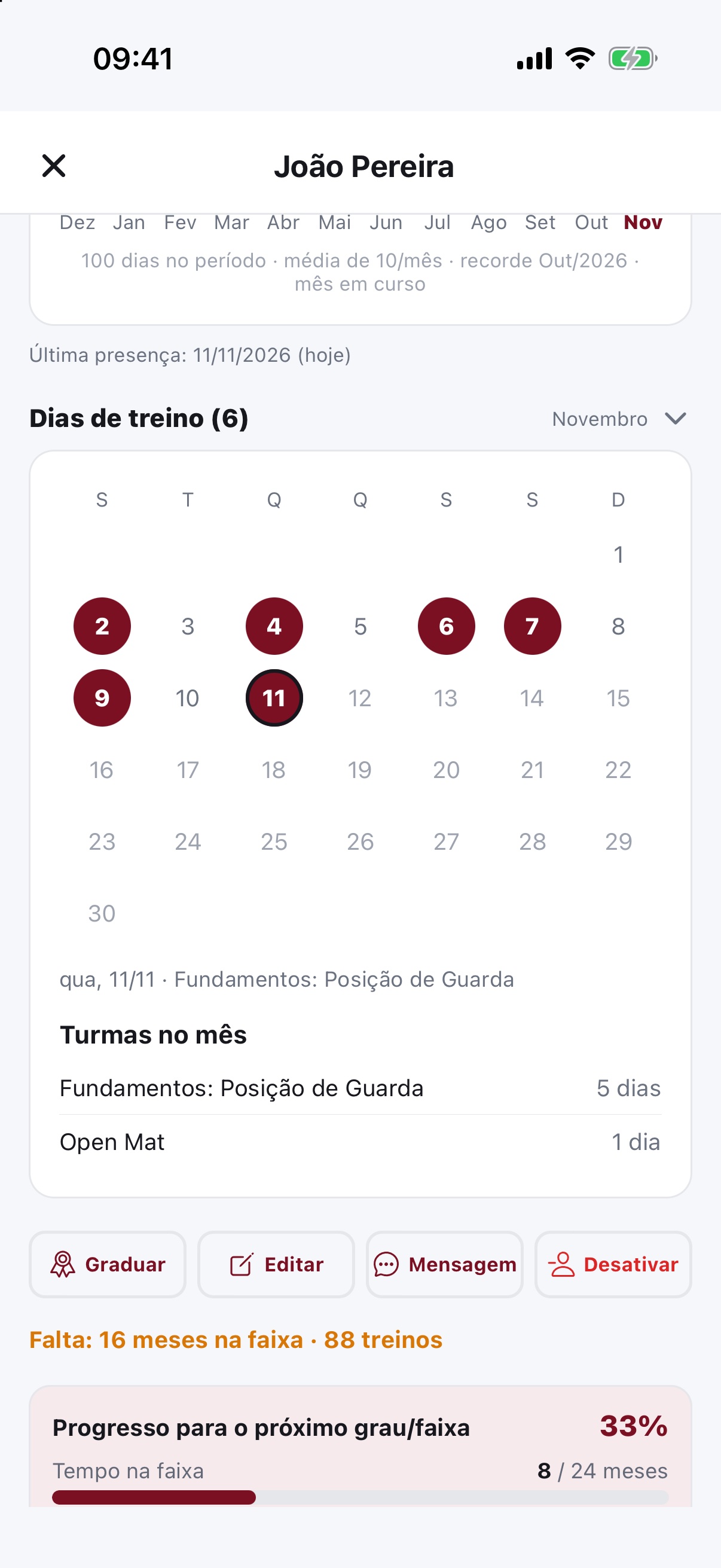
Training days on a calendar

In the student profile, Training days opens the month's calendar, with the tapped day and the classes. Students see the same calendar in My progress › Attendance, instead of the list of classes.

Where to find it Students › student profile › Training days

Screen for the update: Training days on a calendar
ManagerWebApp 1.6.5

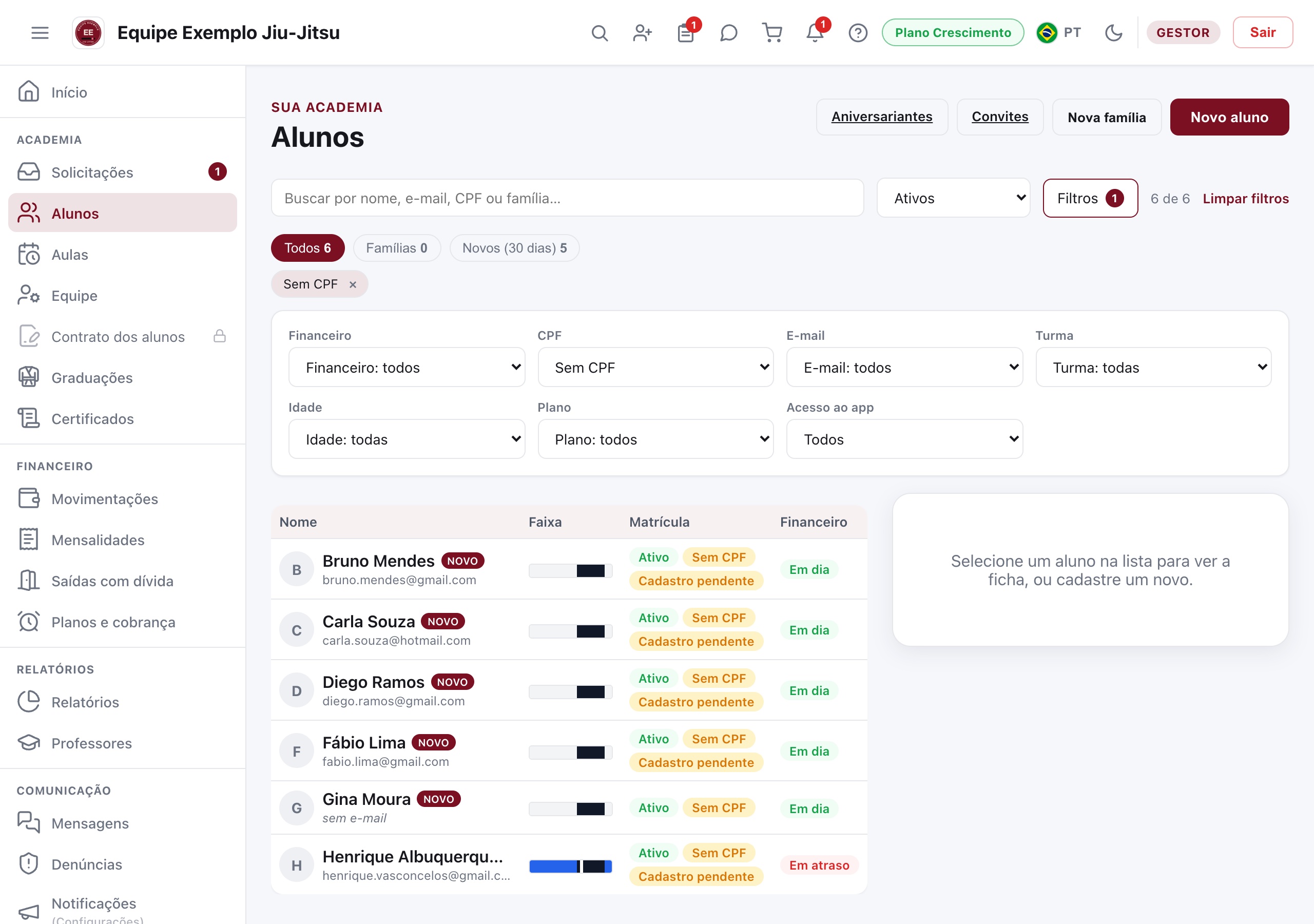
CPF: filter and field in the app

In Students › Filters, No CPF finds who is missing one; in the app, the student profile now has the CPF field right below Name.

Where to find it Students › Filters › CPF; in the app, profile › Edit details

Screen for the update: CPF: filter and field in the app
ManagerInstructorStudentWebApp 1.6.4

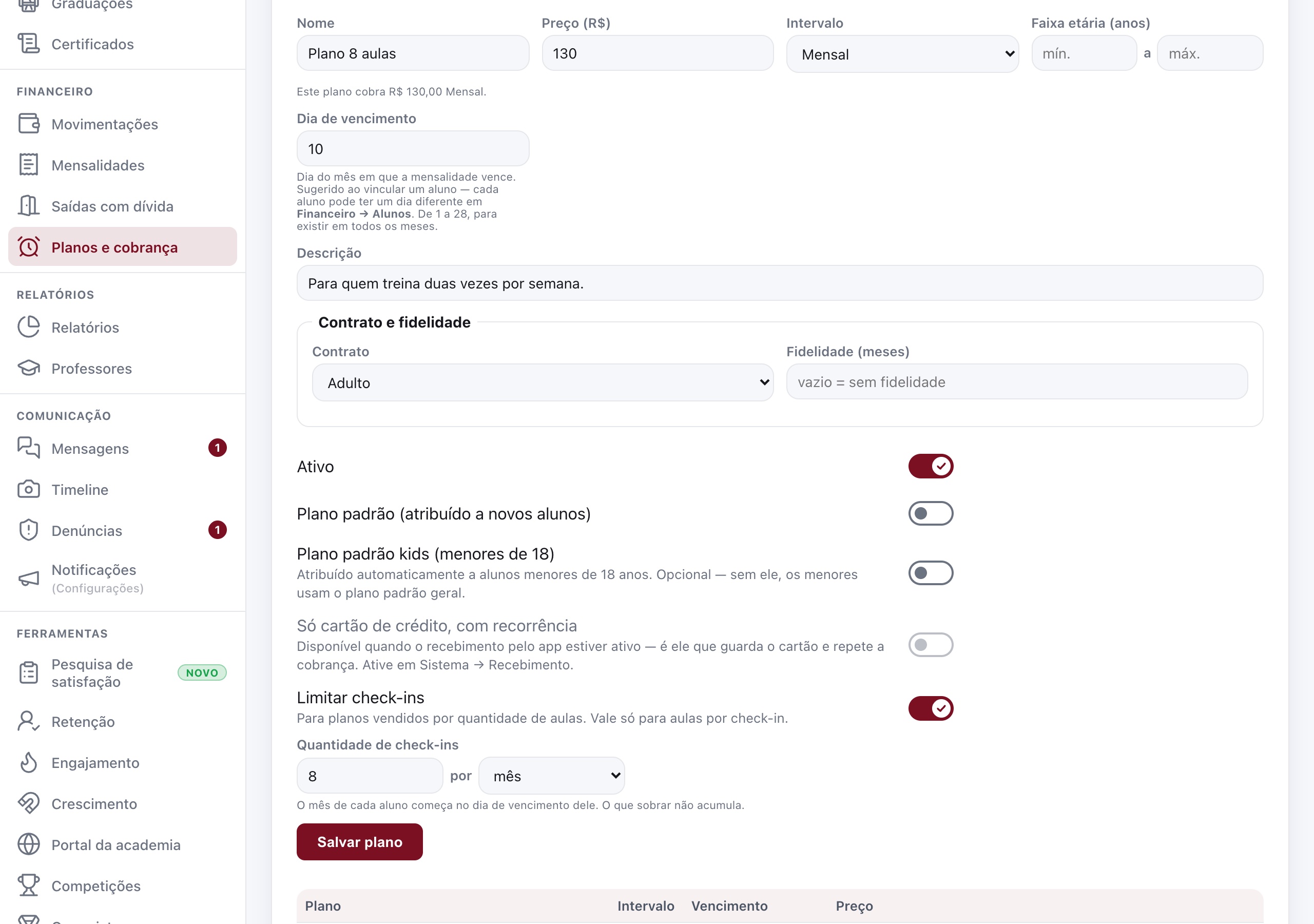
Check-in limit per plan

In Plans, Limit check-ins sets how many sessions per week or per month. Students see how many they have left and when it renews, attendance shows the badge, and Requests flags who trained over the limit.

Where to find it Finance › Plans and billing › edit the plan

Screen for the update: Check-in limit per plan
ManagerInstructorStudentApp 1.6.4

What's new in the app

The app now has the What's new screen, only with what applies to your profile, with where to find it, Open the screen and the video guide.

Where to find it More › What's new

Screen for the update: What's new in the app
ManagerInstructorApp 1.6.3

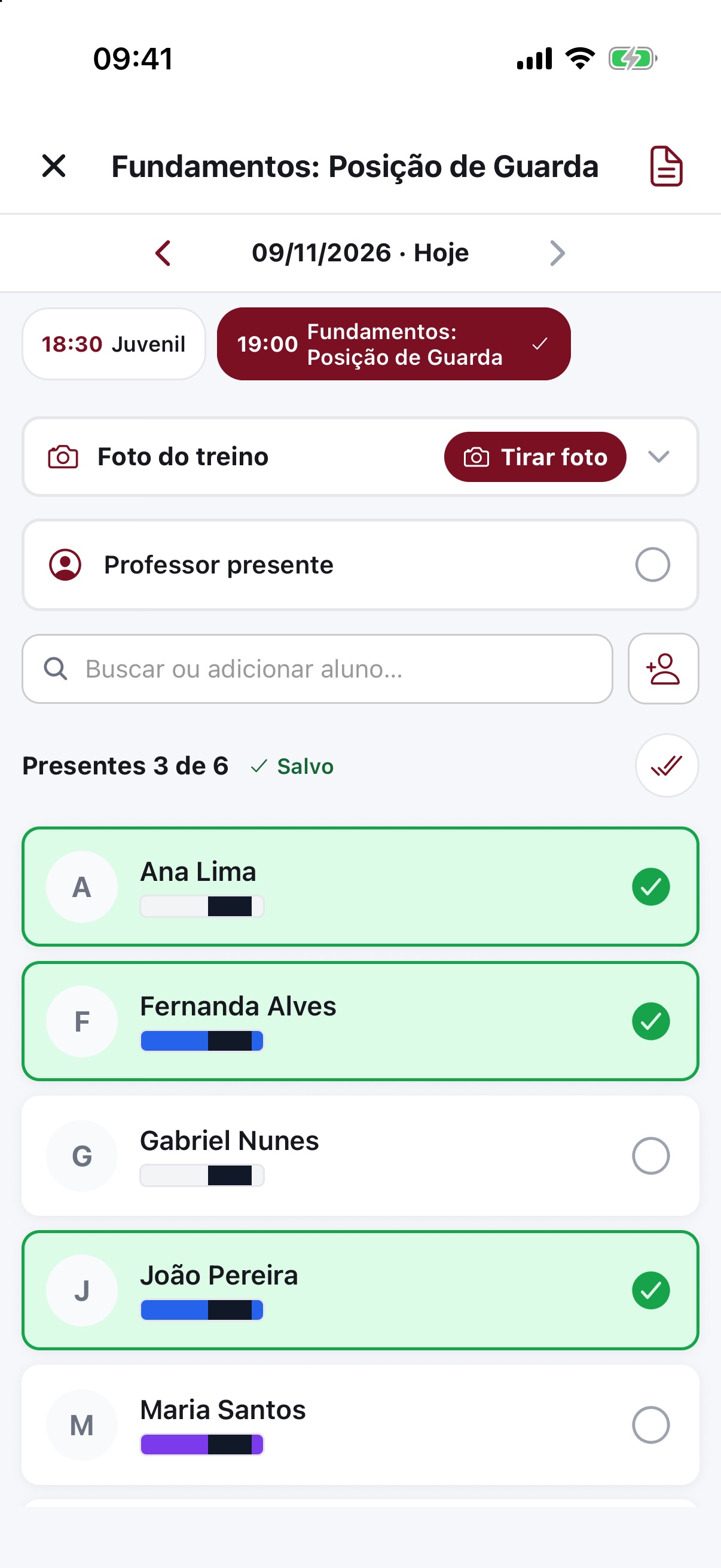
Attendance that saves itself

In the app, attendance opens full screen, with the day, class and times at the top, and each tap saves at once, with "Saved" next to the counter. Mark everyone waits 7 seconds with Undo, and a single field finds and adds students.

Where to find it Classes › Attendance

Screen for the update: Attendance that saves itself
ManagerInstructorWebApp 1.6.3

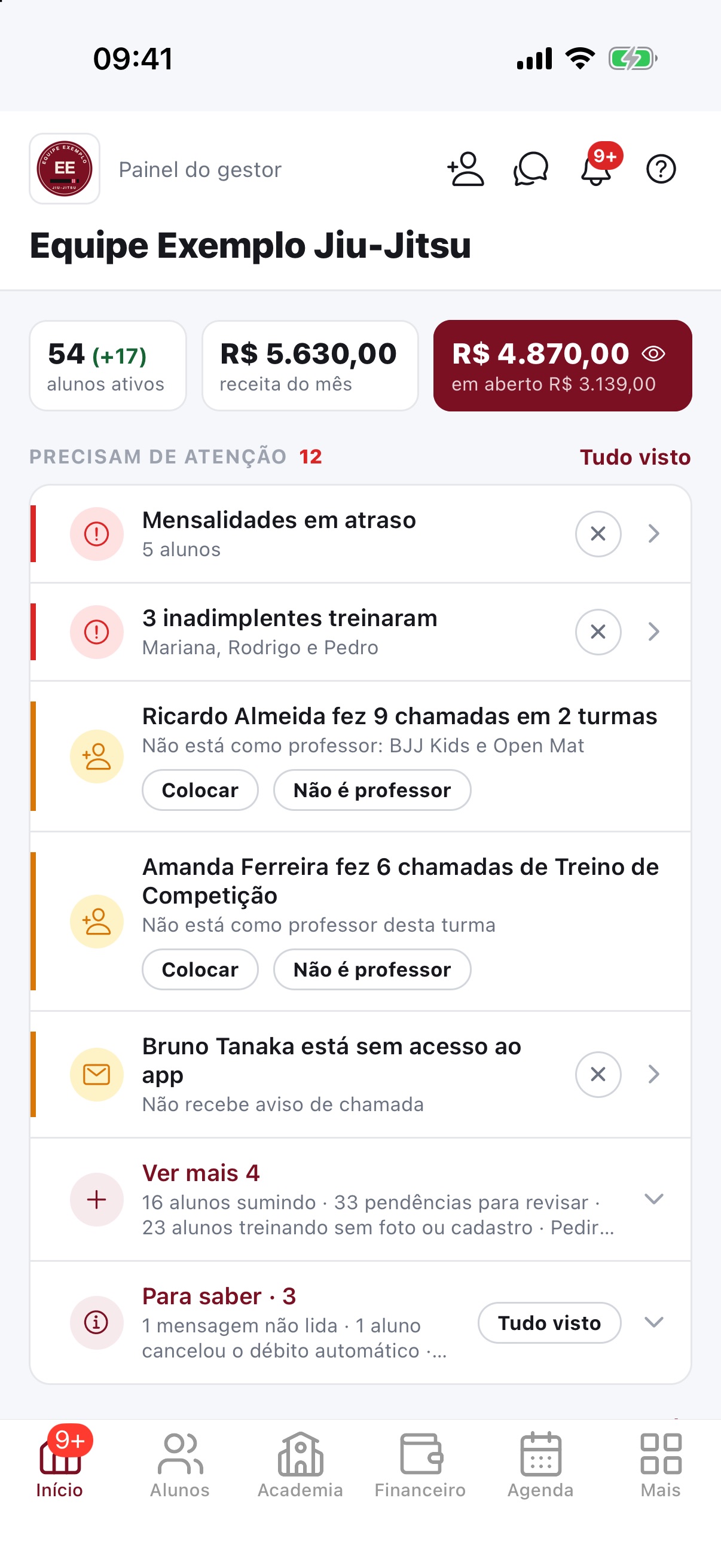
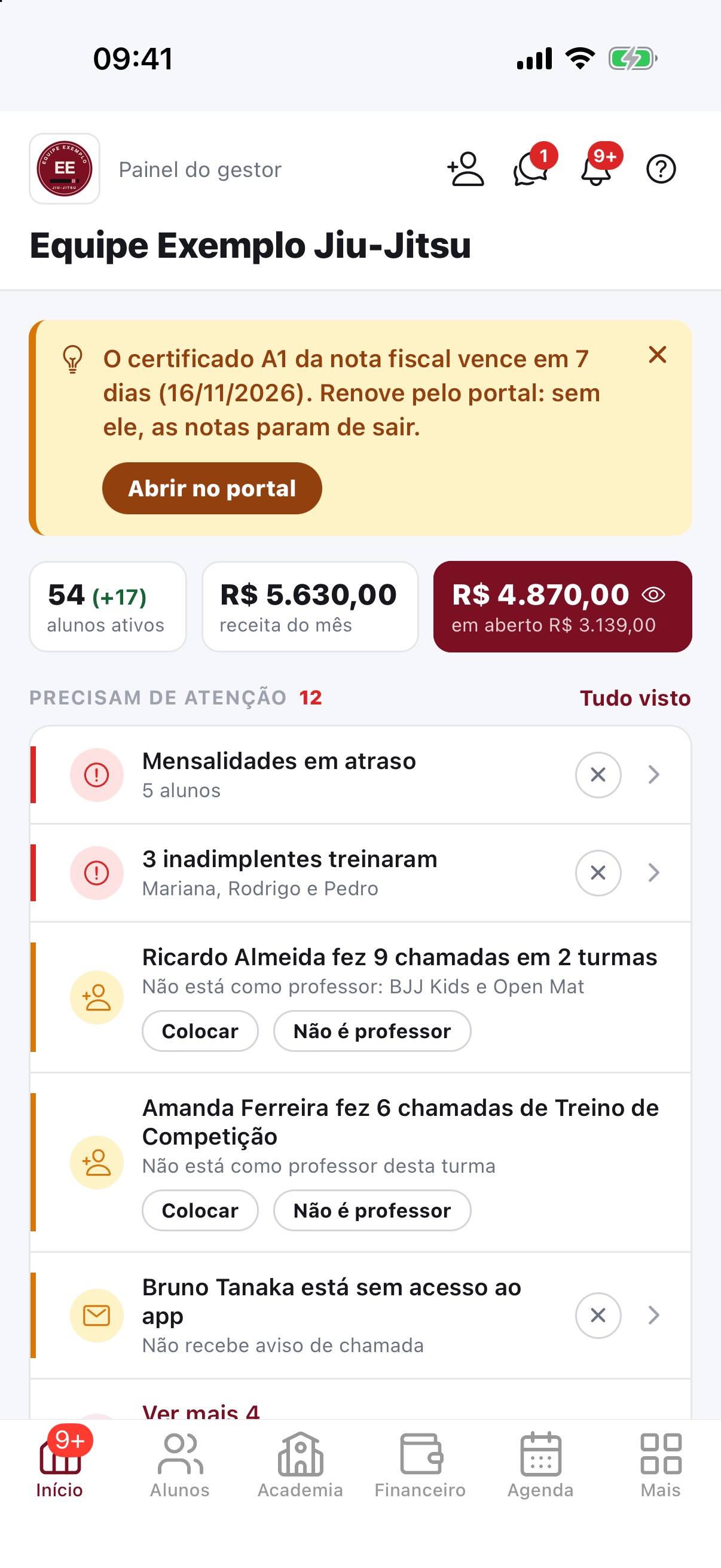
Pending attendance and who takes it

The instructor gets a push 1 hour after a class with no attendance. On Home, the manager sees who takes attendance without being on the class, with Add and Not an instructor, and who still has no app access.

Where to find it Home › Need attention

Screen for the update: Pending attendance and who takes it
ManagerApp 1.6.3

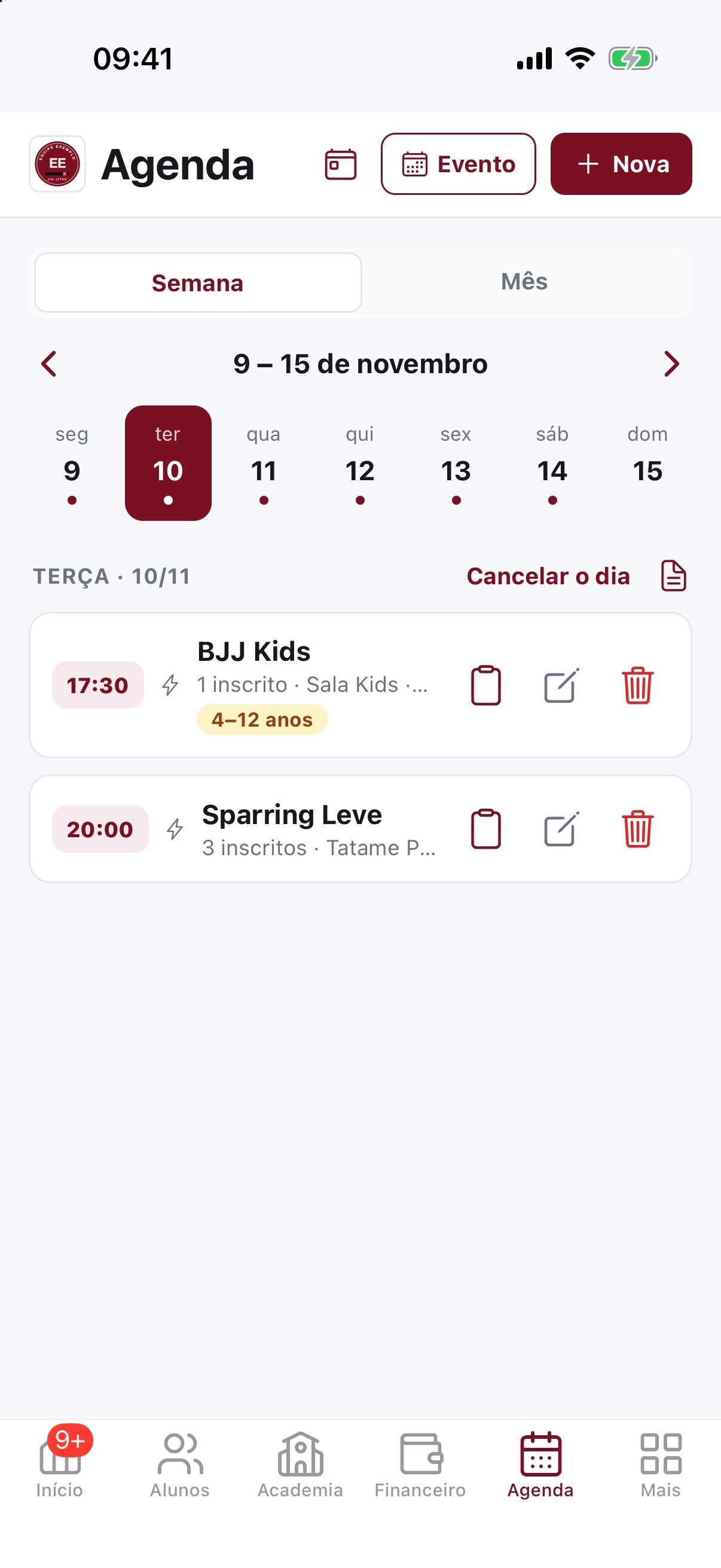
Schedule in the app bar

The Schedule tab joins the manager bar, and Reports moves to More › Academy.

Where to find it Bottom bar › Schedule

Screen for the update: Schedule in the app bar
ManagerApp 1.6.3

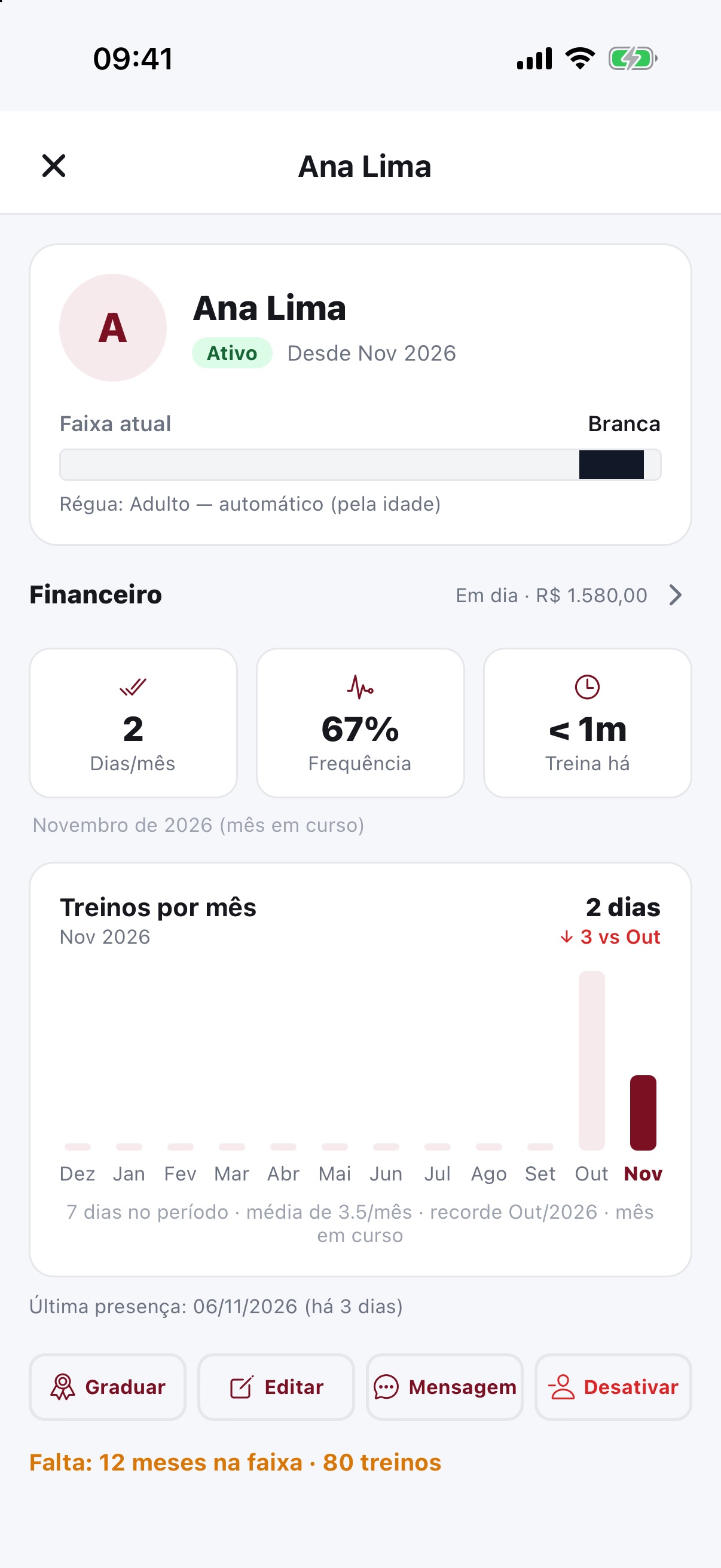
Finance at the top of the student file

In the student file in the app, Finance moves right below the card, collapsed, with the status and the total.

Where to find it Students › student profile

Screen for the update: Finance at the top of the student file
ManagerWebApp 1.6.3

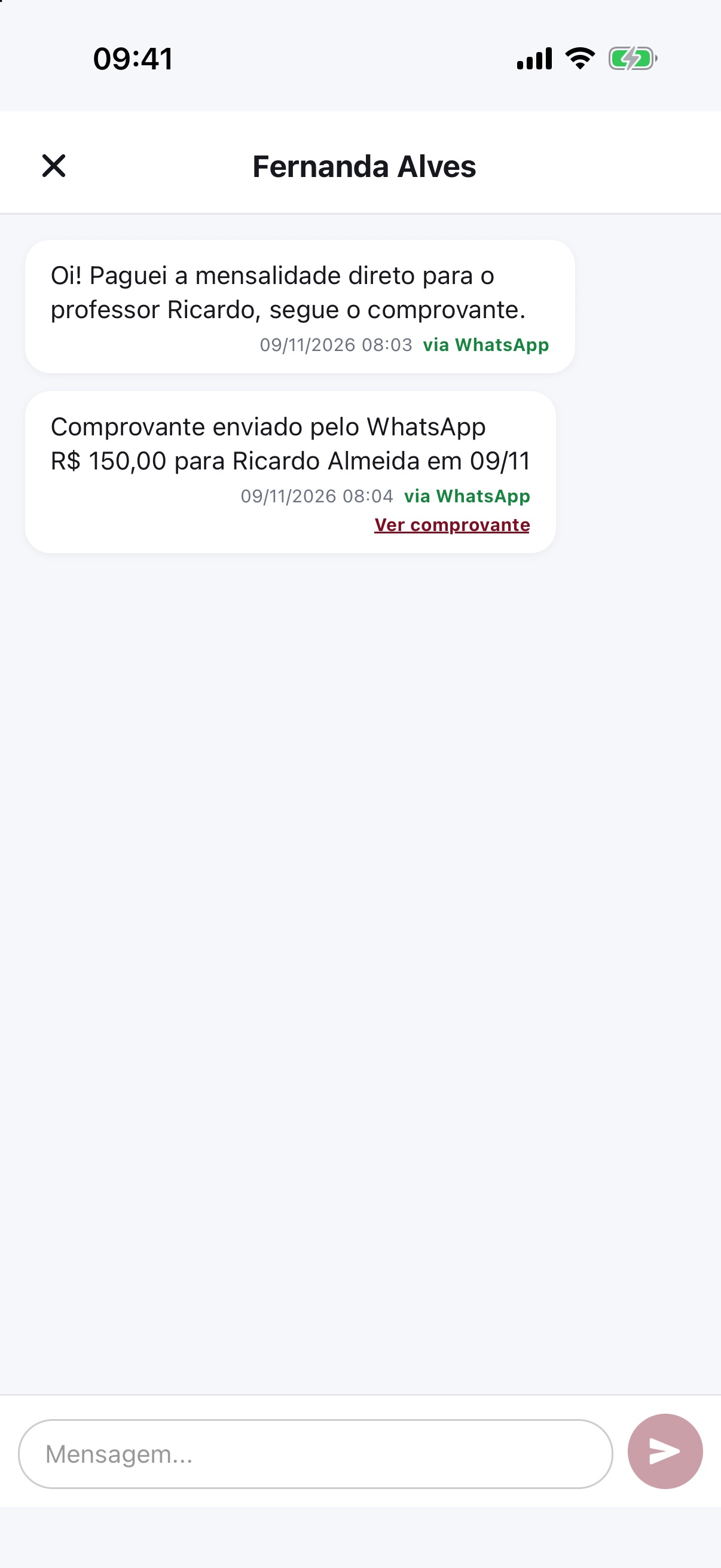
WhatsApp receipts in the conversation

A receipt the student sends by WhatsApp lands in the academy conversation, with the amount, the payee and View receipt. Anything paid through the app does not call the manager.

Where to find it Messages

Screen for the update: WhatsApp receipts in the conversation
ManagerWebApp 1.6.3

A1 certificate alert

Push and e-mail 30, 7 and 1 day before the invoicing certificate expires, and on expiry, with a tip on Home.

Already works on its own nothing to turn on.
Screen for the update: A1 certificate alert
InstructorApp 1.6.3

Your class on Today

Those who train and teach see their own class in the Today carousel, with Take the roll one tap away.

Where to find it Home › Today

Screen for the update: Your class on Today
StudentApp 1.6.3

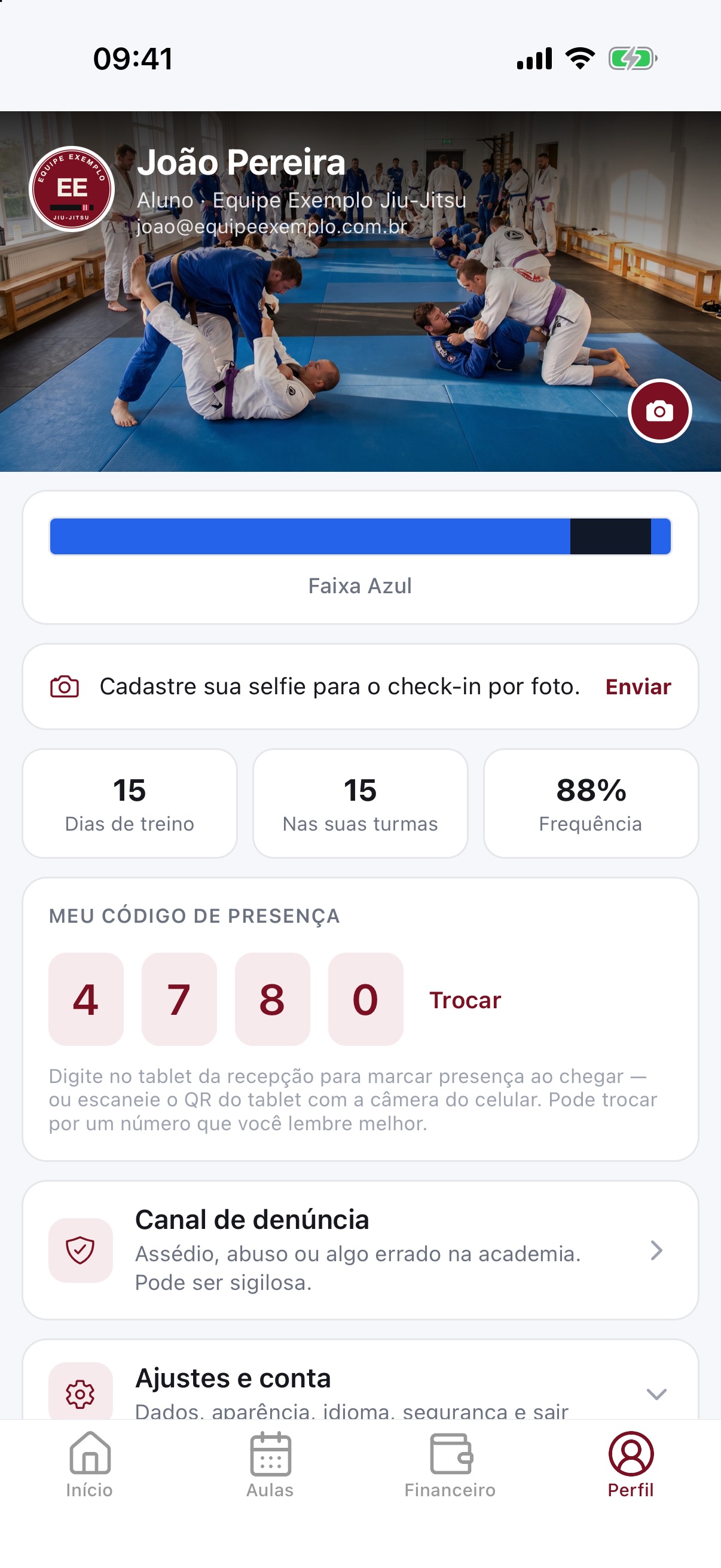
Student profile in two levels

The Profile gets shorter: the attendance code moves up and Settings and account opens the rest. Photo, details and preferences take fewer taps, and Payment moves to Finance.

Where to find it Profile

Screen for the update: Student profile in two levels
ManagerWeb

A more direct portal menu

Requests at the top of Academy, Tuition and Plans and billing in tabs, like the app, and Tools by usage.

Already works on its own nothing to turn on.
Screen for the update: A more direct portal menu
ManagerInstructorWebApp 1.6.2

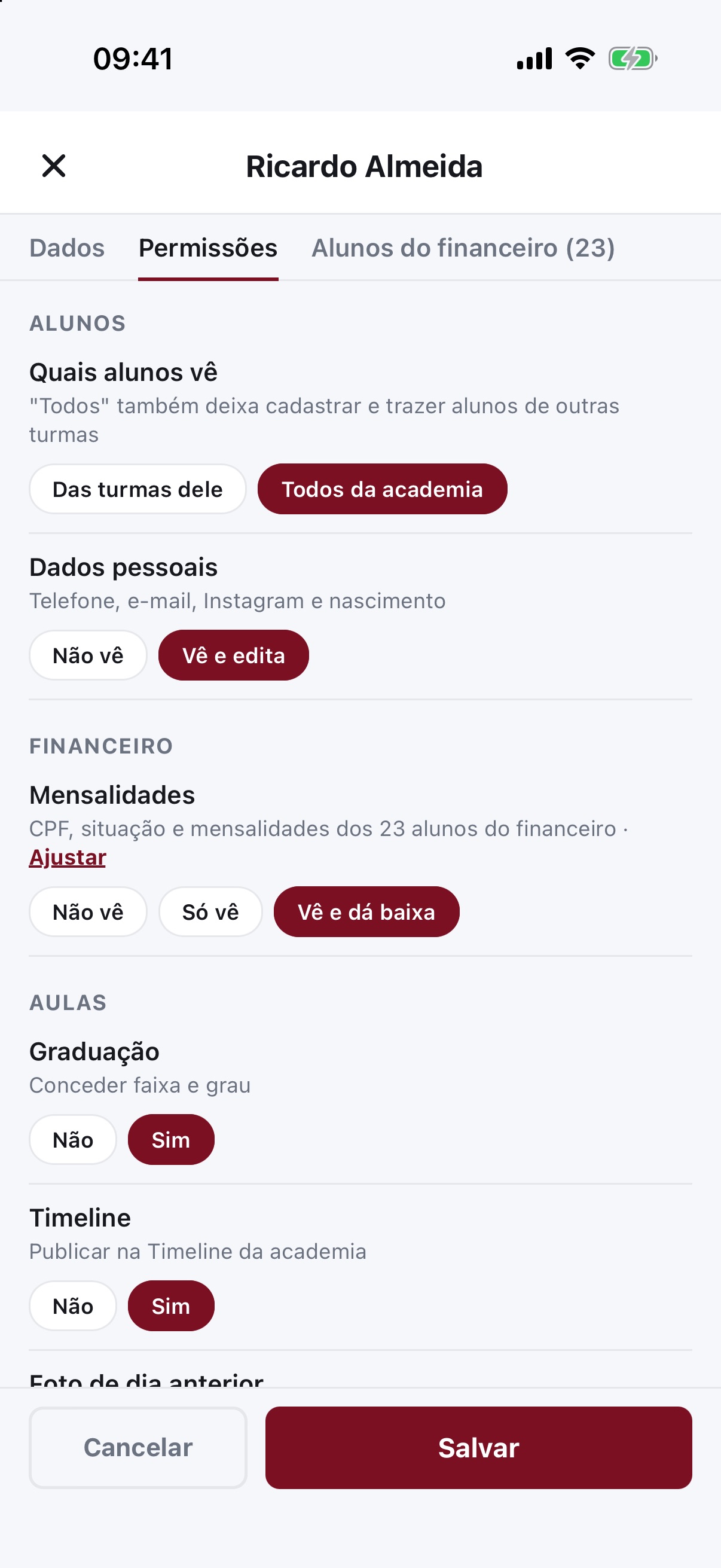
Instructor editor with tabs and Finance students

In the instructor editor, permissions become a choice per topic, and a tab sets which students count towards their finances: add those who don't train with them and remove those who do.

Where to find it Team › instructor profile

Screen for the update: Instructor editor with tabs and Finance students
ManagerWebApp 1.6.2

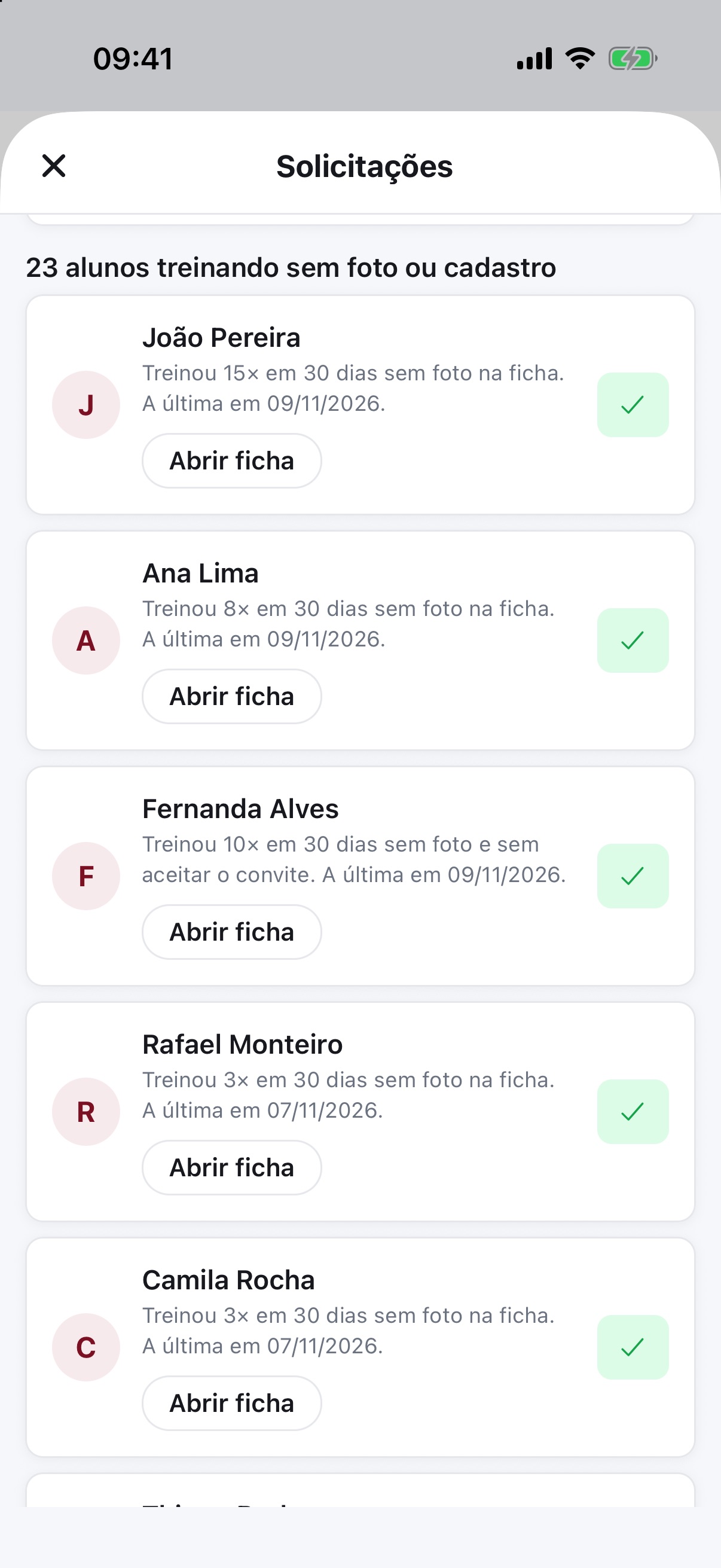
Who trains without a photo or sign-up

A line in the bell, on Home and in Requests shows who trained in the last 30 days without a photo or a confirmed sign-up. It clears by itself once both are in.

Where to find it Requests

Screen for the update: Who trains without a photo or sign-up
ManagerWeb

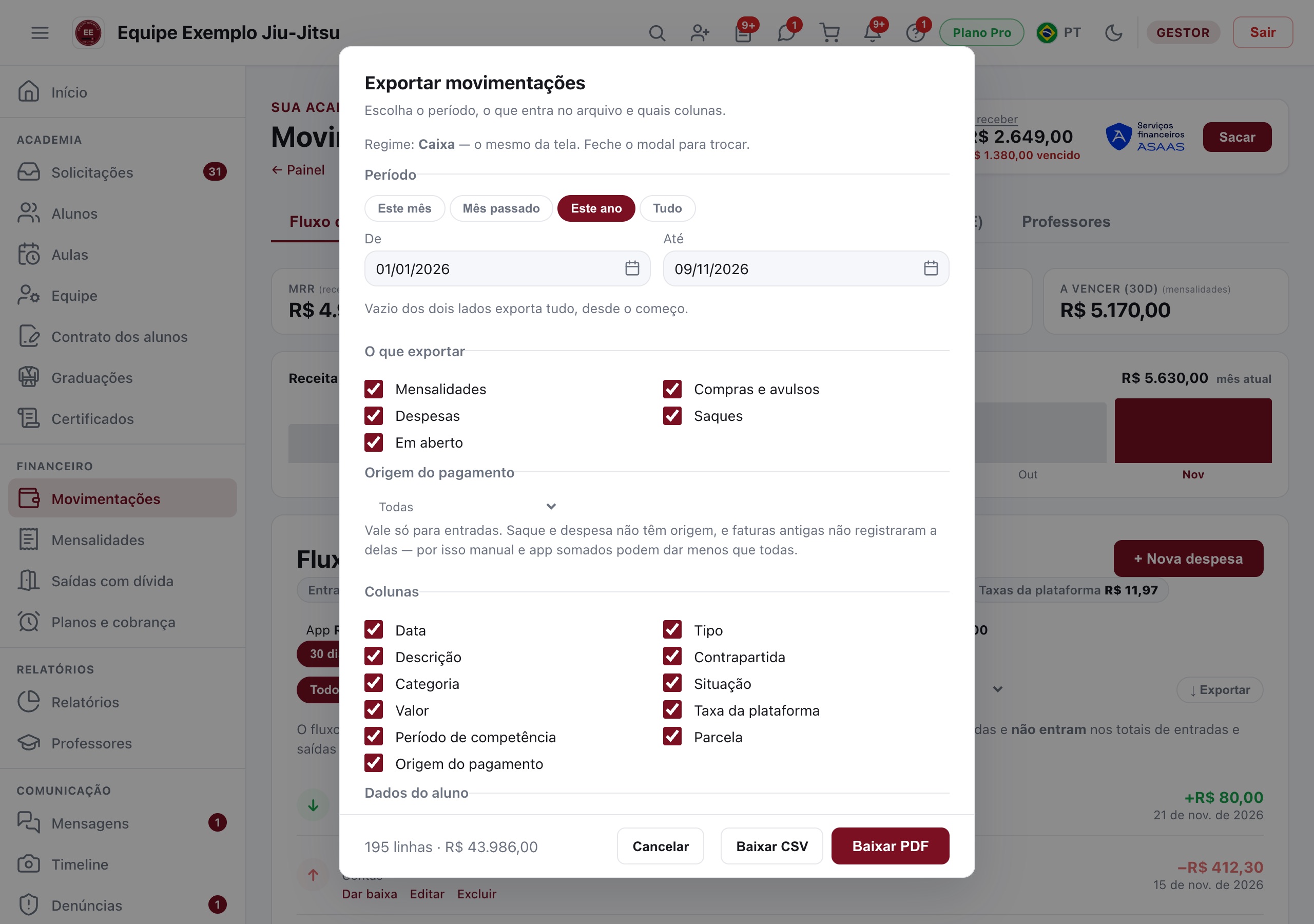
Transactions as PDF

In Transactions, Export now downloads the same view as a PDF, next to the CSV, with the summary and numbered pages.

Where to find it Finance › Transactions › Export

Screen for the update: Transactions as PDF
ManagerInstructorStudentApp 1.6.0

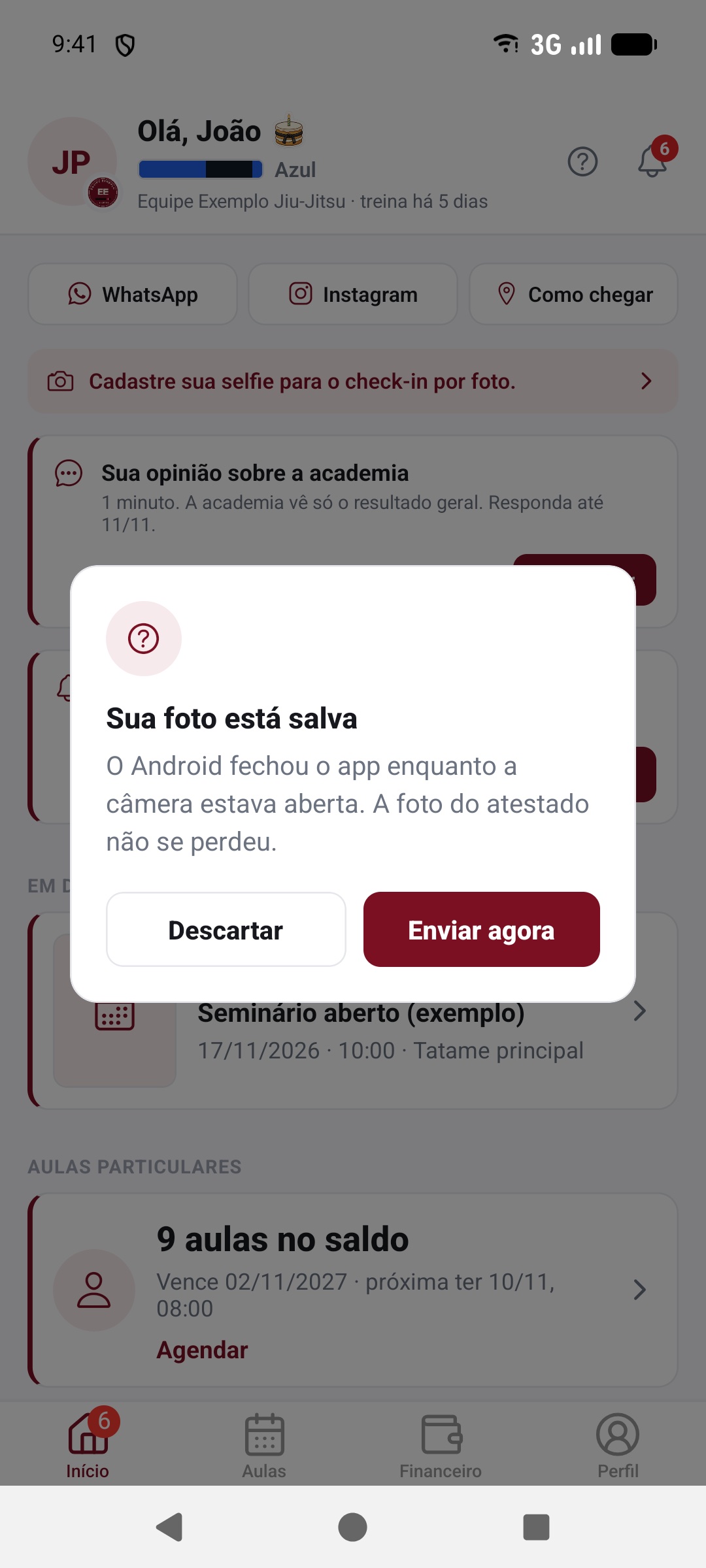
On Android, your photo is no longer lost

If the system closes the app while the camera is open, the photo and what you typed are kept. When you come back, choose Send now, Continue or Discard.

Already works on its own nothing to turn on.
Screen for the update: On Android, your photo is no longer lost
StudentApp 1.5.5

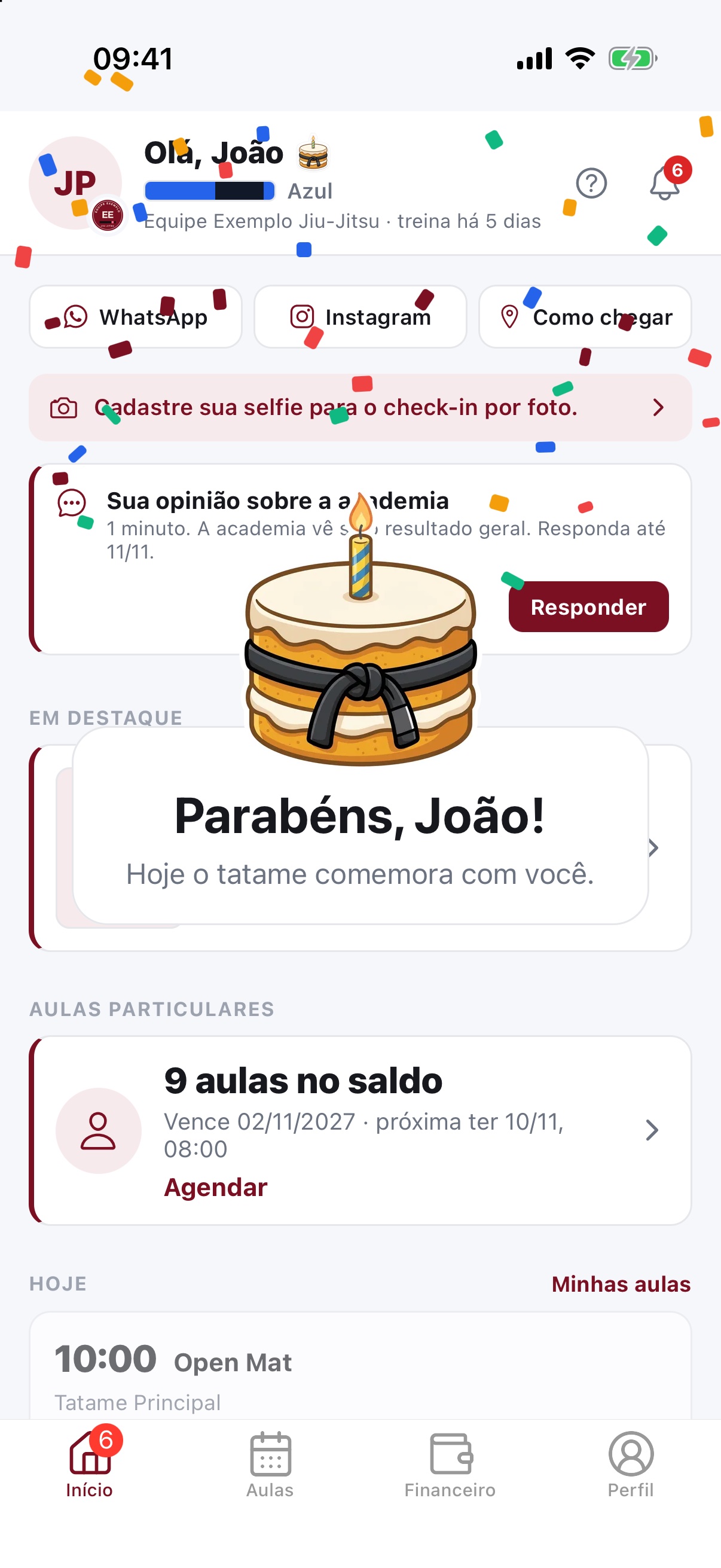
A party on your birthday

On your birthday, the app opens with confetti, a cake and "Happy birthday" for 5 seconds, and the cake stays next to your name on Home all day.

Already works on its own nothing to turn on.
Screen for the update: A party on your birthday
ManagerInstructorWebApp 1.5.5

Training photos sent after the class day can require approval

On the instructor's profile, the manager chooses to just be notified or to approve the photo in Requests. While it waits, the attendance stays pending.

Where to find it Team › instructor profile

Screen for the update: Training photos sent after the class day can require approval
ManagerInstructorStudentWebApp 1.5.4

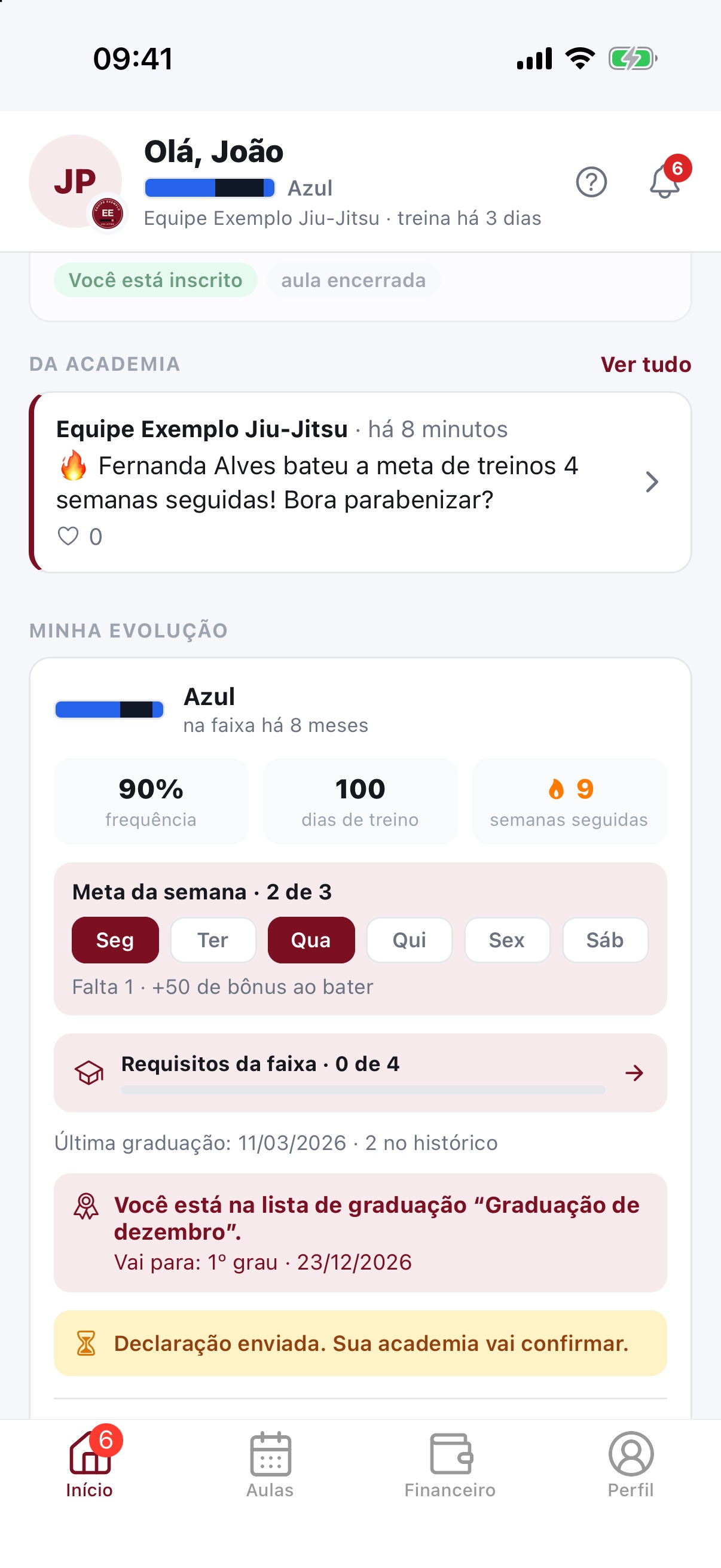
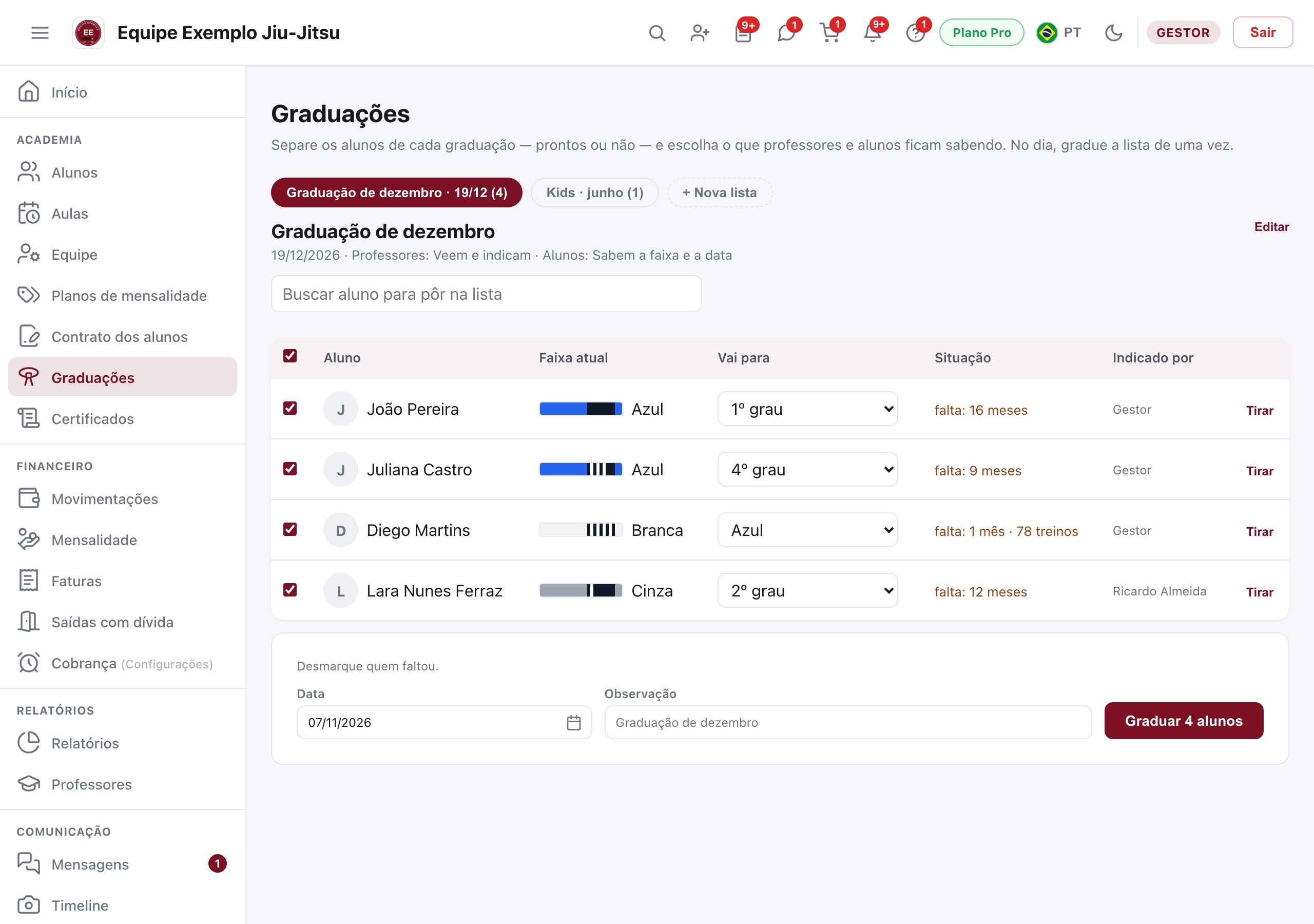
Promotion lists

The manager groups the students for the ceremony, chooses what instructors and students see and promotes the whole list at once, with the date. Students follow their belt and the date in My progress.

Where to find it Promotions › Promotion lists

Screen for the update: Promotion lists
ManagerWebApp 1.5.4

Home with × and "Mark all seen"

Each alert on Home now has an ×, and each group has "Mark all seen". It counts on the web and in the app, and the alert comes back when there is something new.

Where to find it Home › Need attention

Screen for the update: Home with × and "Mark all seen"

October 2026

ManagerStudentWebApp 1.5.3

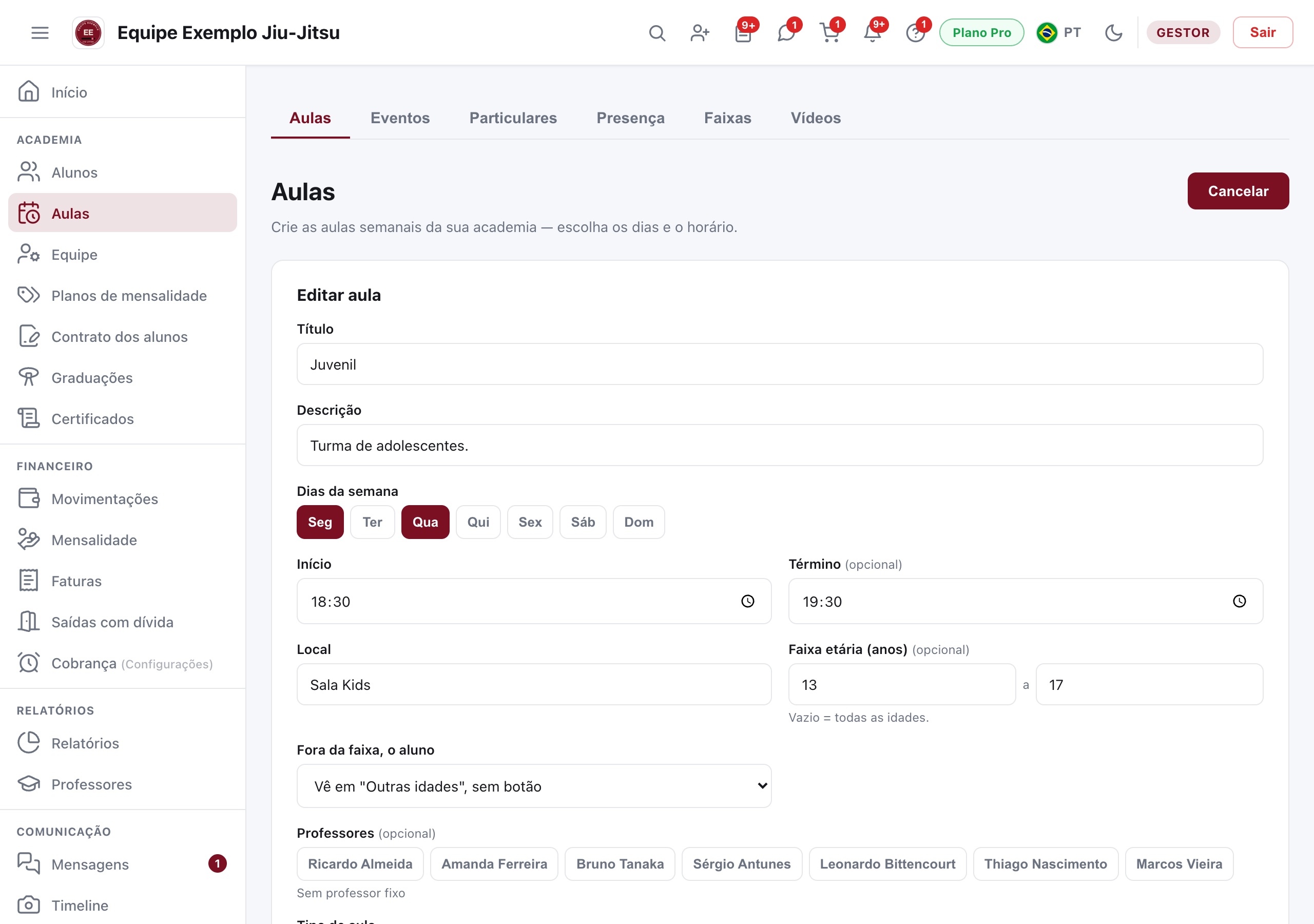
Classes by age

The manager sets each class's age range and what students outside it see. Students find the classes for their age, with the age badge or under "Other ages".

Where to find it Classes › edit the class › Age

Screen for the update: Classes by age
ManagerInstructorWebApp 1.5.3

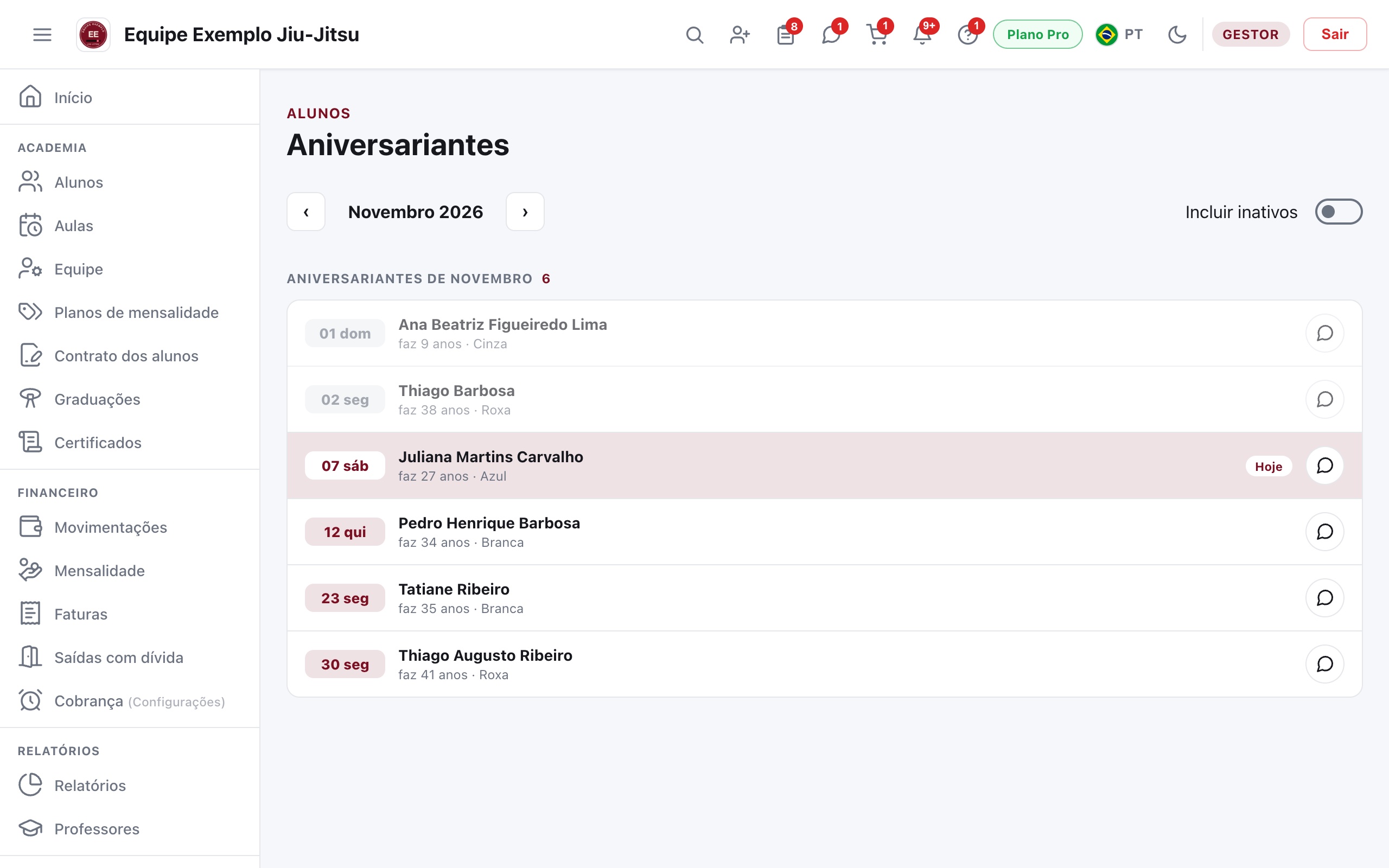
Birthdays of the month

A screen with the month's birthdays, the age each person turns, their belt and a shortcut to congratulate them on WhatsApp or in Messages.

Where to find it Students › Birthdays

Screen for the update: Birthdays of the month
ManagerWebApp 1.5.3

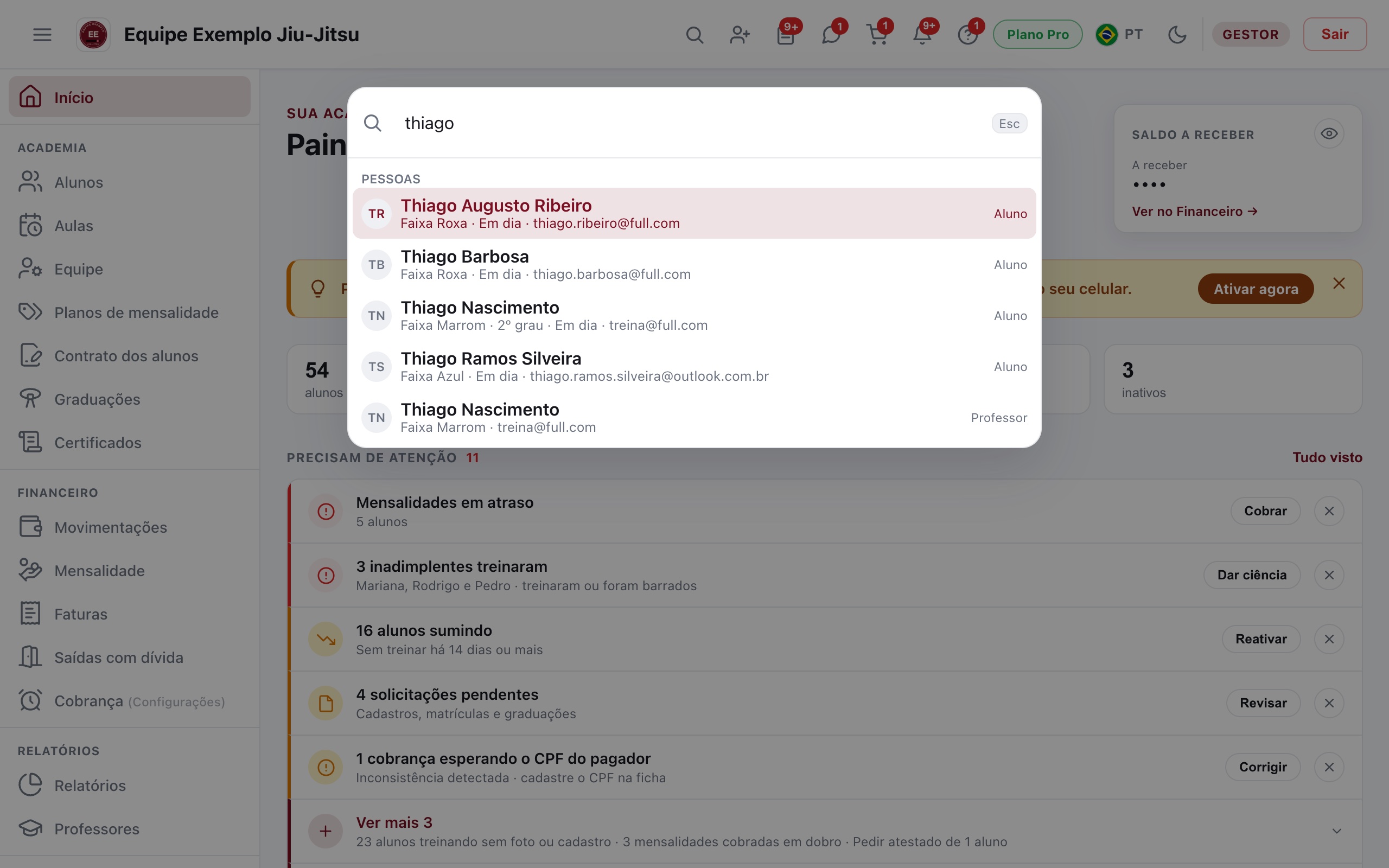
Search finds students and instructors

The magnifier finds students and instructors by name, nickname, email or CPF, and one tap opens their profile.

Where to find it Magnifying glass at the top of the portal; in the app, magnifying glass at the top of More

Screen for the update: Search finds students and instructors
ManagerWebApp 1.5.3

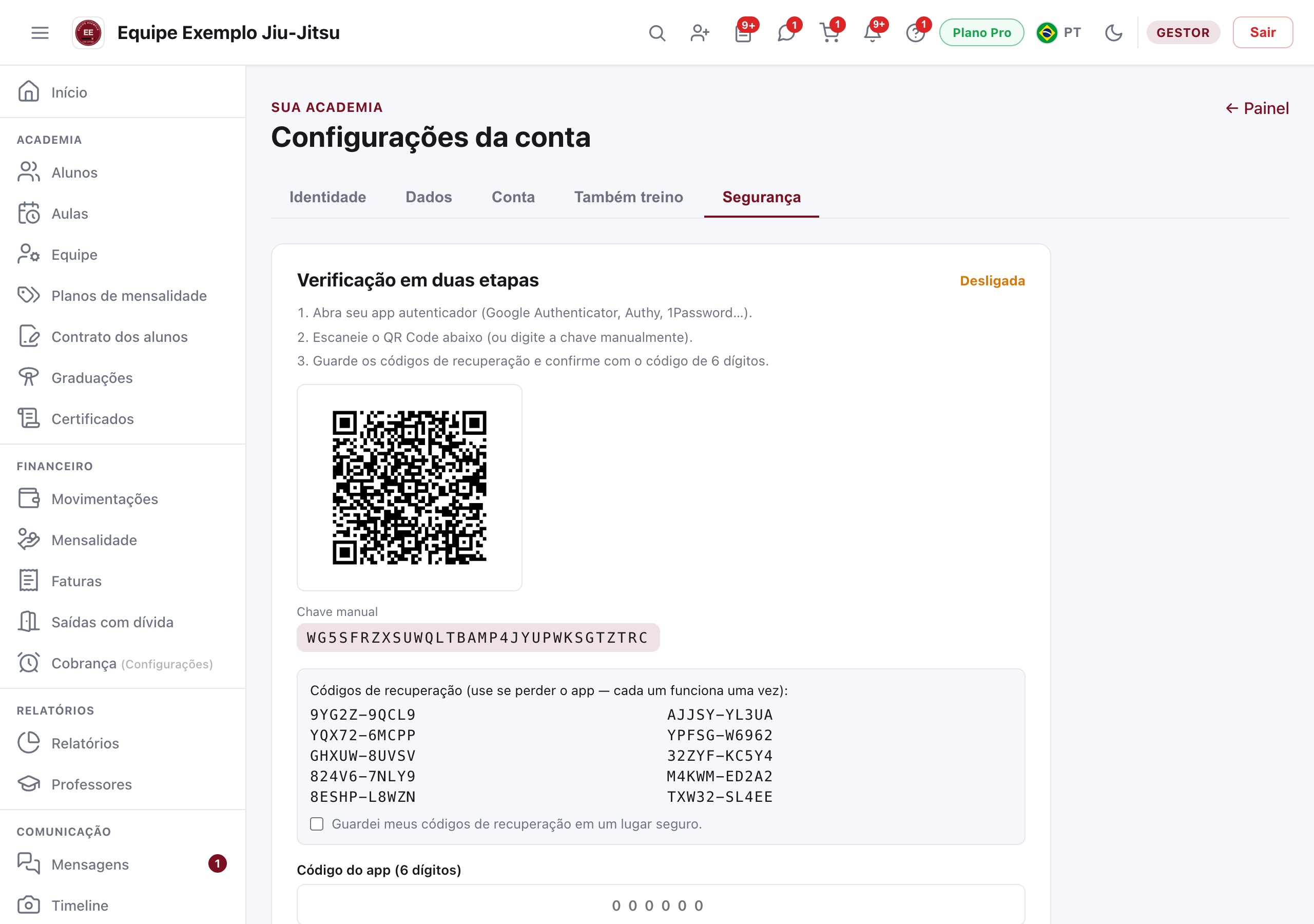
Two-step verification

Optional, on the web under Settings › Security and in the app under Profile. Use an authenticator app, a recovery code or a code by email.

Where to find it Settings › Security; in the app, More › My profile

Screen for the update: Two-step verification
ManagerInstructorWebApp 1.5.1

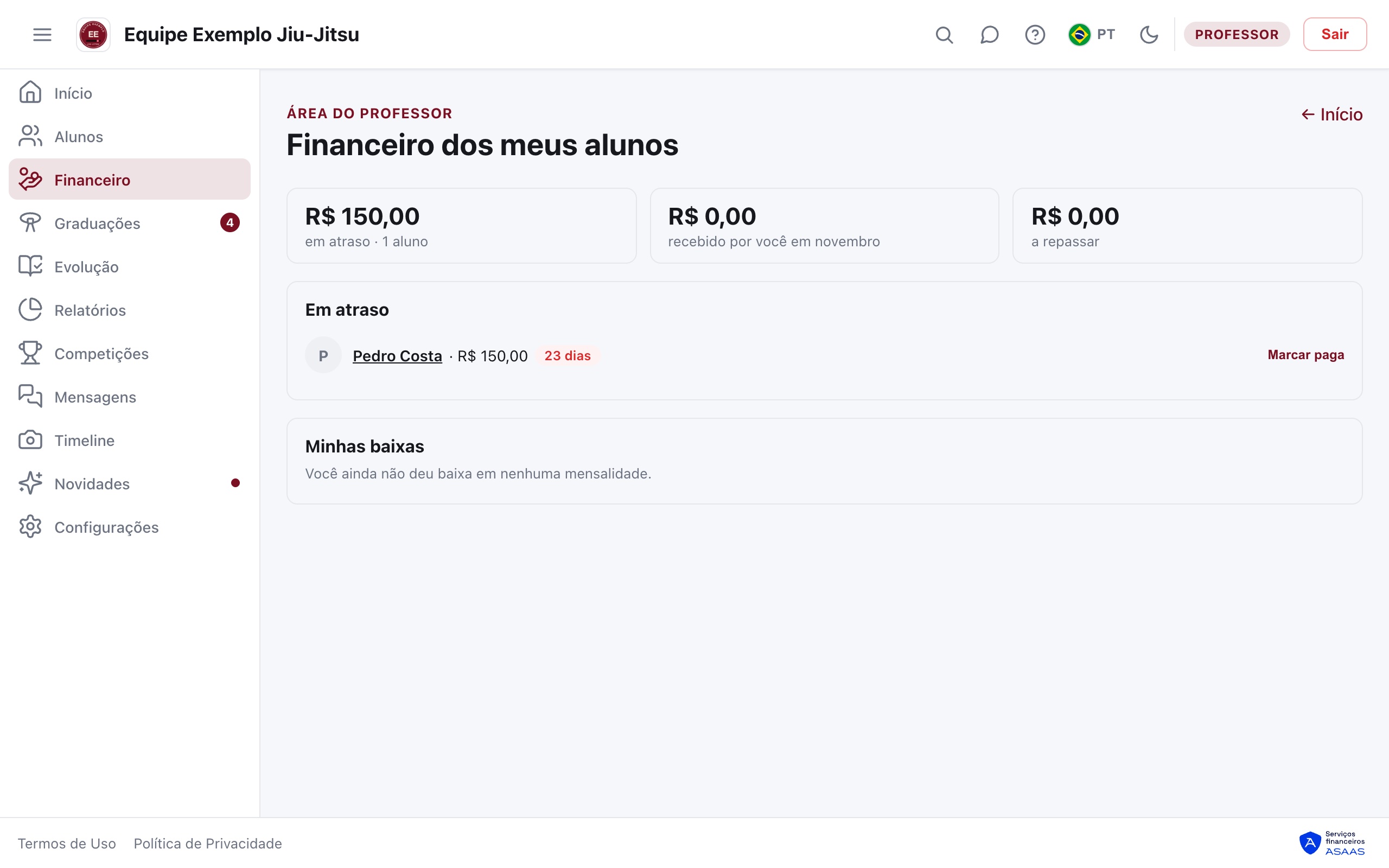
Student payments, for the instructor

With the manager's permission, instructors see their students' overdue fees and mark them paid, saying how. The manager is notified and records the settlement.

Where to find it Team › instructor profile

Screen for the update: Student payments, for the instructor
ManagerInstructorStudentWebApp 1.5.0

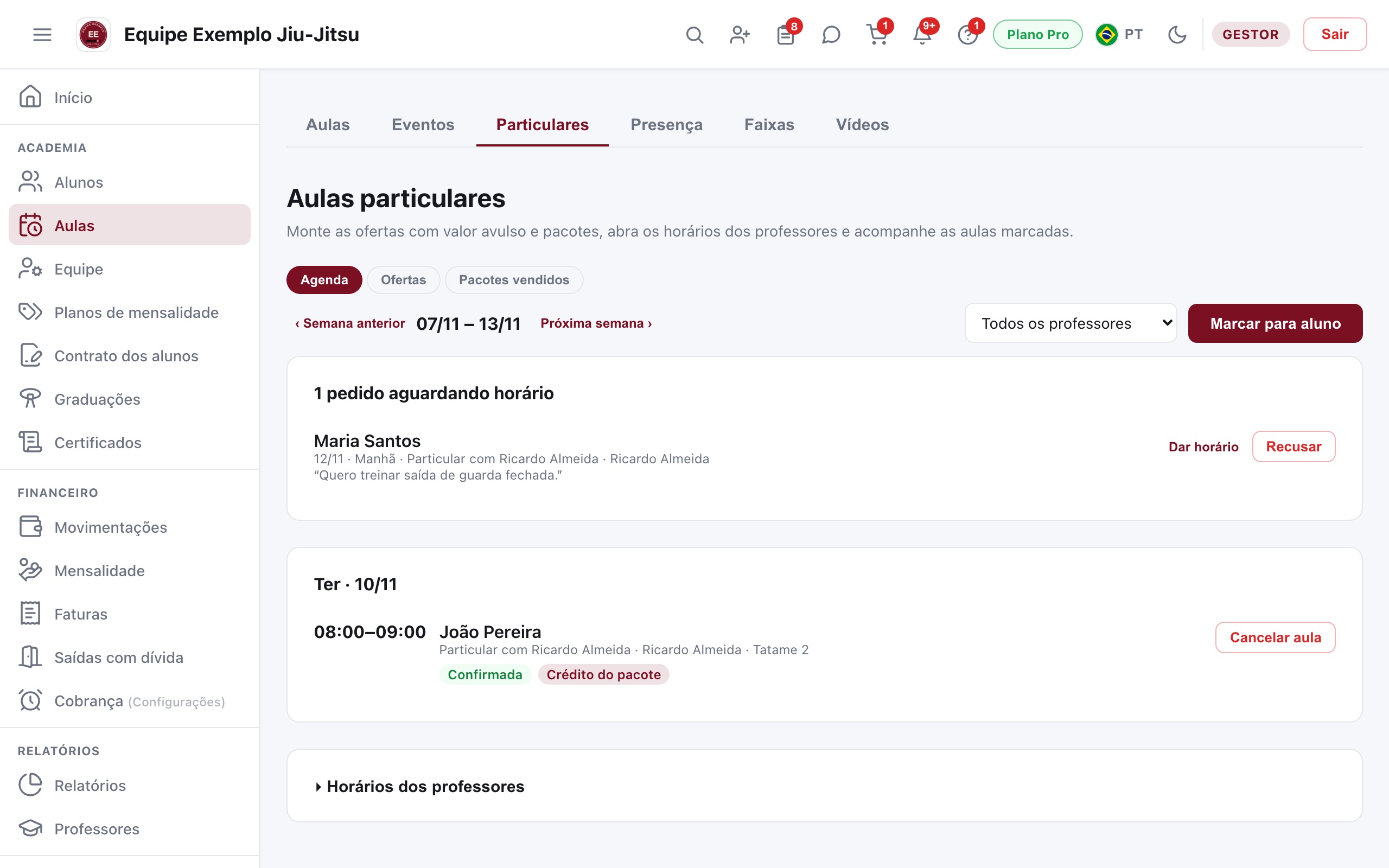
Private lessons

The manager creates offers and packages, the instructor answers requests in the schedule, and students book, pay or use a package, with the lesson in the calendar.

Where to find it Classes › Private lessons

Open the screen
Screen for the update: Private lessons
ManagerStudentApp 1.4.52

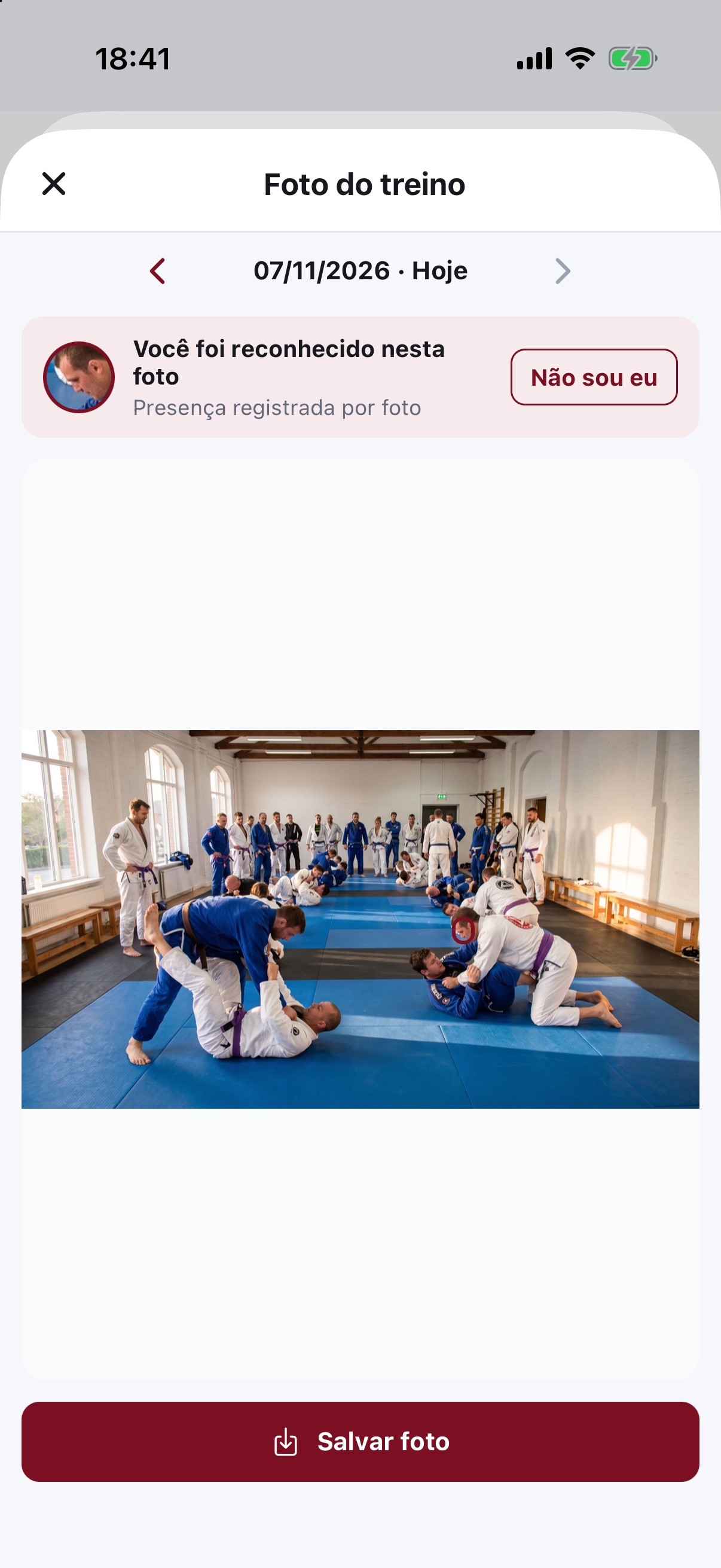
"That's not me" in the training photo

Recognized by mistake in the training photo? Tap "That's not me" and the photo check-in is removed. The academy is notified to review it.

Where to find it Home › notifications bell

Screen for the update: "That's not me" in the training photo
ManagerWebApp 1.4.52

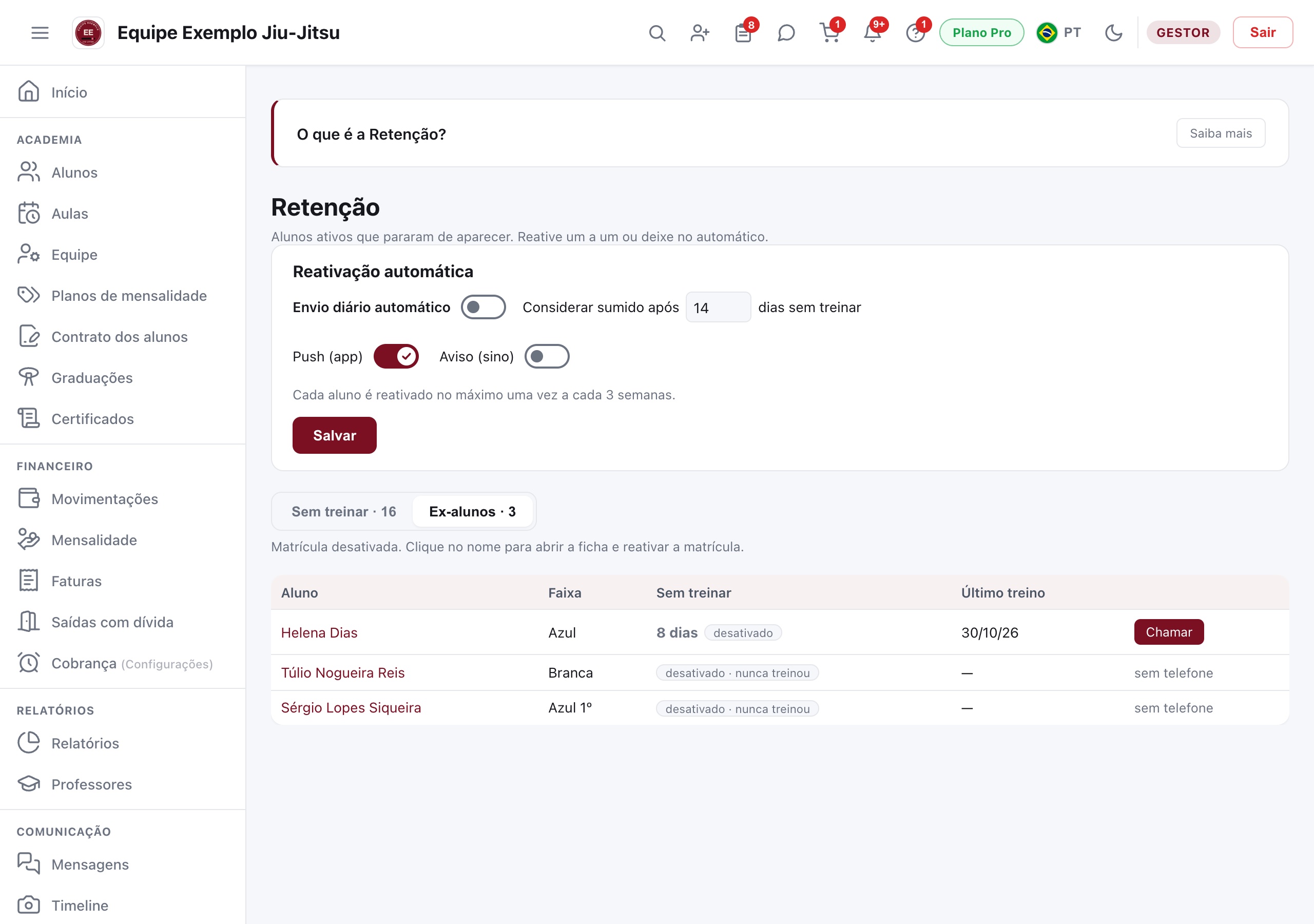
Retention: not training and former students

Retention splits students who stopped training from former students. "Reach out" opens WhatsApp with the message ready, and the profile reactivates whoever comes back.

Where to find it Retention

Screen for the update: Retention: not training and former students
ManagerInstructorStudentWebApp 1.4.49

Events with a poster and sign-up in the app

The manager adds the poster, picks who sees it and sends a push. Students see the event featured on Home, tap "Sign me up" and pay in the app.

Where to find it Classes › Events

Open the screen
Screen for the update: Events with a poster and sign-up in the app
ManagerInstructorStudentWebApp 1.4.48

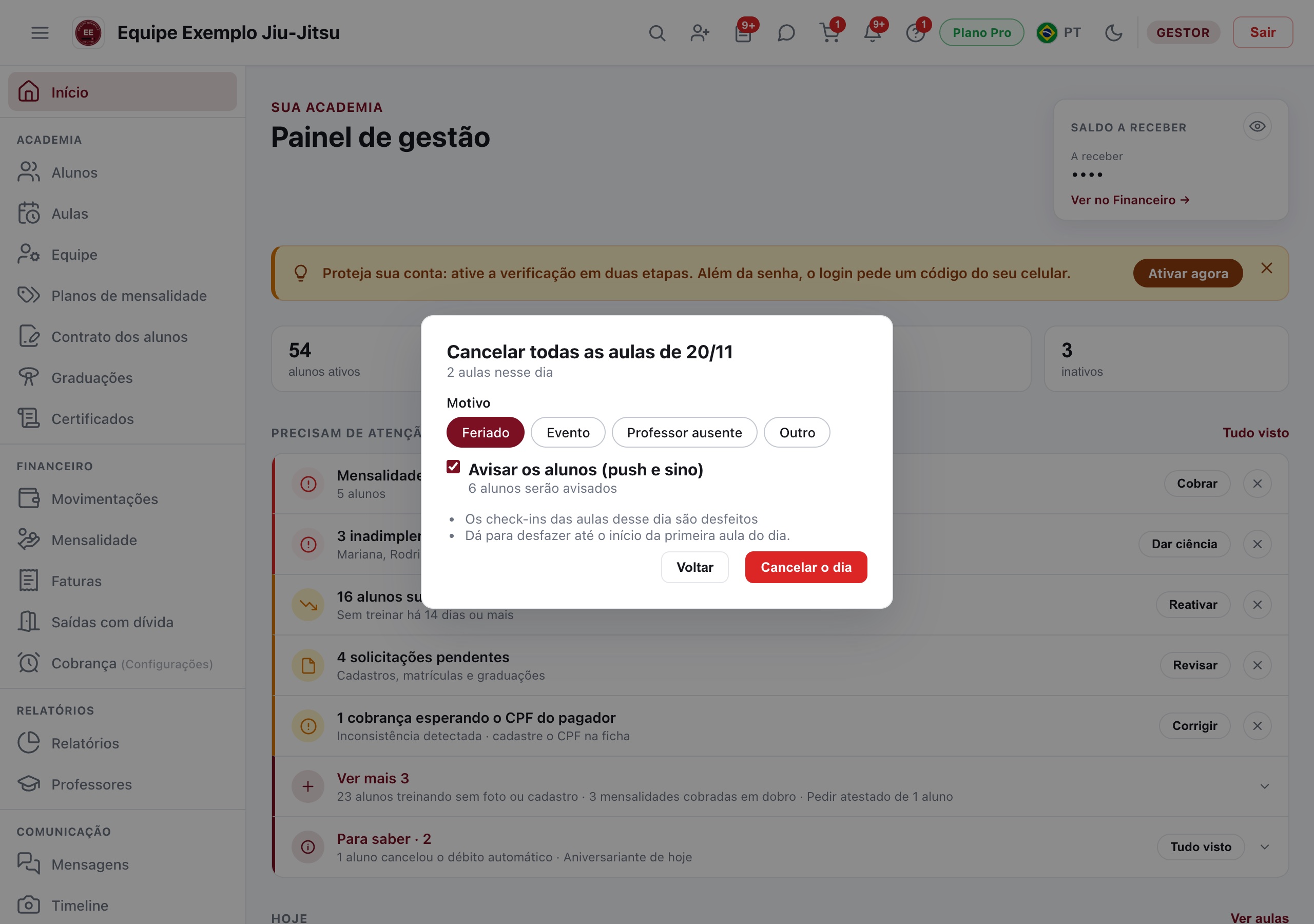
Cancel a class or the whole day

In the calendar, cancel one class or the whole day (holiday) with a reason, without deleting the class. Students are notified, see "Canceled" and the check-in is undone.

Where to find it Calendar › choose the class

Screen for the update: Cancel a class or the whole day
ManagerInstructorStudentWebApp 1.4.47

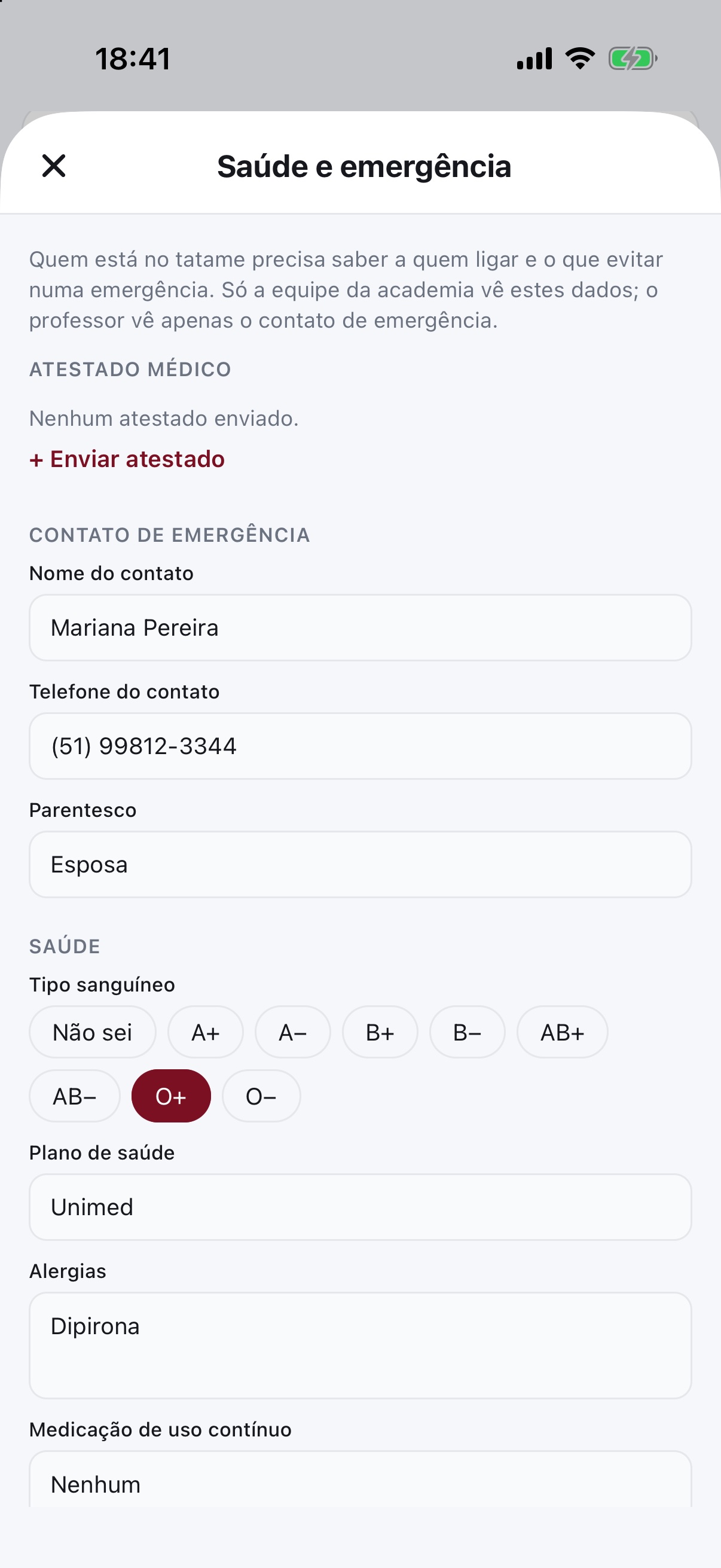
Health and emergency

Students add an emergency contact, allergies, medication and a medical certificate. The manager sees it on the profile, and the roll call shows restrictions or leave.

Where to find it Students › student profile

Screen for the update: Health and emergency
ManagerStudentWebApp 1.4.44

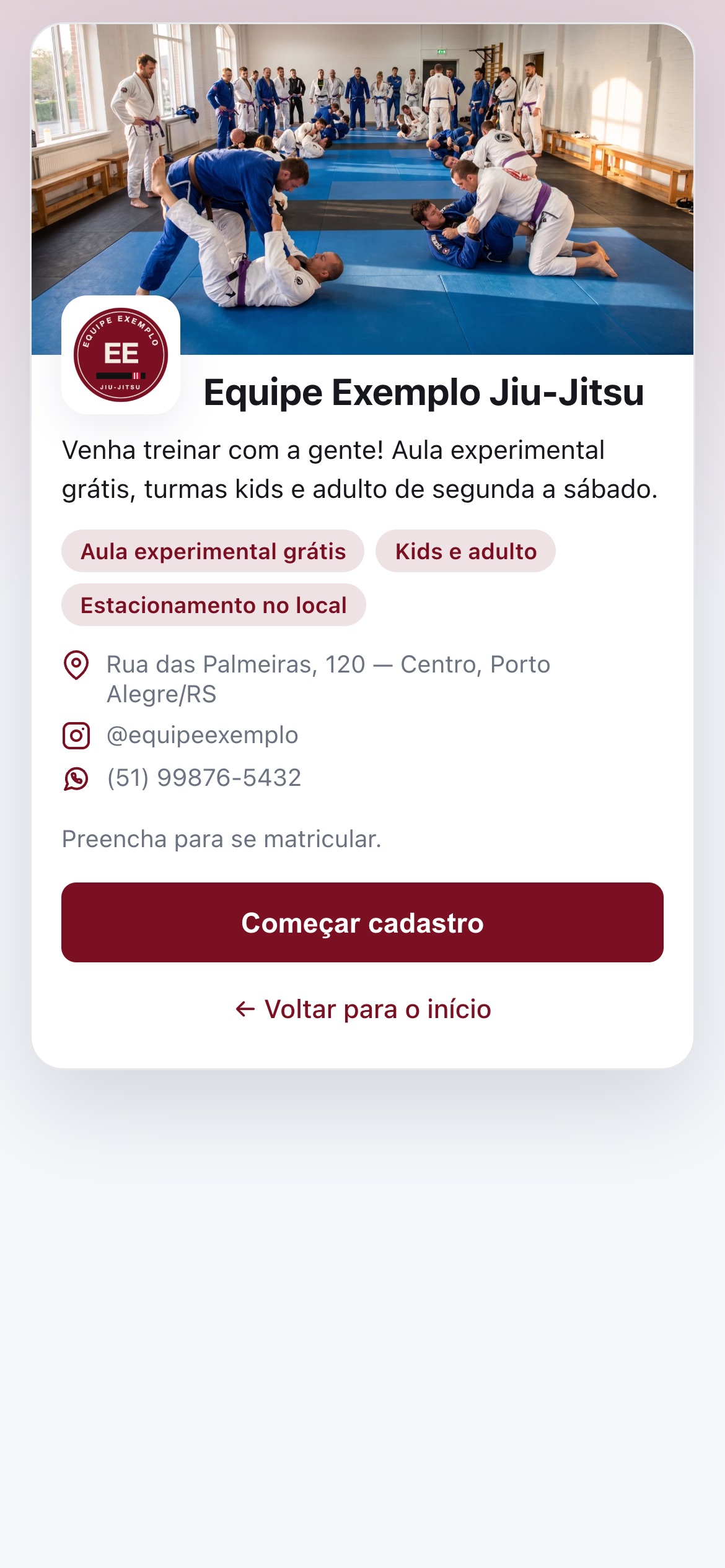
Academy banner

Cover, welcome line, address, Instagram, WhatsApp and up to 3 highlights, in Settings › Identity. The invite opens with the banner, and the student's Home gets the shortcuts.

Where to find it Settings › Identity

Screen for the update: Academy banner
ManagerApp 1.4.44

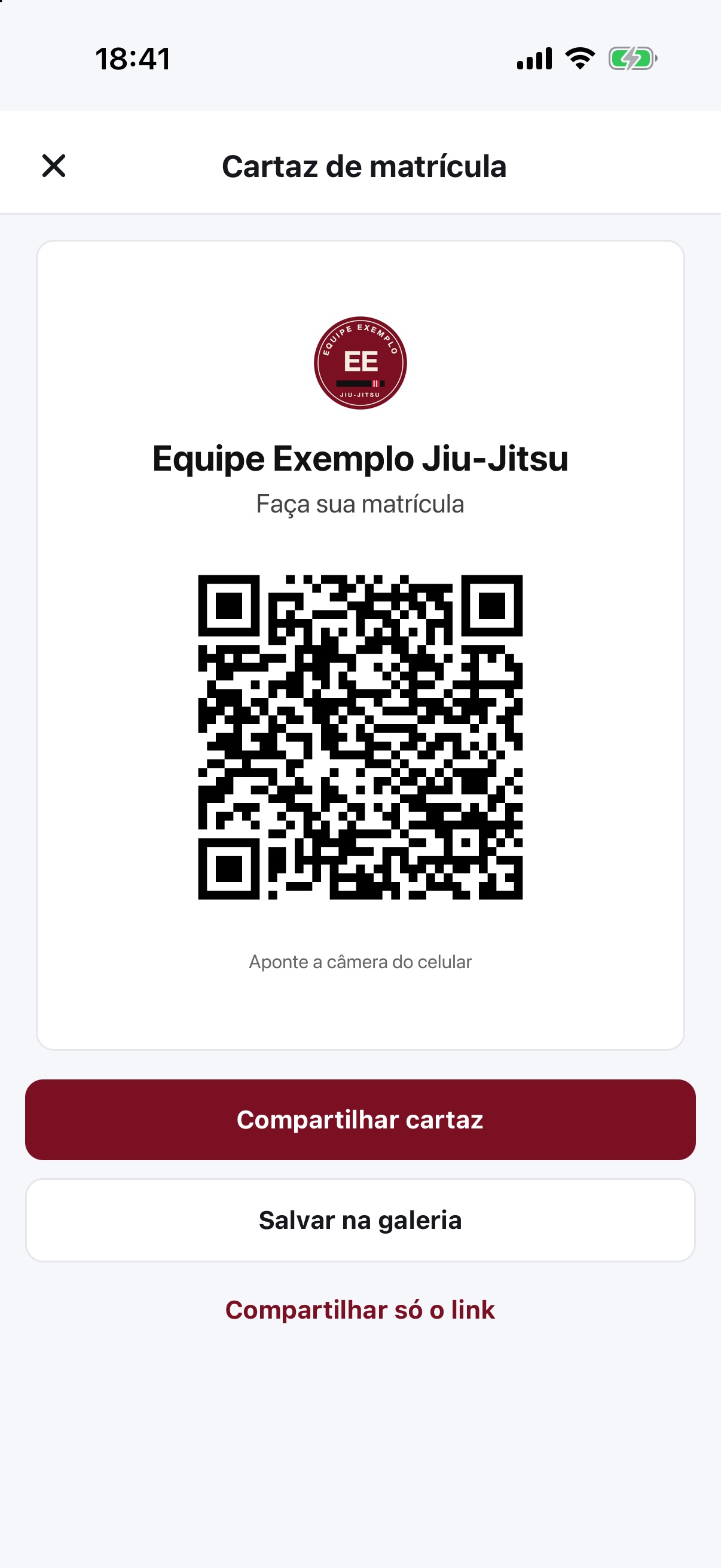
Enrollment poster with QR

In Invites, a poster with the logo, the academy name and the enrollment link QR, ready to share on WhatsApp and Instagram or to print.

Where to find it Invites › Enrollment poster

Screen for the update: Enrollment poster with QR

September 2026

ManagerStudentWebApp 1.4.35

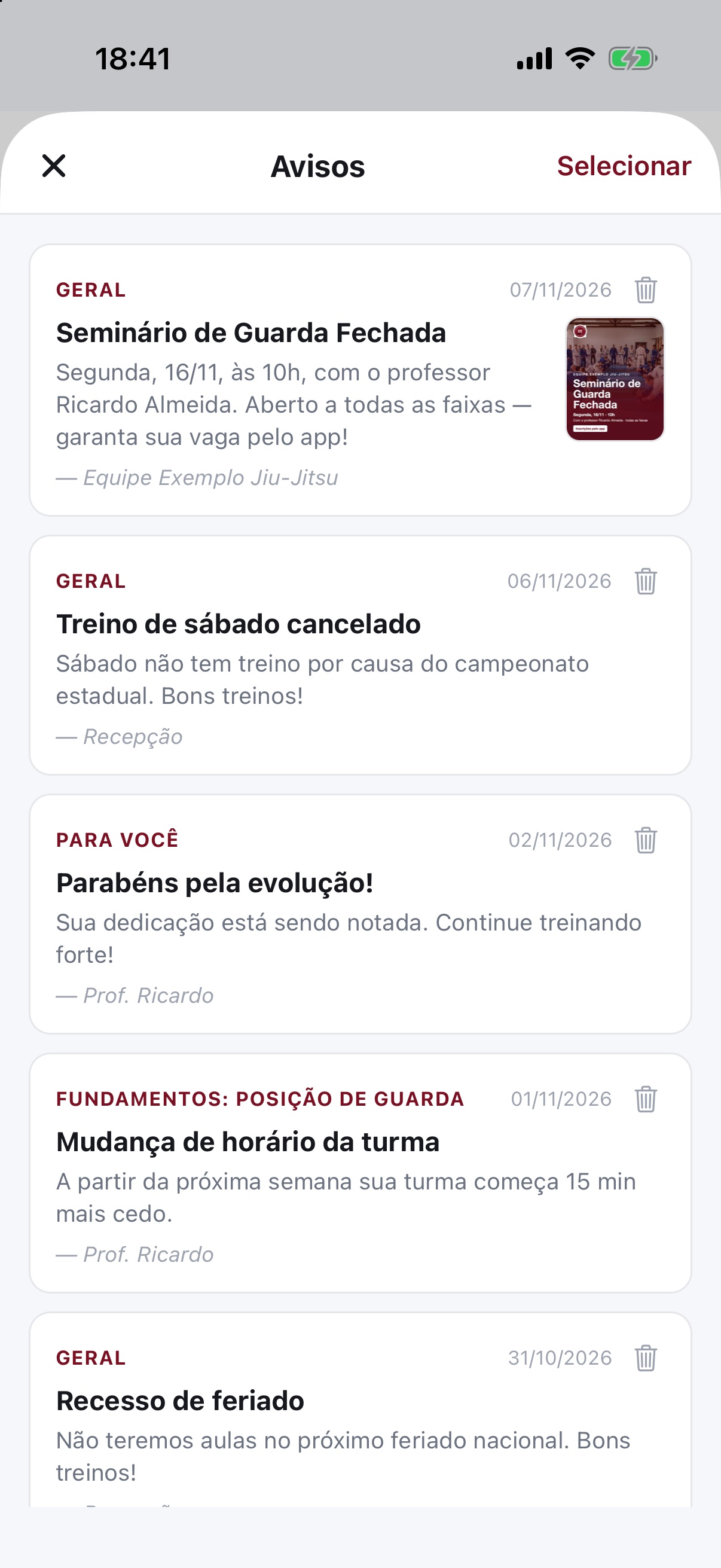
Announcements with an image, to guardians too

Attach the seminar or graduation poster: it goes in the push, and students can zoom and save it. Class and event announcements reach the guardian too.

Where to find it Messages › Announcements

Open the screen
Screen for the update: Announcements with an image, to guardians too
ManagerStudentWebApp 1.4.35

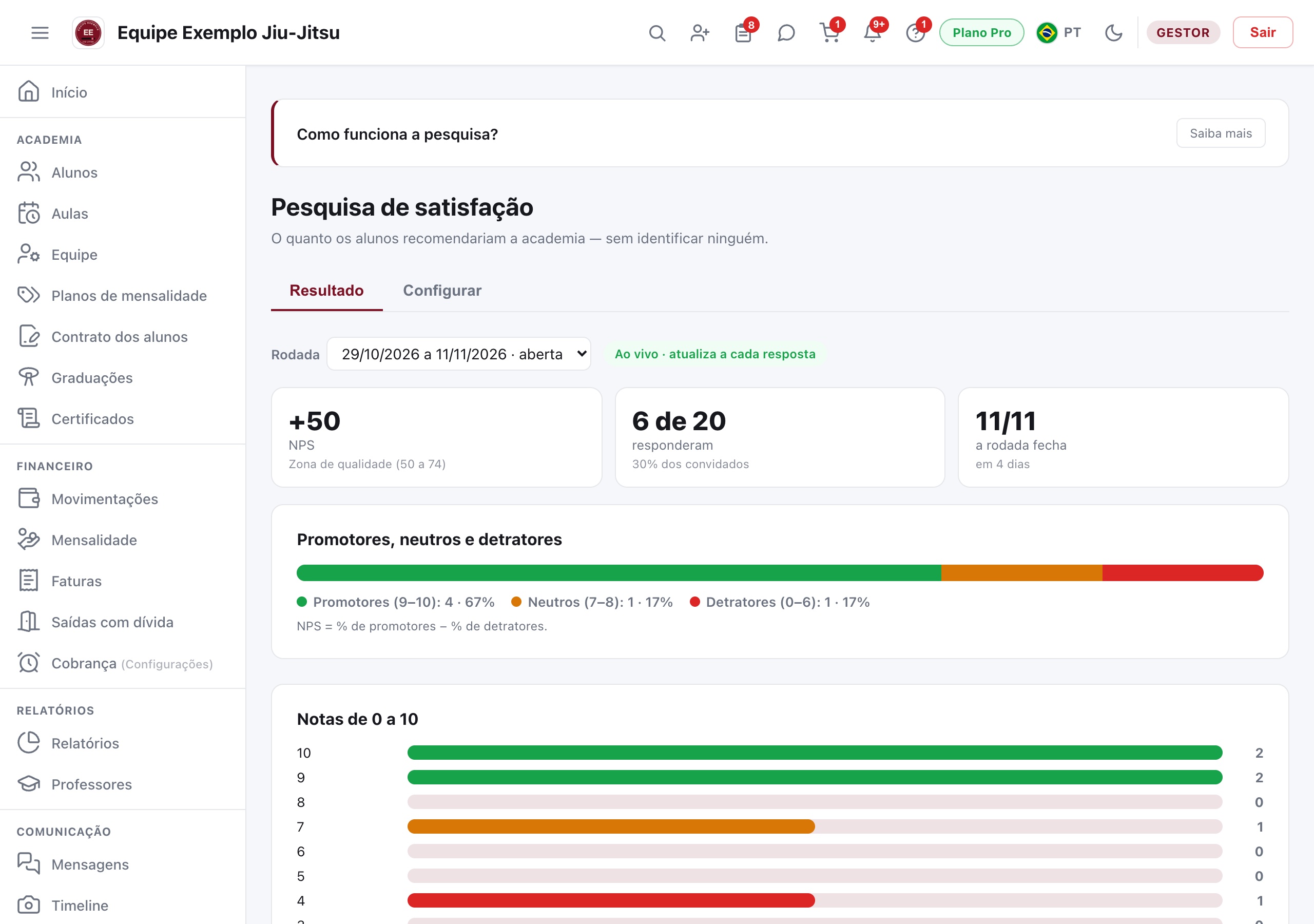
Satisfaction survey

Students rate 0 to 10 from the Home card in about 30 seconds. The manager turns it on in Tools › Satisfaction survey and sees the overall result.

Where to find it Tools › Satisfaction survey

Open the screen
Screen for the update: Satisfaction survey
ManagerInstructorStudentWebApp 1.4.35

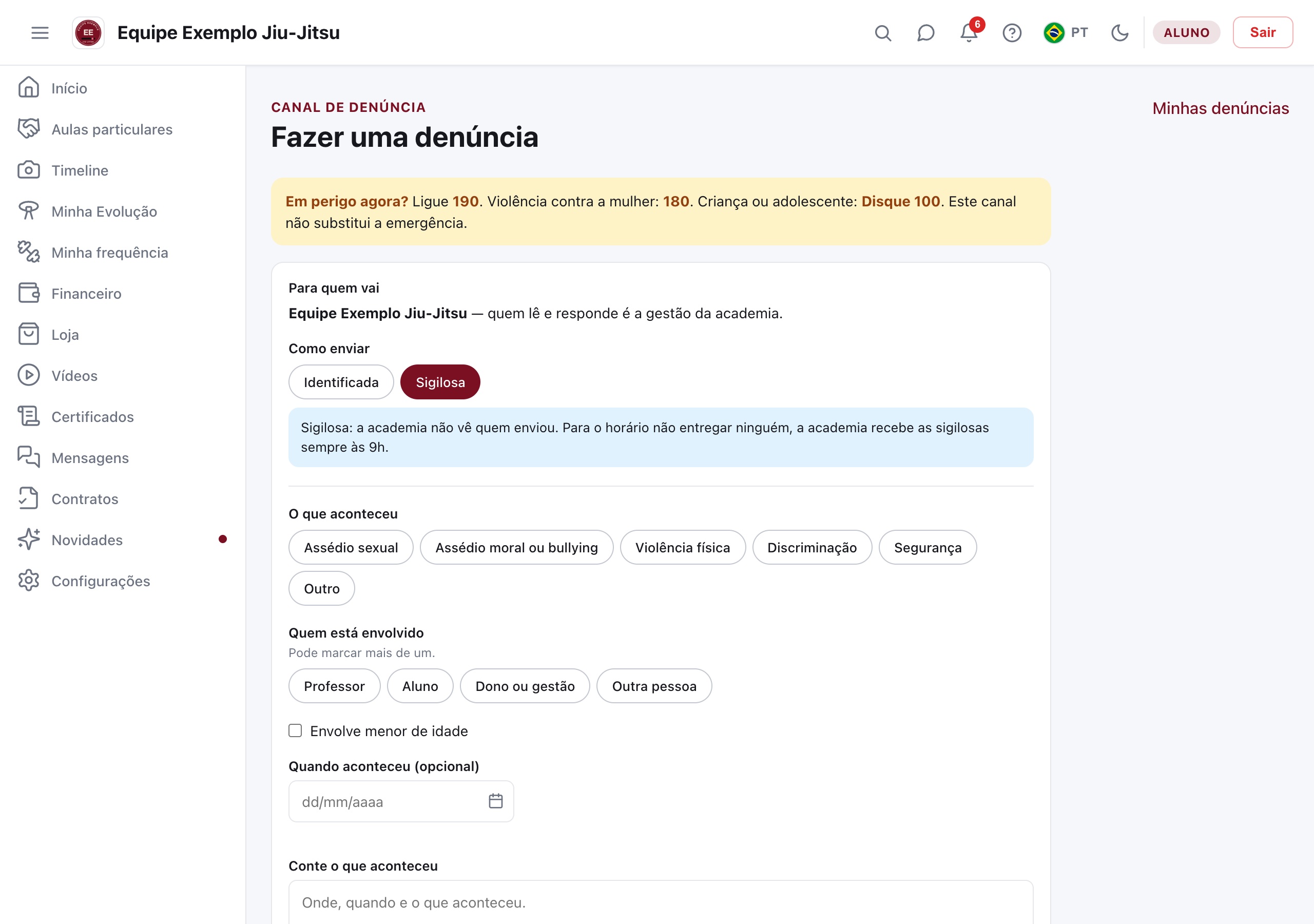
Reporting channel

Students, guardians and instructors report to the academy, by name or confidentially, and follow the reply. The manager answers in Communication › Safety reports.

Where to find it Communication › Safety reports

Screen for the update: Reporting channel
StudentWebApp 1.4.34

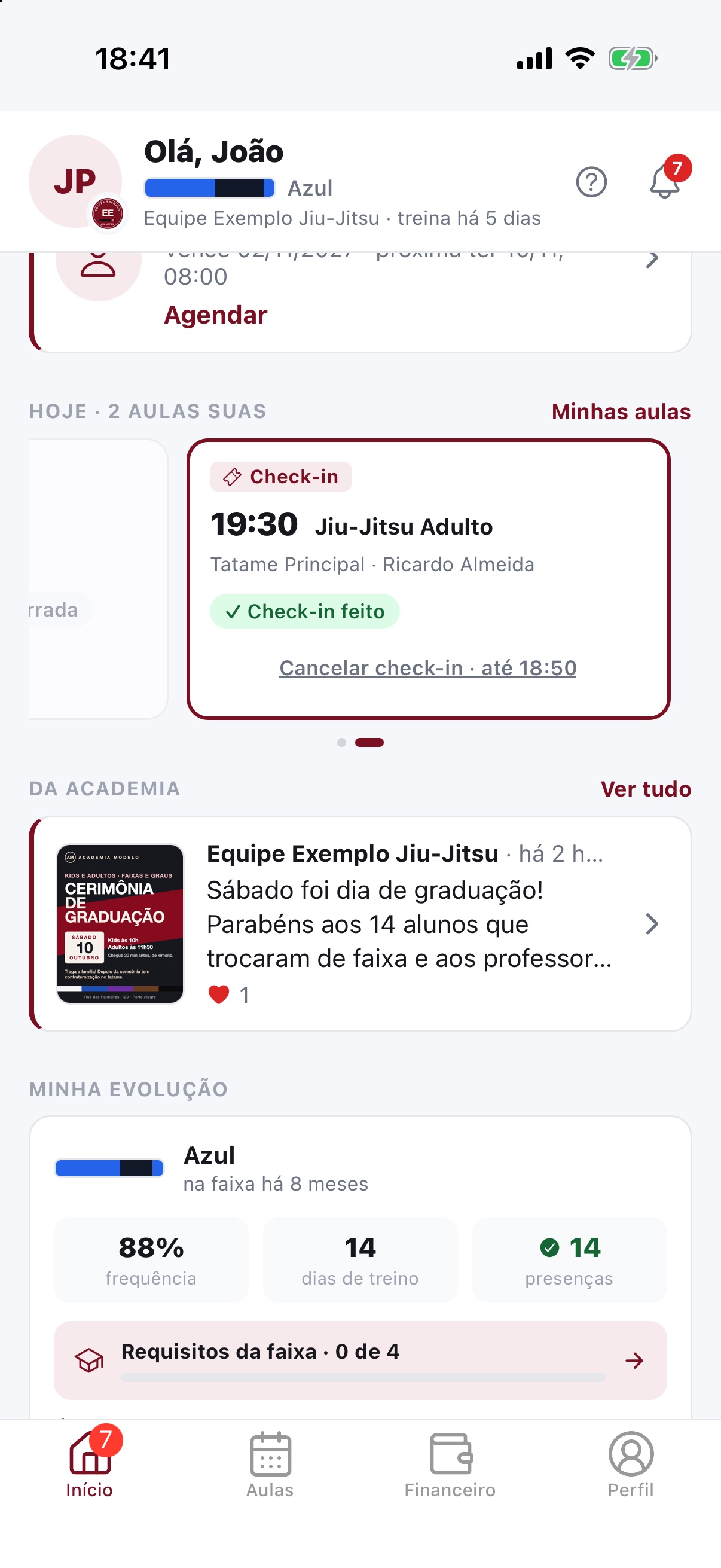
One-tap check-in to the right class

The Home shortcut offers the class you booked or usually take, not the first open one. Tapped the wrong one? "Cancel check-in" undoes it.

Where to find it Home › Check-in

Open the screen
Screen for the update: One-tap check-in to the right class
ManagerInstructorStudentWebApp 1.4.30

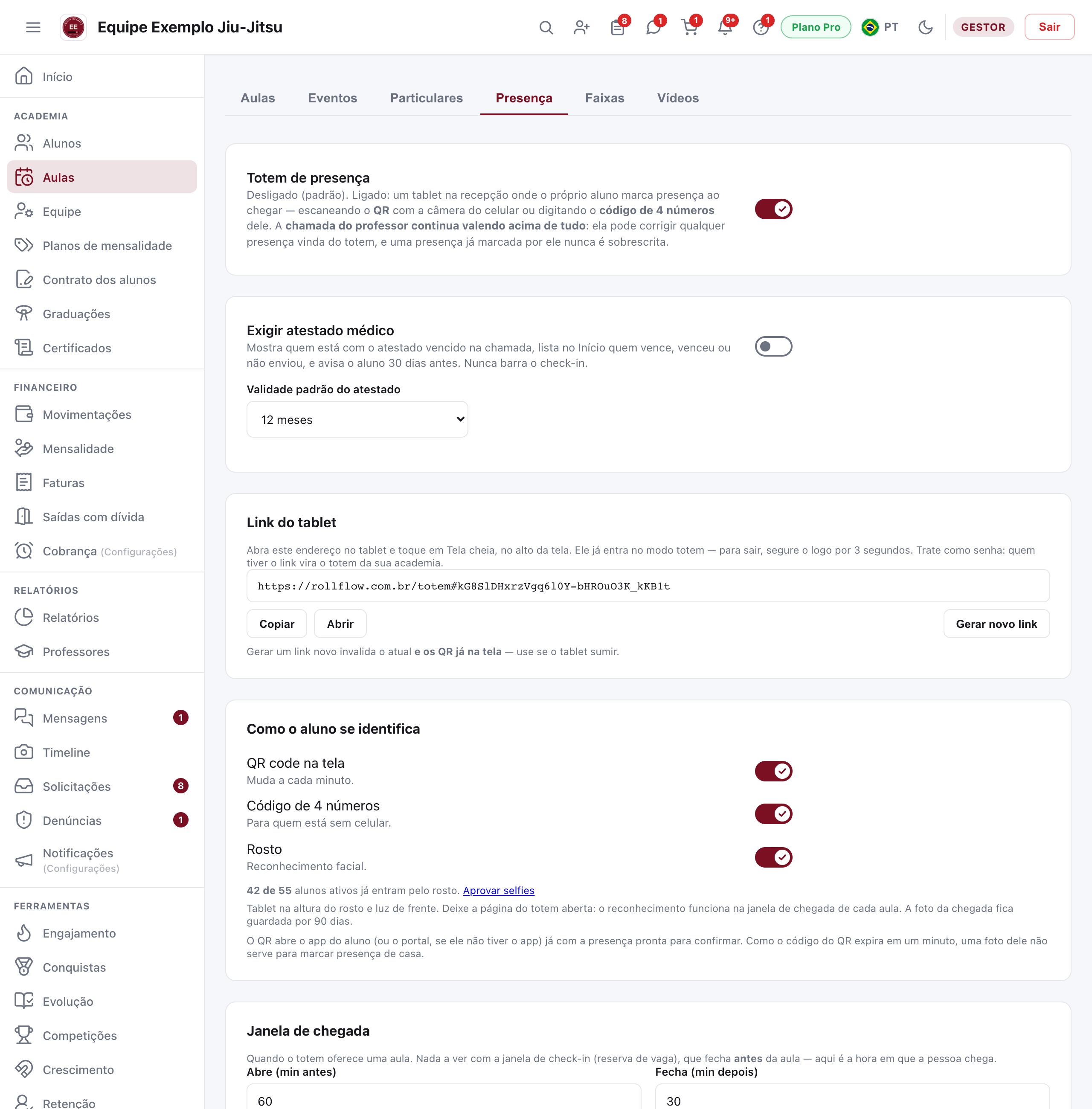
Attendance by face at the kiosk

The front-desk tablet recognizes the student's face and marks attendance; QR and code still work. The manager turns it on in Classes › Attendance.

Where to find it Classes › Attendance

Open the screen
Screen for the update: Attendance by face at the kiosk
ManagerWebApp 1.4.27

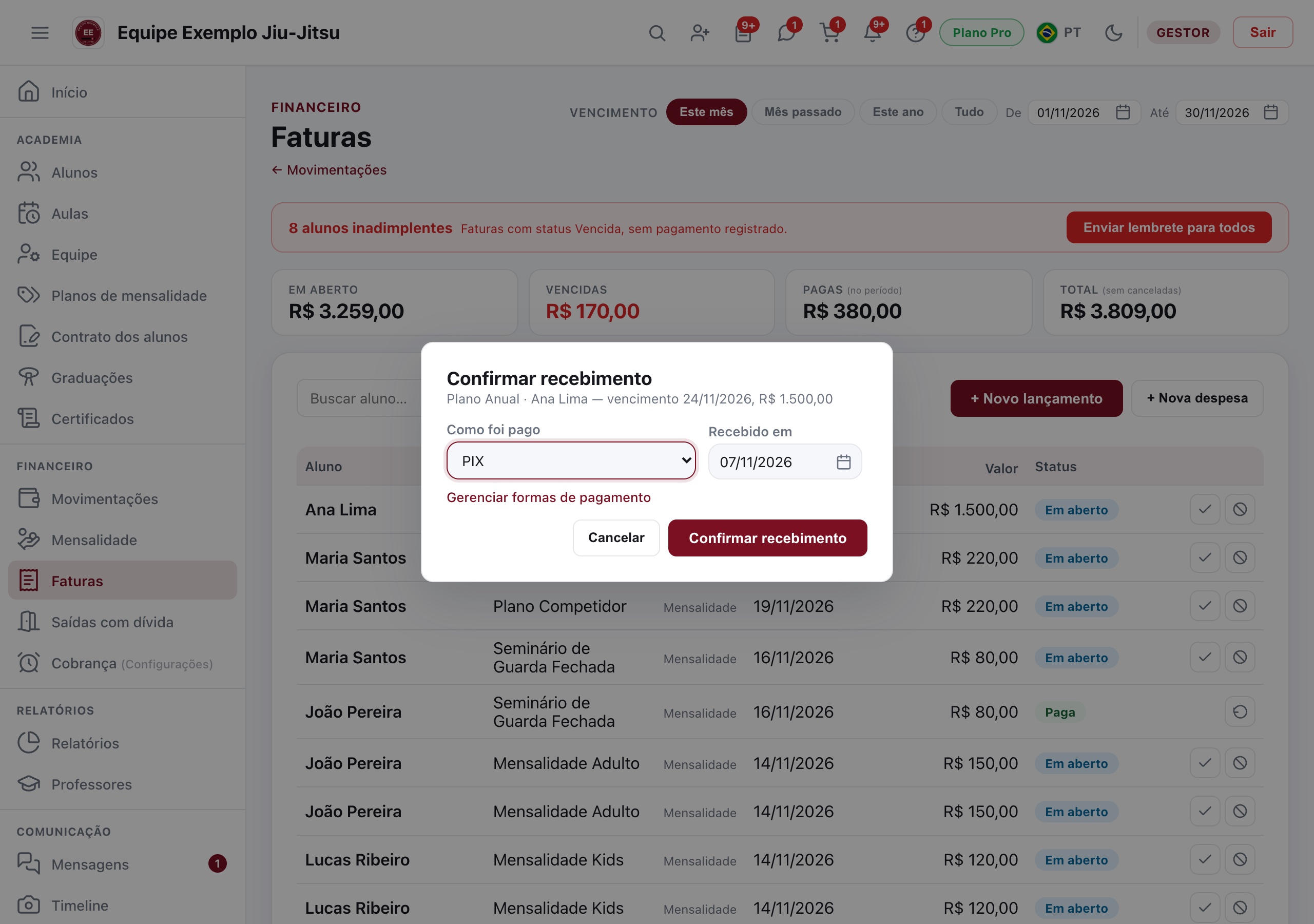
Paid outside the app? Say how

When you confirm a payment, pick the method (PIX, cash, card machine, barter, courtesy…) and the date it came in. Cash flow adds up and filters by method.
Where to find it Finance › Tuition › Mark as paid

Open the screen
Screen for the update: Paid outside the app? Say how